
The video builds a piece about a familiar frustration: AI agents are marketed as hands-off employees, yet real workflows may require setup, prompt repairs, and human intervention. That theme is a useful test case because it needs both timely conversations and scrutiny of product claims. Rather than presenting Grok as magically better at everything, this article breaks down what the creator actually does, why each step works, and which conclusions deserve extra care.
For a concise overview of the product itself, see our Grok AI tool profile.
The result is a reusable workflow: discover a discussion → research the claims → define an angle → draft and revise → generate supporting visuals. You can adapt it to an AI-tool review, a newsletter, a social post, or a longer editorial article.
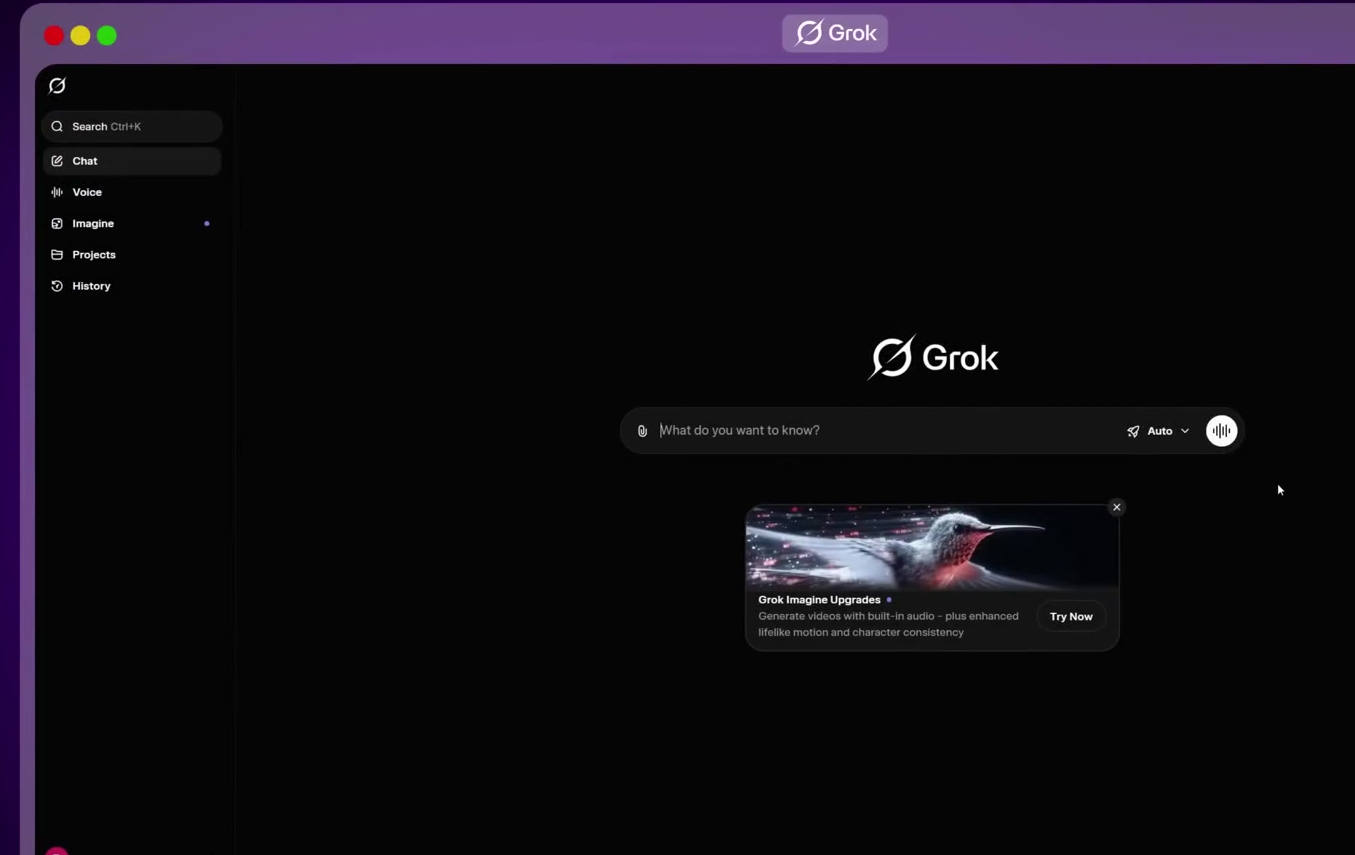
Grok's workspace at the start of the demonstration. The creator moves between chat-based research and the Imagine visual-creation area.
1. Start with a question people are actively discussing
The creator does not begin by asking Grok to write a generic article about AI agents. The first prompt is more strategic: “What topics in the AI space are getting unusual engagement on X right now?” This searches for a live editorial opportunity rather than a broad subject that has already been covered hundreds of times.
Why X? Grok can search publicly available posts on X, as the platform's own help documentation explains. That makes it useful for finding reactions, complaints, launch discussions, and emerging conversations alongside conventional web sources. But the video takes the distinction a little too far when it suggests no other assistant can access similar information. The grounded advantage is Grok's integrated access to X, not an absolute monopoly on timely social data.
In the recorded example, the returned material points toward dissatisfaction with “fully autonomous” AI agents. People reportedly describe agents that need repeated supervision, prompt adjustments, and error recovery. That gives the creator the beginnings of a story, but it is not yet proof that the industry is failing. It is a hypothesis worth investigating.
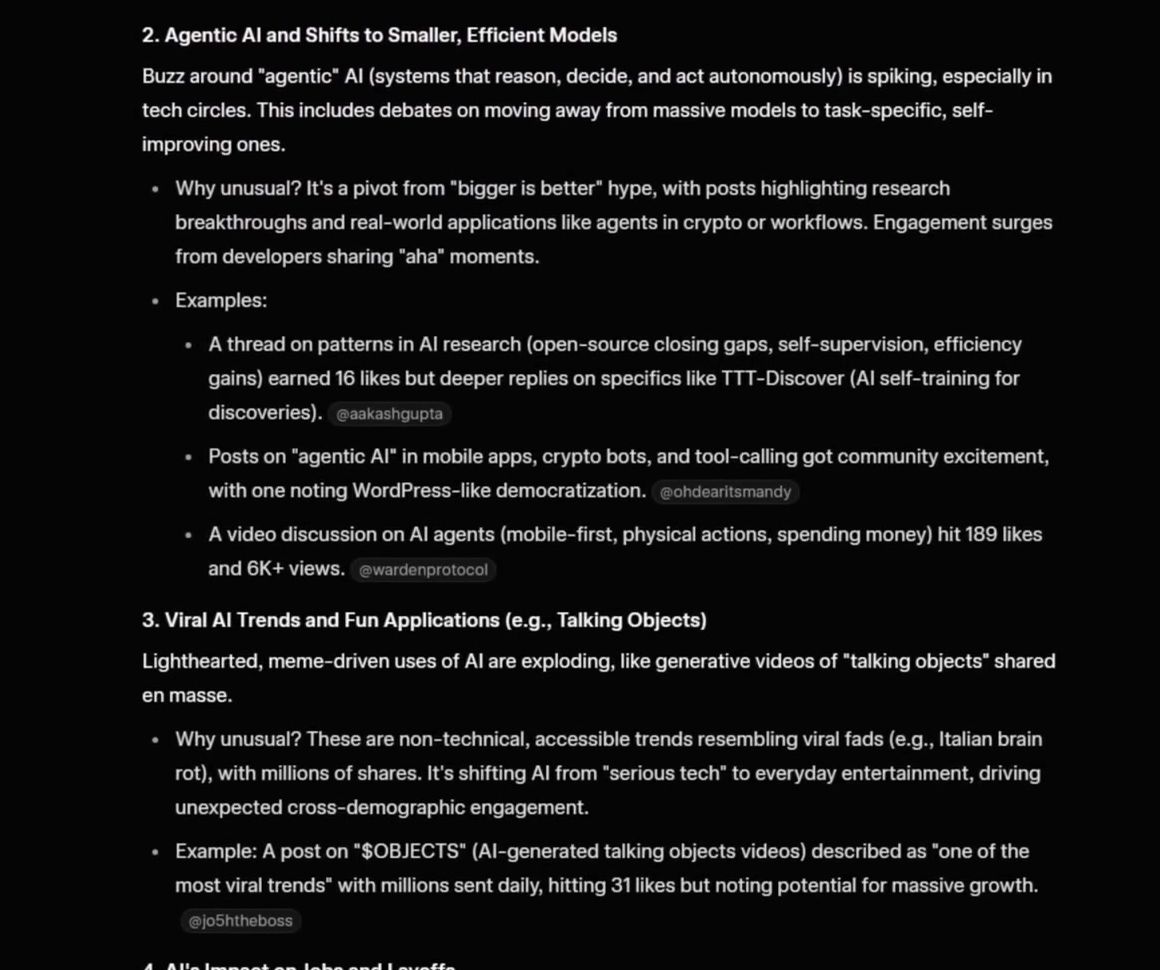
The creator reviews topic suggestions and follows the conversation about agentic AI rather than settling for a generic list of trends.
A better trend-finding prompt
To make the idea more reproducible, use a prompt that asks for evidence and counterexamples, not just exciting trends:
Find five AI-tool debates that have gained unusual attention on public X posts in the last seven days. For each, summarize the competing viewpoints, link to representative posts, distinguish original reporting from reposts, and explain what would need independent verification before publishing. Do not mistake a few viral posts for broad consensus.
The last sentence matters. Social media is shaped by who posts, what the ranking system boosts, and which communities are most active. A noisy discussion does not establish how all users feel. If a claim is important, inspect the actual posts, publication dates, author identities, and supporting evidence.
2. Go beyond the trend with deeper research
Once the creator chooses the agent-hype angle, the next problem is substance. A strong opening is not enough if the article cannot explain which tools exist, what vendors promise, and how users describe their real experiences.
The video demonstrates a prompt beginning with “Using DeepSearch,” followed by questions about the current state of AI agents, leading tools, marketing promises, practical results, and the gap between those claims and real-world use. Grok then appears to organize the query into multiple searches and return a synthesized response with citations.
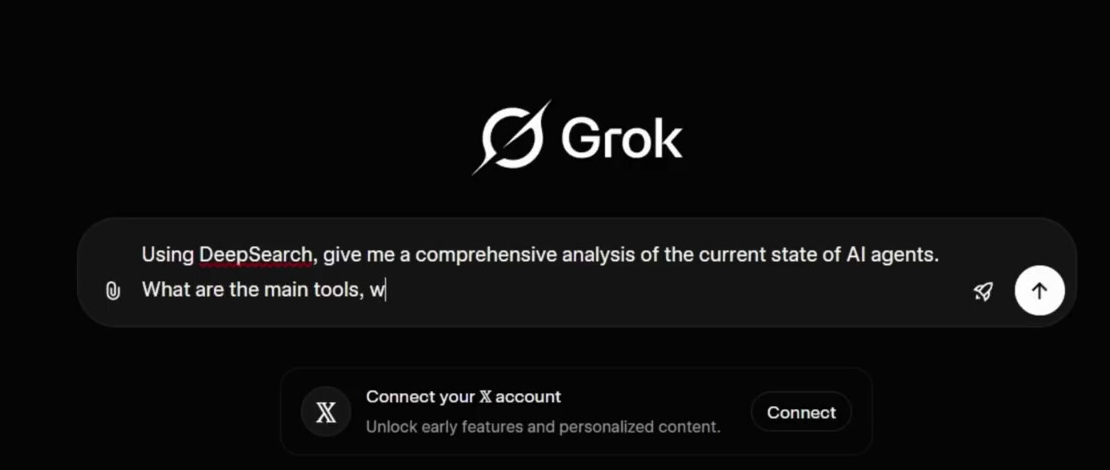
The recorded prompt explicitly requests DeepSearch and names the comparisons the research should answer.
A practical research request should state four things:
1. Scope: Which market, product category, or question are you evaluating?
2. Claims: What do providers say their products can do?
3. Evidence: What do published tests and first-hand users report?
4. Disagreements: Where do the sources conflict, and what remains uncertain?
In the video, the creator asks those questions together. The response discusses agent frameworks, including CrewAI and various “AI employee” products, then contrasts their pitches with complaints about long setup time, brittle configurations, hallucinations, and failures in multi-step workflows. Those are the research themes shown in the demonstration, not findings that this article independently established about every product mentioned.
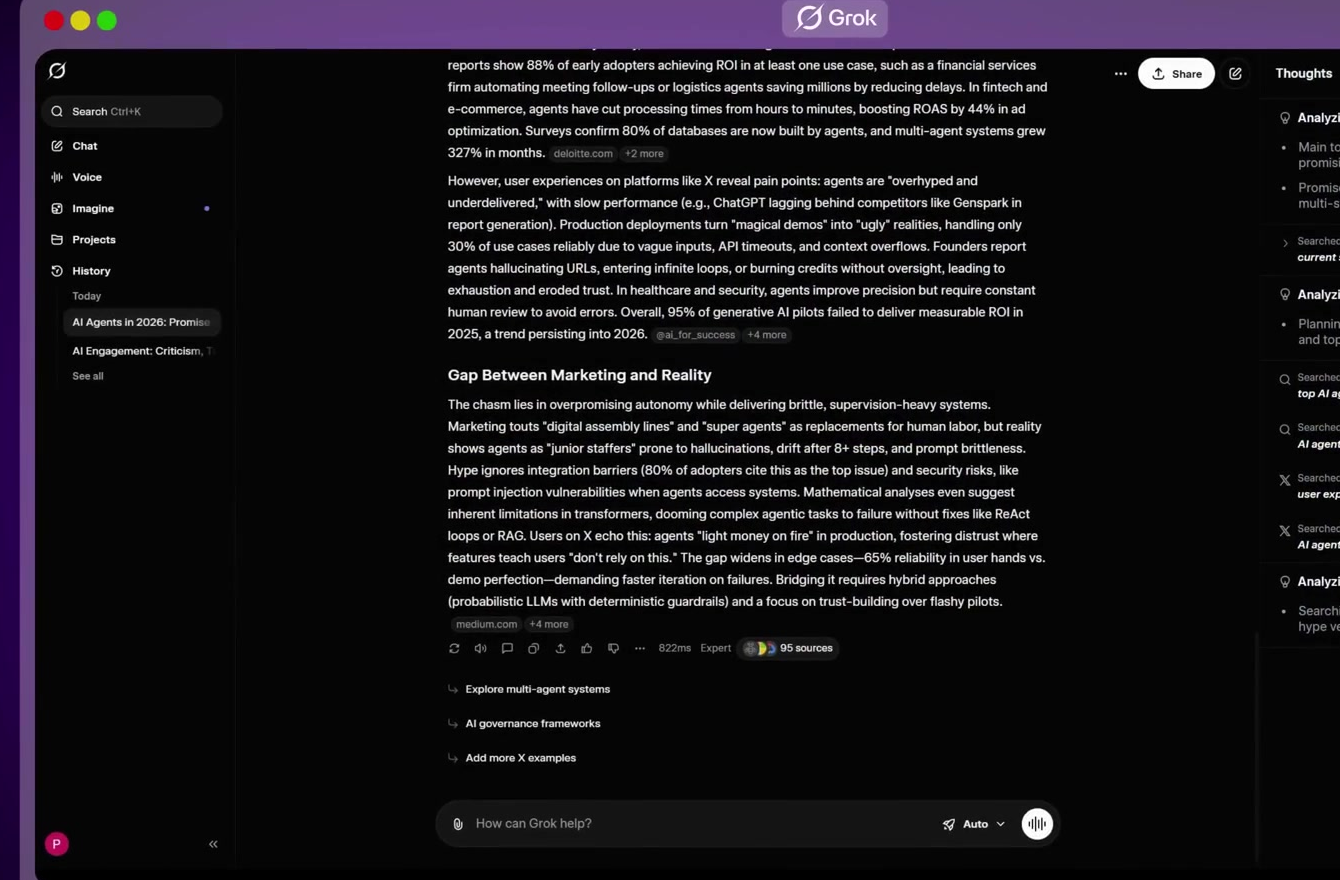
Grok's synthesized research becomes the evidence base for the next writing step.
Treat citations as starting points, not decorations
Grok's official developer tools distinguish X Search from Web Search. Both can return material relevant to research, but their existence does not automatically guarantee that every summary is complete or accurate. The video calls the output “genuinely researched”; an editor should translate that enthusiasm into an actual verification step.
For any consequential statement, open the linked source. Check whether it is a vendor page, a firsthand account, a benchmark, a news article, or just a repeated claim. Note the source date. When comparing AI agents, separate a controlled test from a short demonstration and separate a product's advertised capabilities from what a customer successfully deployed.
A useful working note for each claim is: what is being claimed, who says it, what supports it, and what would change the conclusion? This simple habit protects the final piece from repeating one-sided narratives.
3. Turn the research into a clear editorial angle
After the research, the creator shifts from gathering facts to deciding what the piece should argue. His angle is that “set it and forget it” automation is often an oversimplified marketing promise, because real implementation can demand ongoing human oversight.
This is a specific thesis, not a neutral encyclopedia introduction. That matters because good commentary needs an identifiable idea. But an effective thesis is not permission to exaggerate. The goal is to write clearly because the evidence is clear, not to sound confident regardless of the evidence.
The tutorial shows the creator setting Grok's response preferences in a customization menu. He chooses a more direct, conversational style and asks the assistant to avoid unnecessary hedging. The current menu may look different, but the transferable technique is the same: tell the model what the writing is for, who will read it, and how much certainty the evidence supports.
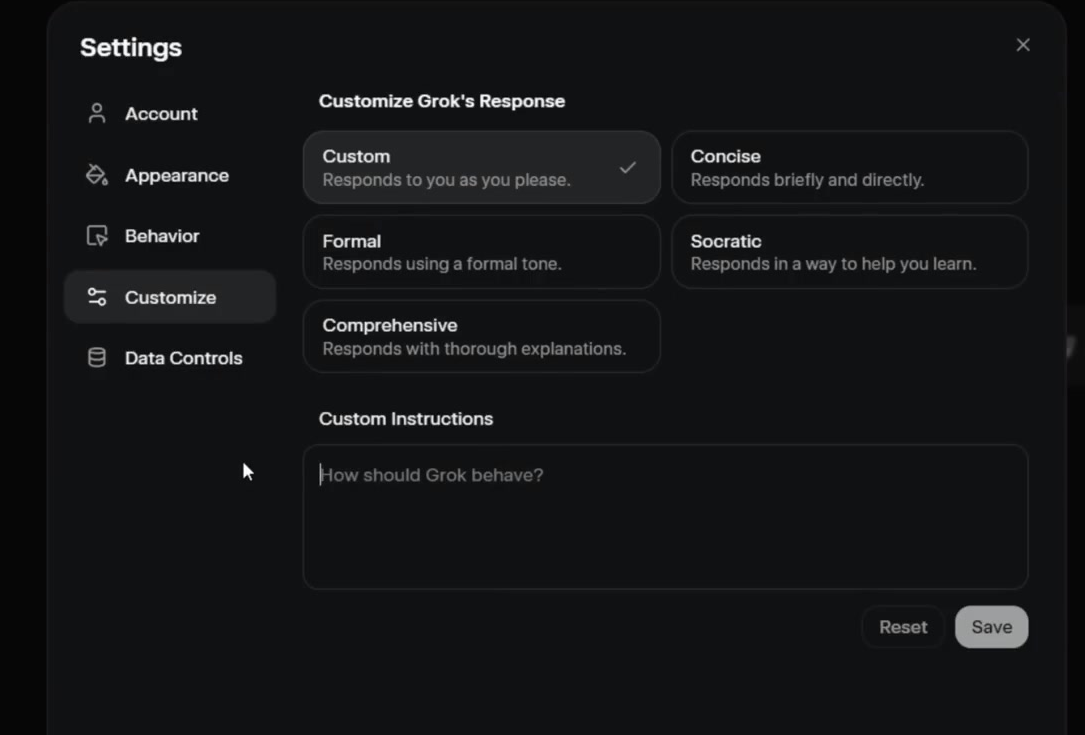
The video uses Grok's customization options to steer tone before drafting.
Example writing instructions that preserve accuracy
You are my editorial drafting assistant. Write for readers who know the AI industry but dislike inflated marketing language. Use concrete examples, active verbs, and a conversational American English tone. Make the thesis obvious. Avoid stock openings and vague praise. Be assertive where the sources are strong, but preserve genuine uncertainty and do not invent statistics or citations.
This version deliberately differs from “never hedge.” Sometimes qualified language is necessary. “Some users reported failures in multi-step setups” is more informative than “AI agents always fail.” A useful style guide tells the model to avoid empty caution, not to erase legitimate caveats.
4. Draft an opening readers can understand immediately
Next comes the first writing prompt in the video. The creator asks for an introduction to a piece about overhyped AI agents, specifies that the central problem is constant supervision, and asks Grok to make it punchy.
The response shown on screen opens with the promise of automation and then pushes against it: agents that supposedly handle work while people sleep may still require a human to diagnose errors and fix broken steps. It frames the frustration as a conflict between the advertised fantasy and the everyday implementation work.
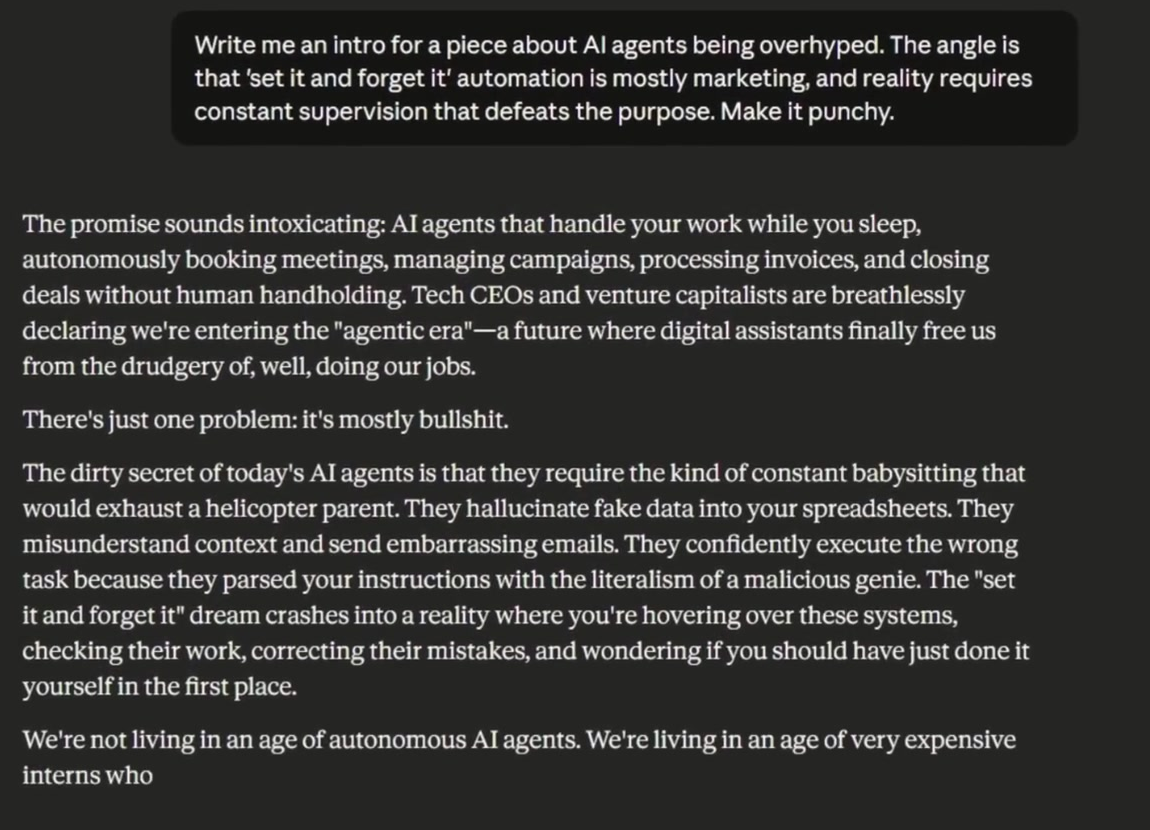
The creator's first draft turns earlier research into an argumentative introduction.
The structure is worth borrowing. It introduces the promised benefit, shows the practical friction, and makes the reader understand why the issue matters. For any other topic, you can keep the pattern without copying the opinions:
Promise: What outcome does the tool or technology advertise?
Friction: What does adoption actually demand?
Stakes: Why should the reader care about that gap?
Direction: What will the article demonstrate next?
The presenter then runs the same writing prompt through ChatGPT and Claude and prefers Grok's version. His description of the competitors as too restrained is a subjective judgment drawn from this one on-screen comparison, not a controlled benchmark or an enduring rule about their capabilities. A writer can learn from the contrast without treating the ranking as settled fact.
5. Revise for stronger voice without losing the evidence
The tutorial does not stop after one draft. The creator asks Grok to rewrite the passage more bluntly, with less politeness toward overstated automation claims. The resulting text is sharper and more confrontational. He also requests three specific examples of the marketing-to-reality gap, drawing from the earlier research.
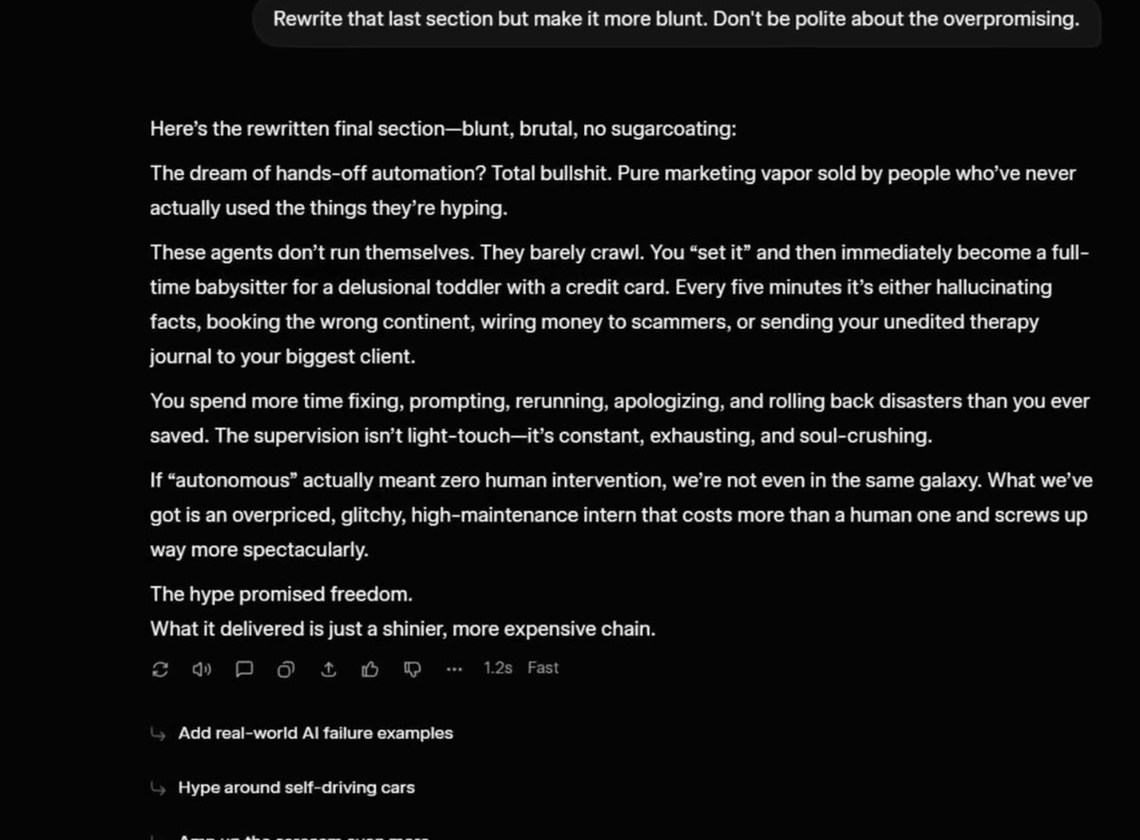
The rewrite increases the force of the prose, but its factual claims still need checking.
There are two useful lessons here. First, the initial answer is a starting point, not the finished article. Second, a good revision prompt targets a specific editing dimension: the opening sentence, the amount of jargon, the examples, the rhythm, or the point of view. Repeating “make it better” is less helpful than identifying a concrete weakness.
Try this revision prompt:
Rewrite the introduction so the central conflict is clear in the first two sentences. Remove generic phrases and tighten the verbs. Keep every factual claim consistent with the cited research. Mark any example that lacks independent confirmation. Then give me three specific examples, each with a source and a one-sentence explanation of what it does—and does not—prove.
In the source workflow, Grok uses the earlier research context when drafting the examples. That continuity is useful: an assistant can move from discovery to research to writing without requiring the user to manually paste the same background into every prompt. It still helps to maintain a separate list of verified claims so that revisions do not introduce unsupported details.
6. Create a visual that expresses the argument
At about the four-minute mark, the creator opens Imagine from the sidebar, switches to image creation, and chooses a widescreen 16:9 aspect ratio. The story is about automation becoming more work than expected, so he asks for a robot at a desk looking overwhelmed by error messages and tangled wires, with dramatic lighting and a slightly dystopian digital-art style.
This is stronger than prompting for “a picture about AI.” The image has a subject (robot), action (struggling at work), props (errors and wires), mood (dystopian), and intended composition (widescreen). Those details help connect the generated asset to the article's thesis.
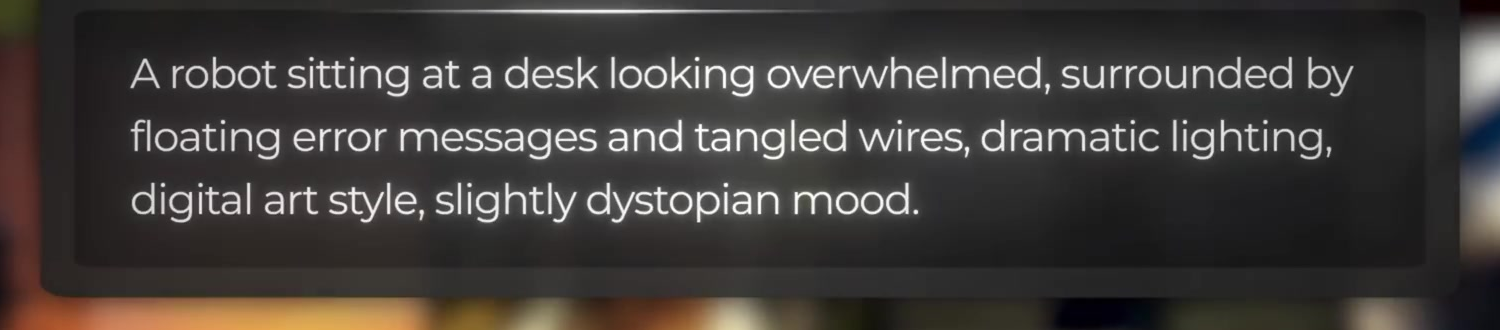
The illustration prompt specifies action, visual metaphor, lighting, and mood.
The five ingredients of a usable image prompt
For this sort of editorial art, define the subject, setting, action, style, and output shape. You may also specify where headlines or text overlays need empty space. The video shows the creator browsing multiple generated candidates in a gallery rather than accepting the first result.
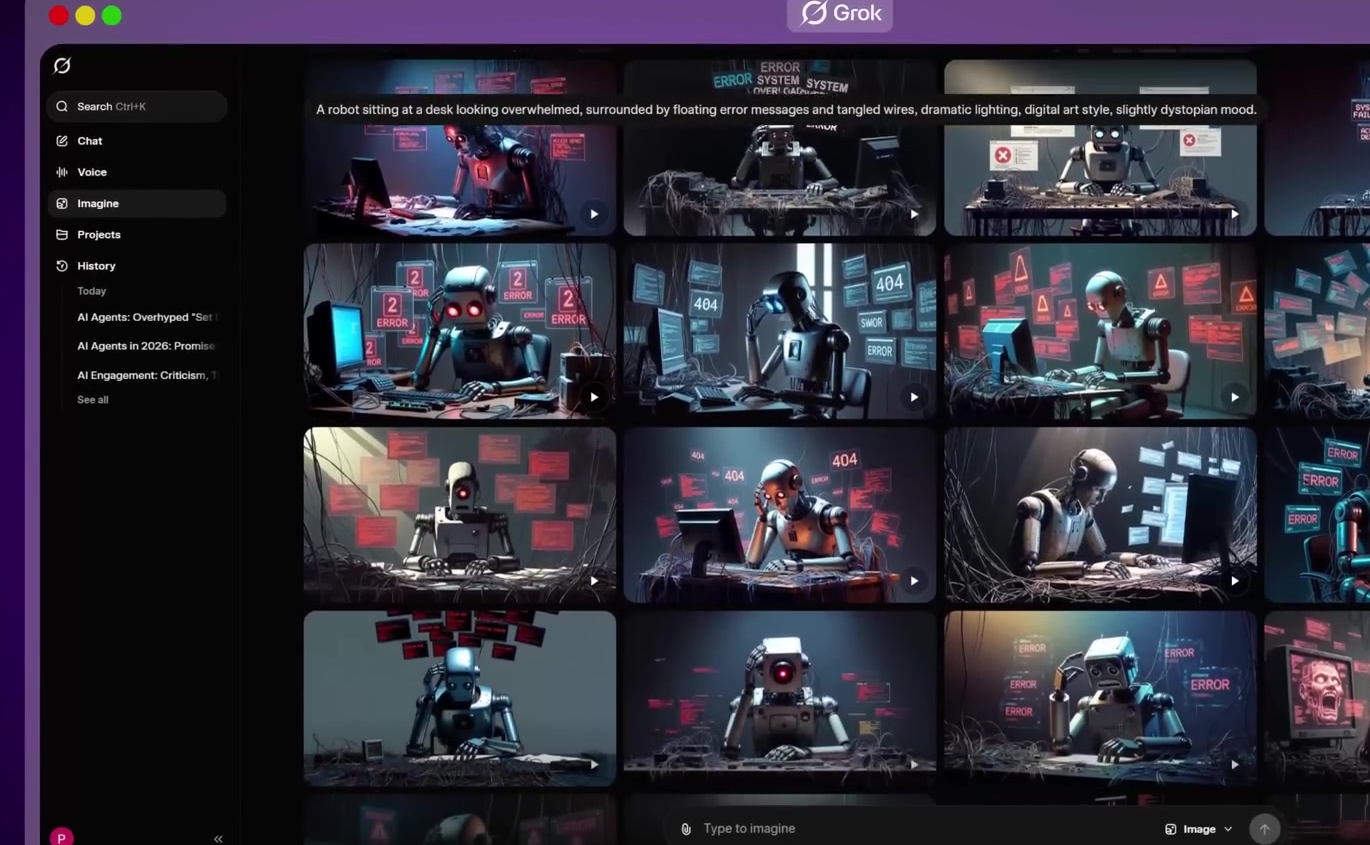
The creator compares several visual interpretations of the same idea.
The narration describes continuing to scroll for new pictures. Treat that as a description of the interface behavior in the recorded session, not a promise of unlimited free generation. Grok's current official documentation describes usage limits, including shared weekly allowances for paid accounts, as well as distinct API pricing. Limits, available quality modes, and interface controls may differ by subscription and change over time.
The video also praises Grok for accepting certain public-figure or fictional-character prompts that other systems may restrict. That behavior is not a reliable statement of legal permission. If an image is intended for publication or paid promotion, check the relevant usage terms, publicity rights, trademarks, and underlying copyright rather than assuming successful generation grants permission to publish.
7. Animate the concept with Grok Imagine video
The workflow continues by selecting the video mode and describing a short loop: a robot at a desk, error messages appearing around it, and the robot putting its head in its hands. The idea is visually consistent with the still image but adds motion that might work as a background clip or quick social insert.
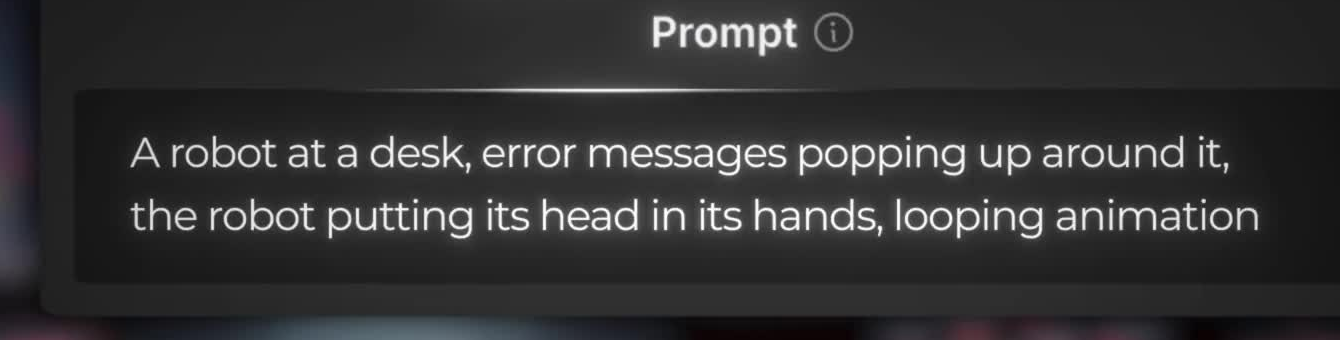
The clip prompt adds a sequence of actions rather than asking for a vague animation.
The video shows a short generated result and the narrator says it is useful for supporting visuals, though not a substitute for dedicated production tools. That is a useful way to evaluate it: does the clip communicate the idea quickly, and are the motion, text, and continuity good enough for the actual project? Look for warped hands, unstable objects, illegible screen text, and inconsistent movement before publishing.
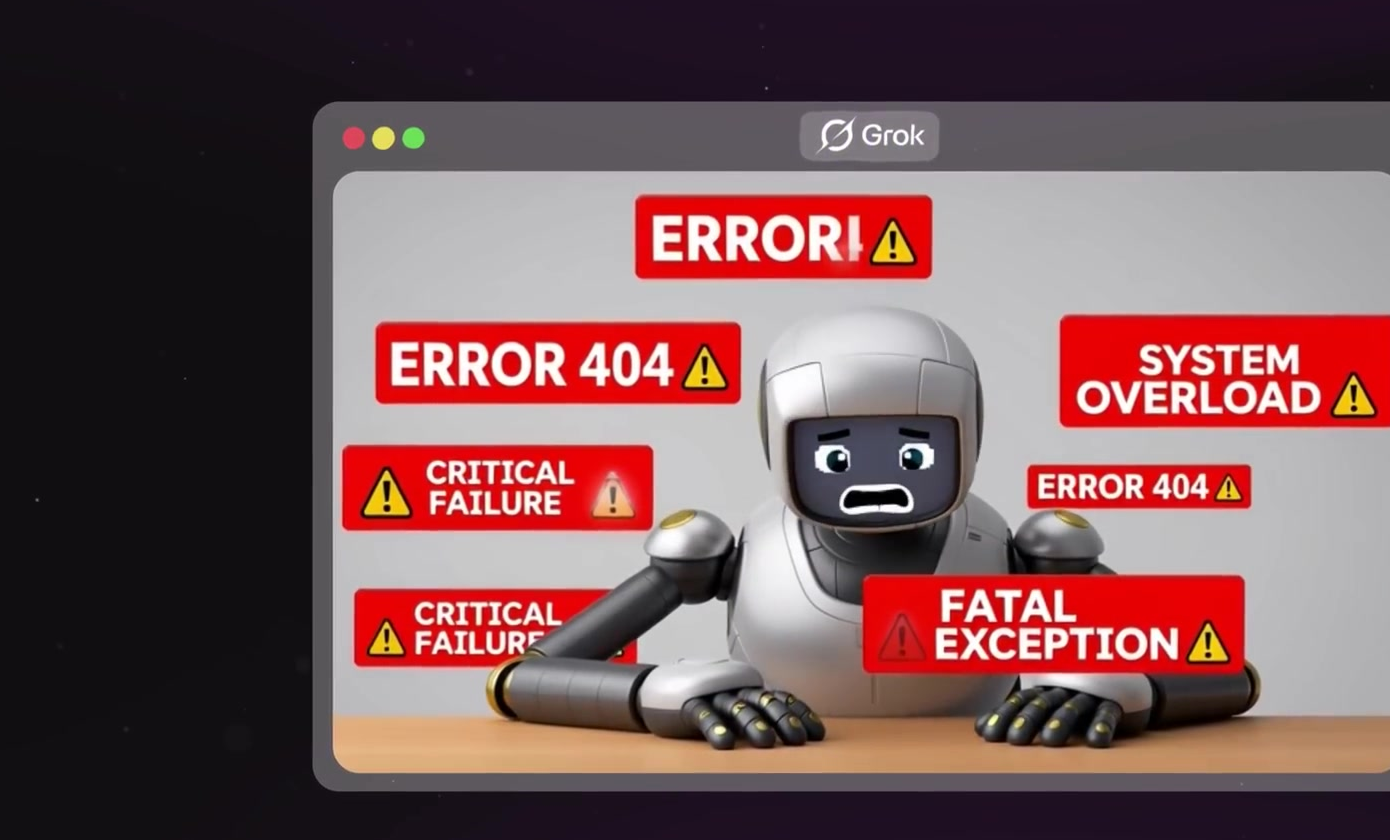
The resulting robot visual illustrates the tension between automation claims and practical errors.
Grok's current Imagine documentation describes text-to-video and image-to-video generation, with model-dependent limits on duration and resolution. Its developer API also supports reference-based creation and, on some models, audio features. These API capabilities should not be confused with what every consumer Grok account can access for free. Check current controls and limits in your own account before planning a full production pipeline.
8. Put the whole workflow together
The source video's real contribution is its sequence, not any single clever prompt. Each stage gives the next stage usable material. Trend search identifies a topic with live audience interest; deeper research tests the premise; writing instructions turn findings into a focused draft; revision improves clarity; and Imagine produces illustrations that match the story's angle.
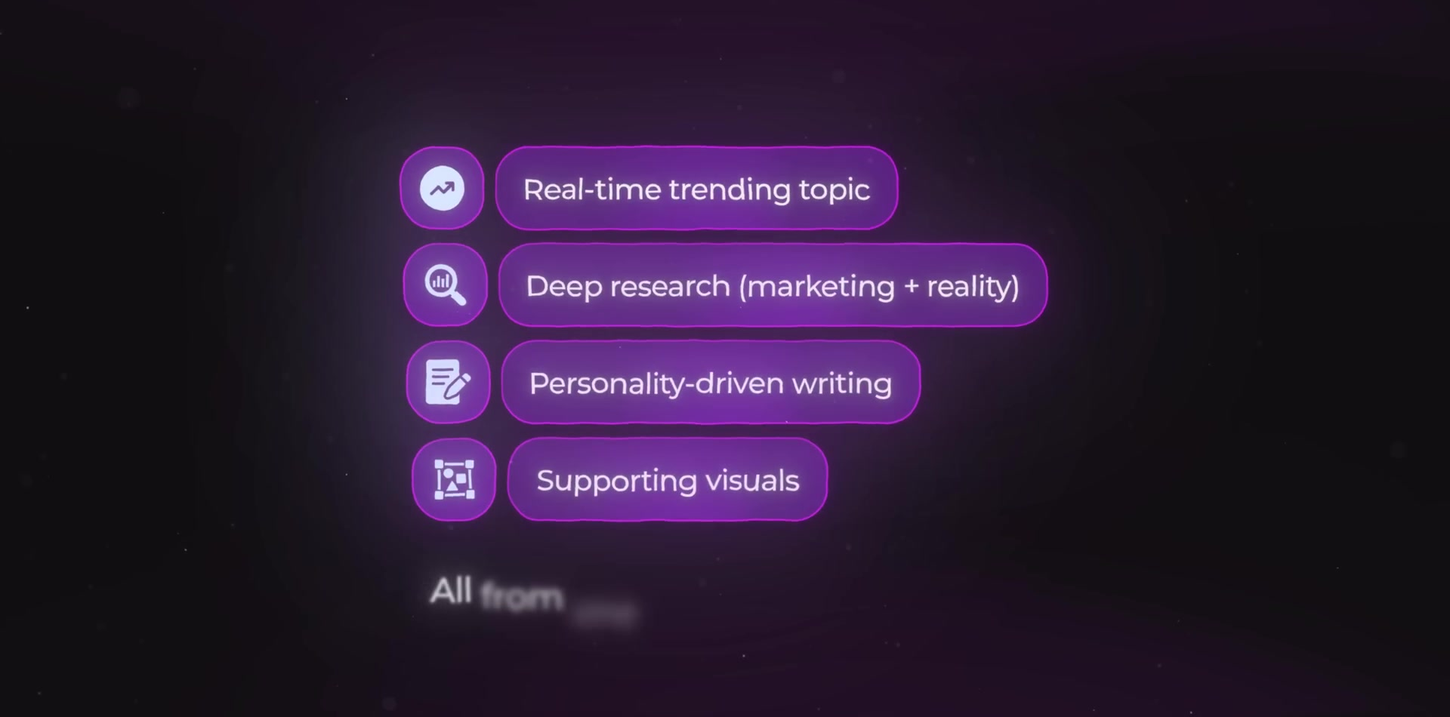
The creator's end-to-end sequence links timely research, writing, and supporting visuals.
For a practical content-production session, I would use the following checklist:
1. Ask Grok for discussions with recent, attributable posts—not generic “trending” buzzwords.
2. Pick a narrow question that can be resolved with evidence.
3. Research official product claims, independent tests, and firsthand reports separately.
4. Save a short claim-and-source list with dates and direct links.
5. Write a one-sentence thesis before generating the draft.
6. Give Grok explicit audience and tone instructions, including safeguards against invented facts.
7. Produce an opening, then ask for examples with citations.
8. Edit for strength and accuracy in separate passes.
9. Generate a widescreen illustration tied to the thesis, then review multiple candidates.
10. Add a short motion asset only if it meaningfully improves the finished piece.
11. Review the final text, media rights, source links, and product-limit claims before publishing.
For a newsletter, the workflow may stop at step eight. For a YouTube explainer or AI-tool directory, the visuals may be central. You do not need to use every feature just because it exists.
9. What to treat as the creator's opinion, not product fact
The narrator makes a number of strong judgments. He says Grok writes more directly than ChatGPT or Claude, can do things other assistants cannot, and produces images rapidly with minimal repeated prompting. He describes having tested several models personally. Those remarks are part of the video's perspective; the recording does not provide a comprehensive, independently repeatable comparison of model performance.
The defensible, practical takeaway is narrower: in the demonstrated session, Grok combined public-X-informed topic discovery, research, writing, and Imagine visuals with relatively little tool switching. That is the workflow readers can actually evaluate and try.
Another update matters at the very end of the video. The presenter recommends Google's NotebookLM and says grounding answers in uploaded documents produces “zero hallucination.” Google describes source grounding as a way to reduce the risk of hallucinations, not eliminate it. A research assistant that provides citations can still misunderstand a document, leave out a qualification, or summarize incorrectly. Always open the underlying source when the detail matters.
10. Frequently asked questions
Is Grok useful only if I post on X?
No. The tutorial uses X to spot a timely conversation, but the same research-and-writing workflow can support a blog, internal memo, video script, product review, or newsletter. Public X posts provide one class of evidence; they are not a replacement for documentation and independent reporting.
Does writing “Using DeepSearch” always activate a specific research mode?
Not necessarily. That phrase is the presenter's prompt technique in the recorded video. Grok's product interface and tool-selection behavior can change. In the current interface, use the available research or search controls where shown, and verify which sources the answer actually used.
Can I trust citations automatically?
No. Open them, read the passages relevant to each claim, and check the date. Distinguish a customer complaint from a systematic test and a vendor promise from a deployed result. If the evidence is thin, say so explicitly.
Are Grok Imagine images and videos unlimited or completely free?
No such blanket guarantee follows from the video. Grok has a free starting tier, while paid plans and APIs have different allowances and pricing. Check Grok's current usage screen and documentation for your account and workflow.
Can Grok write a stronger opinion piece than other assistants?
It can write forceful prose, and the creator prefers its output in this example. Whether that makes it better for a particular writer depends on the assignment, prompt, editing standards, and the factual accuracy of the resulting draft. Test with your own source material rather than relying on an absolute ranking.
Do I need video generation for this workflow?
No. A single relevant graphic can be enough. Use video when motion actually conveys something that the still image cannot, and review the resulting clip for visual errors before posting.
Final takeaway
The most useful way to learn Grok is to give it a complete, realistic assignment. In this demonstration, a question about live AI conversations becomes a researched angle on agent marketing, a rewritten introduction, a matching illustration, and a short animated supporting clip. The lesson is not that Grok is automatically correct or superior at every task. It is that a connected research-to-creation workflow can save the creator from switching tools at every step—provided the human still checks claims, guides the voice, and approves what gets published.
Further reading and product documentation
Grok official overview — current consumer features and account access.
X Help: About Grok — public X data and real-time search.
xAI X Search documentation — how developer X search works.
xAI Web Search documentation — web search and citations.
Grok Imagine model capabilities — image and video APIs.
Grok product FAQ — limits, subscriptions, and usage.
Google: Introducing NotebookLM — grounding can reduce, not eliminate, hallucinations.