
AI Audio Tools
ElevenLabs
AI text-to-speech, supports 29 languages including Chinese
PRODUCT PREVIEW
Open source page A look at ElevenLabs
OVERVIEW
About ElevenLabs
What is ElevenLabs
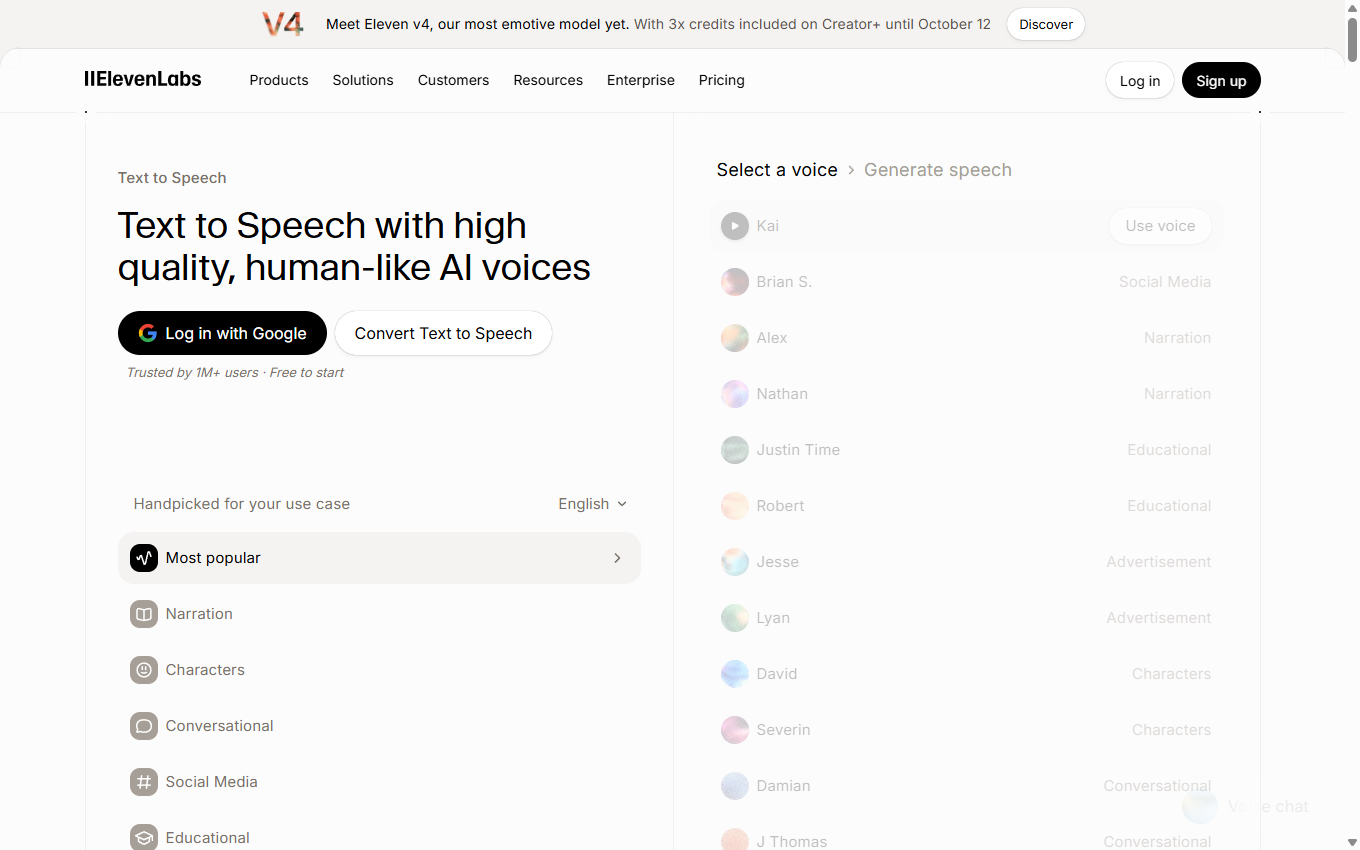
ElevenLabs is an AI text-to-speech platform that provides developers, creators, and enterprises with lifelike speech synthesis solutions. Core products include text-to-speech (supporting 29+ languages, 10,000+ voices including Chinese), AI dubbing, voice cloning, music generation and other functions. The platform is known for its ultra-low latency and emotional voice quality, and is widely used in scenarios such as audiobooks, video dubbing, customer service centers, and content localization.
Main functions of ElevenLabs
- Text-to-speech: ElevenLabs provides three main models: Eleven v3, Multilingual v2 and Flash v2.5. Eleven v3 is the most emotionally rich expression model, Multilingual v2 provides the most realistic multi-language consistent speech, and Flash v2.5 meets the needs of real-time dialogue with an ultra-low latency of 75 milliseconds.
- Voice cloning: Supports users to provide a few minutes of audio samples to accurately copy the characteristics of any human voice, allowing the cloned voice to speak naturally across different languages.
- Speech-to-text: The Scribe v2 transcription model supports over 90 languages and has 98% recognition accuracy, while providing speaker separation and character-level precise timestamp location.
- AI music generation: Instantly generate studio-quality music works covering any genre and style through simple text descriptions, supporting the creation of complete tracks with purely instrumental music or vocals.
- Sound effect generation: The system can automatically generate realistic environmental sound effects based on scene description, providing instant audio material support for video production, game development and multimedia content.
- Speech separation: Supports the precise extraction of clear human voices from complex recordings containing background noise, significantly improving audio quality and audibility.
- AI dubbing: The platform supports one-click translation of content into more than 30 languages, while fully retaining the unique voice and expression style of the original speaker during the translation process.
- Agent platform: Developers can quickly build and deploy AI voice agents with low-latency response, advanced dialogue management and function calling capabilities here, supporting multiple access channels such as web pages, mobile applications and phone systems.
- API and SDK: ElevenLabs provides complete Python and TypeScript software development toolkits, coupled with detailed API documentation, to help developers seamlessly integrate leading audio AI capabilities into their own products to achieve large-scale applications.
How to use ElevenLabs
- Visit the official website: Visit the ElevenLabs official website. Complete the account registration and login to enter the main interface of the ElevenLabs user console.
- Text to speech: Input content: Enter or paste the text content you want to convert into speech in the text box. Choose a voice: Click the Voice drop-down menu to choose from more than 100 preset voices that fit your content. Select a model: Select "Eleven Multilingual v2" in the "Model" option to get the best Chinese support. Adjust settings: Use “Settings” to adjust parameters such as speech speed and stability to make the generated speech more in line with your needs. Generate speech: Click the "Generate" button and the system will start processing and converting the text into a speech file. Play preview: After the generation is completed, click the play button to listen to the converted voice effect online. Download file: If satisfied, click the “Download” button to save the MP3 format voice file to your local computer.
- Voice cloning: Enter the lab: Click the “Voice Lab” option on the left menu bar to enter the sound lab function page. Add a voice: Click the “Add Generative or Cloned Voice” button to start creating a custom voice. Select the cloning method: Select “Instant Voice Cloning” for instant voice cloning. Upload sample: Click the upload area and select 3-5 clear voice sample files. Fill in the information: Enter a name and descriptive label for the cloned sound to facilitate subsequent identification and use. Confirm creation: Click the “Add Voice” button and wait for the system to complete the voice cloning process. Use a cloned sound: Once created, the sound will appear in the sound library and can be used for text-to-speech like a preset sound.
ElevenLabs product pricing
- Free: Includes text-to-speech, speech-to-text, music generation, agents, 3 studio projects, automatic dubbing, and API access.
- Starter: $5 per month, includes all the features of the free version, adds commercial license, instant voice cloning, 20 studio projects, dubbing studio and music commercial permissions, 10k monthly quota.
- Creator: $11 per month, includes all the features of the entry version, adds professional voice cloning, additional quota and 192kbps high-quality audio, with a monthly quota of 30k.
- Pro: $99 per month, includes all features of the Creator Edition, 100k monthly quota.
- Scale: $330 per month, includes all the features of the professional version, adds 3 workspace seats, and has a monthly quota of 500k.
- Business: $1,320 per month, includes all the features of the scale version, adding low-latency TTS (as low as 5 cents/minute), 3 professional voice clones and 5 workspace seats.
Application scenarios of ElevenLabs
- Audiobook production: After the creator uploads the EPUB or PDF document, he or she can assign exclusive voices to different characters and finely control the reading emotions to output high-quality multi-character audiobook products.
- Video dubbing: Users can select ideal sounds from a massive sound library to quickly generate professional-grade narrations for commercial shorts, film and television content, or social media videos.
- Podcast creation: Use voice separation to clean up live recording noise, or use text-to-speech technology to generate complete podcasts and multi-host dialogue segments.
- Content localization: Translate video content into more than 70 languages with one click, achieving rapid coverage of the global market while retaining the unique voice of the original speaker.
- Advertising marketing: Brands can customize their own voice images and create high-conversion voice ads and interactive voice marketing campaigns.
KEEP EXPLORING
More in AI Audio Tools
Compare other tools in this category.