
Grammarly
AI English Grammar and Spell Check Writing Assistant
About Grammarly
What is Grammarly
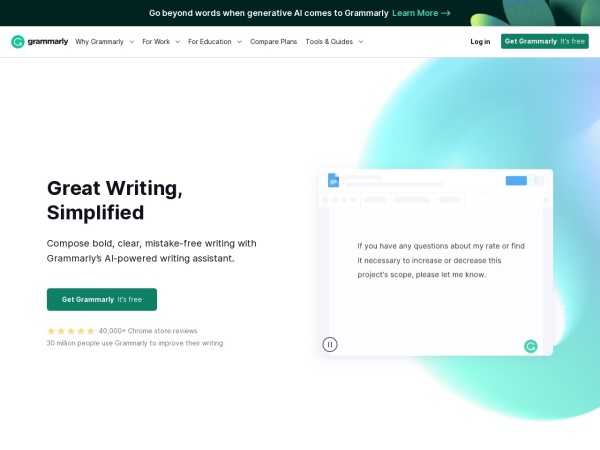
Grammarly is an AI writing assistance tool based on advanced artificial intelligence technology that helps users detect and modify grammar, spelling, punctuation and style issues in English writing. It is suitable for different groups such as students, professionals, and writers. Grammarly can be used on multiple platforms such as browsers, desktop clients, and mobile apps, and supports more than 500,000 applications and websites such as Google Docs, Gmail, and LinkedIn. Features include basic writing checks, advanced writing suggestions, writing style and clarity improvements, plagiarism detection, and personalization.
Grammarly’s main features
- Grammar check: Can identify and correct various grammatical errors, such as subject-verb agreement, improper use of tenses, incorrect use of articles, etc., to ensure correct sentence structure.
- Spell check: Detect and correct spelling errors, including misspellings of common words, use of confusing words, etc.
- Punctuation check: Help users use punctuation marks correctly, such as commas, periods, quotation marks, etc., to avoid sentence ambiguity or reading difficulties caused by punctuation errors.
- Tone detection: Analyze the tone of the text to ensure that it meets the writing purpose and audience needs, such as the appropriate use of formal, informal, polite, command, etc. tones.
- Sentence rewriting suggestions: Provide clear and concise sentence rewriting solutions for different contexts, making expression more fluent and natural.
- Vocabulary improvement: Recommend more accurate and vivid vocabulary replacements to enrich the expressiveness of the text and improve the language level.
- Style adjustment: Adjust the writing style according to the writing type and audience, such as academic, business, creative writing, etc., to ensure that the text style is consistent with the writing purpose.
- Passive voice detection: Identify sentences that overuse passive voice and encourage the use of active voice to make the text more vivid and powerful.
- Tone adjustment: According to the writing scene, adjust the tone of the text to be more in line with the expected effect. For example, adjust the command tone to the suggestion tone to appear more polite and tactful.
- Personalized writing suggestions: Provide personalized writing suggestions based on the user's writing habits and preferences to help users develop a unique writing style.
- Writing style guide: Provide a customized style guide for the team to ensure that team members follow unified writing standards when writing and improve the overall writing quality.
- Originality detection: By comparing with massive databases and Internet resources, the originality of the text is detected to help users avoid plagiarism and plagiarism problems.
- Personal Dictionary: Users can add frequently used new words, brand names, abbreviations, etc. to their personal dictionary to avoid being mistakenly marked as errors during the writing process.
- Writing goal setting: Support users to set goals based on writing purposes, such as writing type, audience, style, etc. Grammarly provides more accurate suggestions.
How to use Grammarly
- Visit the official website: Visit Grammarly’s official website.
- Register an account: Click the "Sign Up" button, you can choose to register using your email address, or you can quickly register using a Google account or Facebook account.
- Log in account: After registration is completed, use the registered email or third-party account to log in to Grammarly.
- Choose how to use it Web version: After logging in, click the "New" button on the Grammarly homepage to create a new document, and paste or enter the text that needs to be checked into the document. Grammarly will automatically check the text and display the detection results and suggestions in the right sidebar. You can click the "Upload" button to upload existing documents (such as Word documents, PDF documents, etc.), and Grammarly will read the document content and detect it. Browser extensions: Search for "Grammarly" in your browser's extension store, find the Grammarly extension and install it. After the installation is complete, the Grammarly icon will appear in the browser toolbar. On the webpage where you need to use Grammarly (such as Gmail, Google Docs, etc.), click the icon, follow the prompts to log in to your account, and then you can check your writing directly on the webpage. Desktop client: Download the desktop client for Windows or Mac from the Grammarly official website and install it. After the installation is complete, open the client and log in to your account, create a document directly in the client or open an existing document for writing review. Mobile App: Search "Grammarly" in your phone's app store, download and install the Grammarly App. Open the App and log in to your account, and use Grammarly to check your writing on your phone.
- View errors: In Grammarly's editor, various writing suggestions will be displayed below or to the right of the text, including errors in grammar, spelling, punctuation, etc., as well as suggestions for improvement in style, tone, etc.
- Adopt suggestions: Click on a specific suggestion and Grammarly will automatically replace the error with the correct content. If you have questions about a suggestion, you can click on it to see a detailed explanation and examples.
- Ignore suggestions: If you think a suggestion is not applicable to the current writing content, you can choose to ignore the suggestion, and Grammarly will no longer prompt for this part.
- Personal dictionary: In Grammarly settings, you can add a personal dictionary to add frequently used new words, brand names, abbreviations, etc. to avoid being mistakenly marked as errors during the writing process.
- Writing goals: Set writing goals based on writing type, audience, style, etc. Grammarly will provide more accurate suggestions based on the set goals. For example, if the writing target is an academic paper, Grammarly will focus on checking academic standards and citation formats, etc.
- Save the document: After completing the writing check in the Grammarly editor, click the "Save" button to save the document in your Grammarly account for easy viewing and editing later.
- Export document: Click the "Download" button to export the document to Word, PDF and other formats for use in other applications.
Application scenarios of Grammarly
- Academic writing: When writing papers, experimental reports, and application documents, check the grammar and citation format (APA/MLA/Chicago) to avoid plagiarism.
- Workplace communication: Correct grammatical errors in business emails, project proposals, and quarterly reports, and adjust the tone (such as changing from imperative to polite request).
- Content creation and marketing: Optimize the readability of SEO articles (such as splitting long sentences, replacing repeated words), and improve user retention time. Test whether the tone of the advertising slogan fits the brand's tone (for example, luxury goods need to be "high-end and elegant", and technology products need to be "concise and powerful").
- Social media: Check the spelling of your LinkedIn feeds and Twitter tweets to avoid minor mistakes that could damage your professional image.
Grammarly product prices
Grammarly provides a freemium pricing model, including three different pricing plans: Free version, Premium version and Business team version.
- Free version – $0/month, provides basic text generation, basic writing suggestions, intonation detection and other functions. You can use GrammarlyGO for 100 times of generative AI writing every month.
- Premium – $12/month, all the features of the free version, plus complete sentence rewriting, vocabulary ideas, tone suggestions, etc., you can use GrammarlyGO for 1,000 generative AI writing sessions per month.
- Business Team Edition – $15/month, all the features of the Premium Edition, plus team features such as unified paid management and custom writing style guides. Each team member can use GrammarlyGO for 1,000 generative AI writings per month.
Quick facts
- Category
- AI Writing Tools
- Official website
- www.grammarly.com ↗
- Link type
- Regular official link
- Last checked
- 2026-10-02
More in AI Writing Tools
Explore related listings in this category.