
AI Video Tools
HeyGen
Professional AI digital human video creation platform
PRODUCT PREVIEW
Open source page A look at HeyGen
OVERVIEW
About HeyGen
What is HeyGen
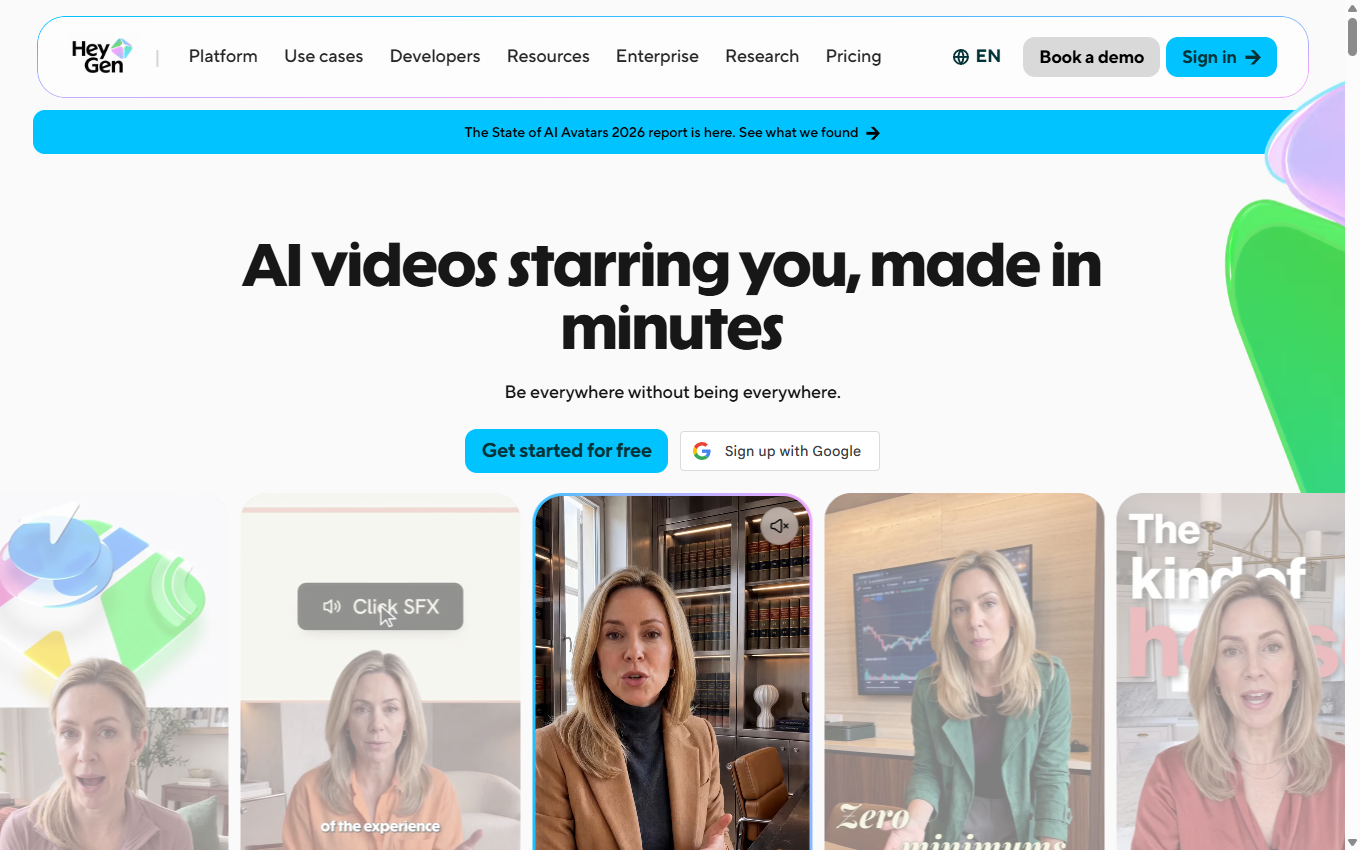
HeyGen is the world's leading AI digital human video creation platform, committed to simplifying the video production process and allowing users to quickly produce professional-quality digital human videos. HeyGen can quickly convert text, images or audio into high-quality videos. Based on the video creation agent, it can achieve one-stop production from creative ideas to finished videos. HeyGen supports multi-language voice cloning, AI subtitle generation and other functions, greatly simplifying the video creation process and reducing time and costs.
Main functions of HeyGen
- Video Creation Agent (HeyGen Video Agent): Quickly generate complete video content based on a single prompt, suitable for TikTok ads, product introductions, etc., without complex tools and processes.
- AI Studio: A text-based editor that supports voice, movement, and emotion control, and provides functions such as voice cloning and gesture control.
- AI Video Avatar: Generate realistic AI video avatars, supporting multiple languages and emotional expressions,
- Avatar IV: Generates a talking avatar from a single photo, supports full body movements and gestures,
- AI Photo Avatar: Generates talking photo avatars through text prompts, supports multi-language, customized appearance and style.
- Generative Avatar: Generates stylized AI avatars through text prompts, supports multiple styles and languages, is highly customizable, and is suitable for music, art, visual content, etc.
- AI user-generated content (UGC) video (AI UGC Video): Generates user-generated content (UGC) style videos, supports custom templates and speech synthesis, and is suitable for advertising, social media, product promotion, etc.
- AI Video Translator: Translates videos into 175+ languages, supports voice cloning and lip-syncing, and ensures natural speech.
- AI Dubbing: Use AI technology to add multi-language dubbing to videos to ensure accurate matching of dubbing and video content, improve the audience's viewing experience, and support multiple languages and dialects.
- Text to Video: Quickly convert text content (such as scripts, blogs or announcements) into high-quality videos, using AI avatars and real speech synthesis technology to generate dynamic videos, supporting multiple languages and voice styles.
- Image to Video: Convert photos into dynamic videos, supports adding text, transition effects and background music, suitable for personal memories, marketing strategies or presentations, etc.
- Interactive AI Avatar: Create a real-time interactive AI avatar that supports real-time interaction with voice, expressions and movements.
How to use HeyGen to generate digital people
- Visit HeyGen official website: Visit HeyGen official website https://www.heygen.com/ and complete the account login.
- Choose a tool to generate a digital human: On the HeyGen platform, find and select the "AI Video Avatar" or "Generative Avatar" function module. If you need to generate a digital person from a photo, select the "Avatar IV" function.
- Upload a photo or choose a default avatar: Upload a photo: If you want the generated digital person to be based on your own photo, click the "Upload photo" button and choose a clear front-facing photo. Photo formats support JPG, PNG, HEIC, WebP, etc., and the file size does not exceed 200MB. Choose a preset avatar: If you don’t want to upload a photo, just choose an avatar from the library of preset avatars provided by HeyGen. HeyGen offers over 500 avatars in different styles and types, including male, female, anime, animals, and more.
- Custom digital person: Adjust appearance: Adjust the appearance of the digital person, including hairstyle, skin color, clothing, etc. Use the "Look Packs" provided by HeyGen to quickly apply preset styles. Add voice: Enter a text script or upload an audio file, and Digital Man will perform speech synthesis and lip synchronization based on the script or audio. Set actions and expressions: Choose appropriate actions and expressions to make the digital human's movements more natural and vivid. HeyGen’s AI technology automatically matches appropriate emotions and actions based on script content.
- Generate digital human video: Click the "Generate" button, and HeyGen will automatically process your request and generate digital human video.
- Preview and export: After the generation is completed, preview the generated digital human video to check whether the voice, movements and expressions are as expected. If satisfied, click the "Export" button to save the video locally or share it directly to social media platforms.
HeyGen product prices
- Free: Generate 3 videos per month for free, up to 3 minutes, 720p export, standard processing, Avatar IV generation.
- Creator: $29/month, unlimited video generation, up to 30 minutes, 1080p export, fast processing, expanded Avatar IV.
- Team (Team Edition): $39/seat/month, unlimited video generation, up to 30 minutes, 4k export, faster processing, extended Avatar IV, includes 2 seats.
- Enterprise (Enterprise Edition): Customized pricing, unlimited video generation, no time limit, 4k export, fastest processing, extended Avatar IV, centralized management.
HeyGen’s core strengths
- Efficient content creation: Quickly generate complete videos through a single prompt or text input, greatly shortening the production cycle and improving content creation efficiency.
- High-quality AI technology: It can generate highly realistic digital human avatars, supports natural speech synthesis and multi-language functions, and ensures high-quality video content.
- Powerful customization capabilities: Provides a rich avatar library and customization options, allowing users to easily create a unique digital person that matches their brand or personal style.
- Multi-scenario application: Suitable for a variety of scenarios, including marketing videos, educational content, social media and user-generated content (UGC), to meet different user needs.
- Easy to use: Provides an intuitive user interface and detailed tutorials, making it easy for users without professional experience to get started.
- Glocalization: Supports multi-language translation and cultural adaptability, allowing content to reach global audiences while remaining natural and relevant.
HeyGen application scenarios
- Marketing Video Production: Create eye-catching advertising videos for use in social media, website or email marketing campaigns.
- Product demonstration: Make a product introduction video to show product features and usage to help potential customers better understand the product.
- Online training: Generate training materials and tutorial videos for use in employee training or online courses to improve learning efficiency.
- Customer Support: Produce Frequently Asked Questions (FAQ) videos to provide customers with self-service and reduce customer service workload.
- Social media content: Produce short videos for Instagram, TikTok and other platforms to increase user interaction and brand exposure.
KEEP EXPLORING
More in AI Video Tools
Compare other tools in this category.