

A practical story-to-screen workflow using Runway MCP, visual references, Seedance, dialogue direction, and continuity assets.
Creating a convincing AI short film is not mainly a matter of writing one enormous prompt and hoping the model invents a finished movie. The stronger workflow looks much more like filmmaking: develop characters, define the world, establish a visual language, generate coverage, solve continuity problems, direct performances, and keep refining the story as the pieces come together.
That is the central idea behind this Runway tutorial. The example project is a medieval comedy about a self-serious knight and a screenwriter who keeps interrupting the fantasy with practical questions. The finished scene is funny because the visual world is played straight while the dialogue undercuts it. More importantly, the production process demonstrates a repeatable way to make narrative AI video without trying to solve every problem inside one generation.
The workflow uses Runway as the media-generation hub, Runway MCP inside Claude for conversational iteration, image models for character and scene development, Seedance for shot generation, and reference images, video, and audio to stabilize continuity. The exact model names available inside Runway can change, but the production logic remains useful even as the toolset evolves.
For a useful next step, see our complete Runway AI beginner guide.
Start With the Story, Not the Model
The tutorial opens with a polished medieval scene, then immediately reveals the broader goal: learn the creative process behind it. The presenter makes an important distinction between practicing AI tools and practicing storytelling. Better generation technology can make individual shots more impressive, but it does not automatically provide a reason for viewers to care about a scene.
That framing matters because every later technical decision is tied to a story need. The knight needs to look heroic enough for the joke to work. The opening environment needs to feel bleak and serious so the comedy has contrast. The screenwriter needs to feel visually separate from the fantasy character while still belonging in the same cinematic world. Dialogue timing has to support the joke rather than merely produce synchronized speech.
This is a useful production rule: before choosing a model or writing a prompt, identify what the shot is supposed to do. Is it establishing location? Revealing character? Creating tension? Delivering a punch line? Maintaining spatial continuity? Once that is clear, the generation task becomes much easier to define.
Build Characters Conversationally With Runway MCP
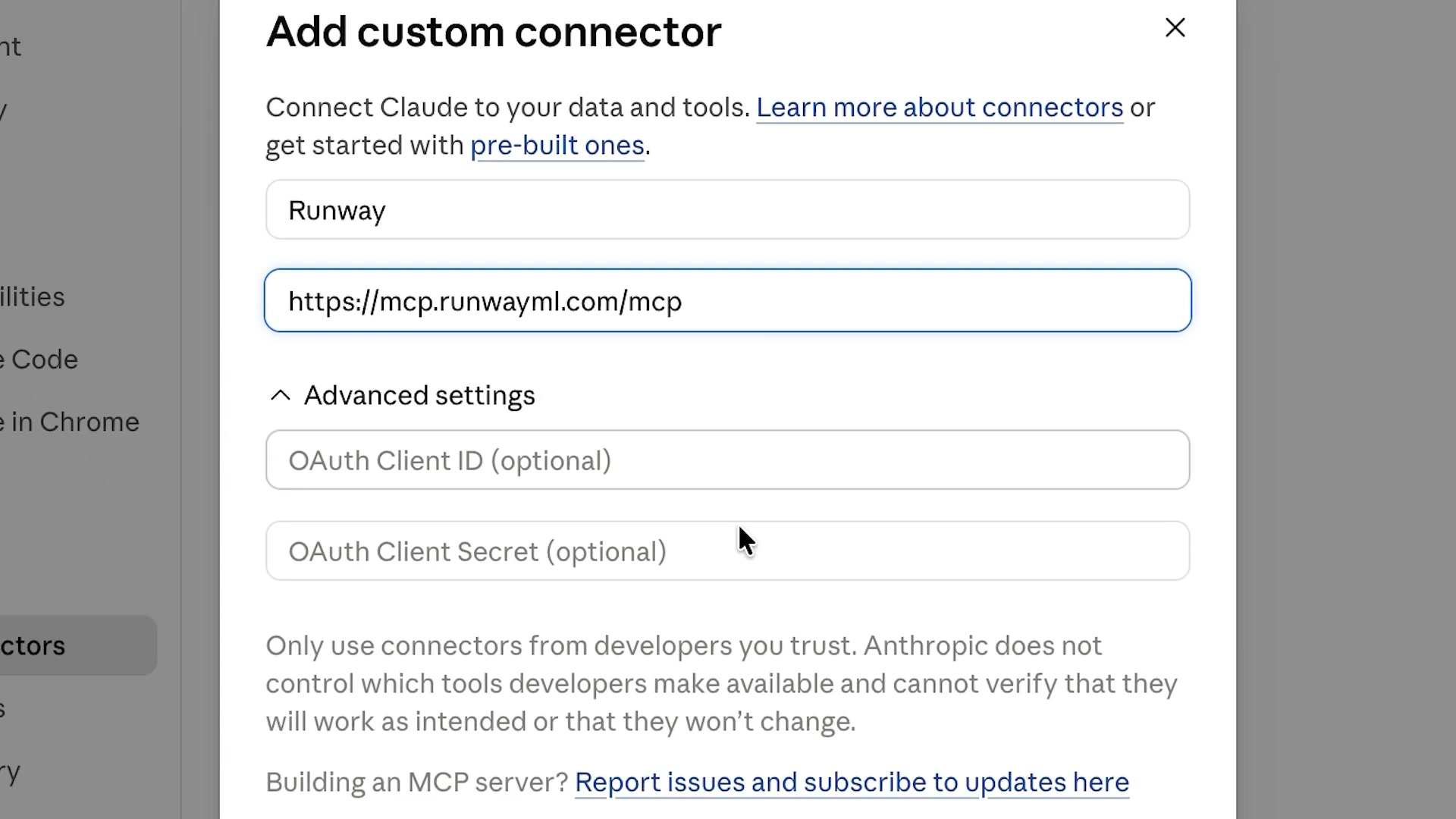
The first production step is character design. Instead of beginning with a highly specific description, the workflow connects Runway MCP to Claude and starts with a deliberately broad request for a medieval knight.
That loose beginning is intentional. When you do not yet know what a character should look like, forcing yourself to write a perfect visual prompt can narrow the search too early. A conversational agent can generate an initial direction, let you react to what you see, and then preserve the context of those reactions over several rounds.
Runway's current MCP documentation confirms that the service can connect to MCP-compatible clients including Claude, ChatGPT, Cursor, and Replit. It uses the user's Runway account and credits rather than requiring a separate API key. In other words, the tutorial's conversational workflow is not merely a custom trick; Runway officially supports this kind of agent-to-generation connection.
The practical advantage is iteration in plain language. If the first knight looks too polished, you can ask for someone more weathered. If the face is too stern for a comedy, you can push toward a warmer or more awkward personality. If you want variations in ethnicity, hair, age, or costume, you can keep refining without rebuilding the entire prompt structure manually each time.
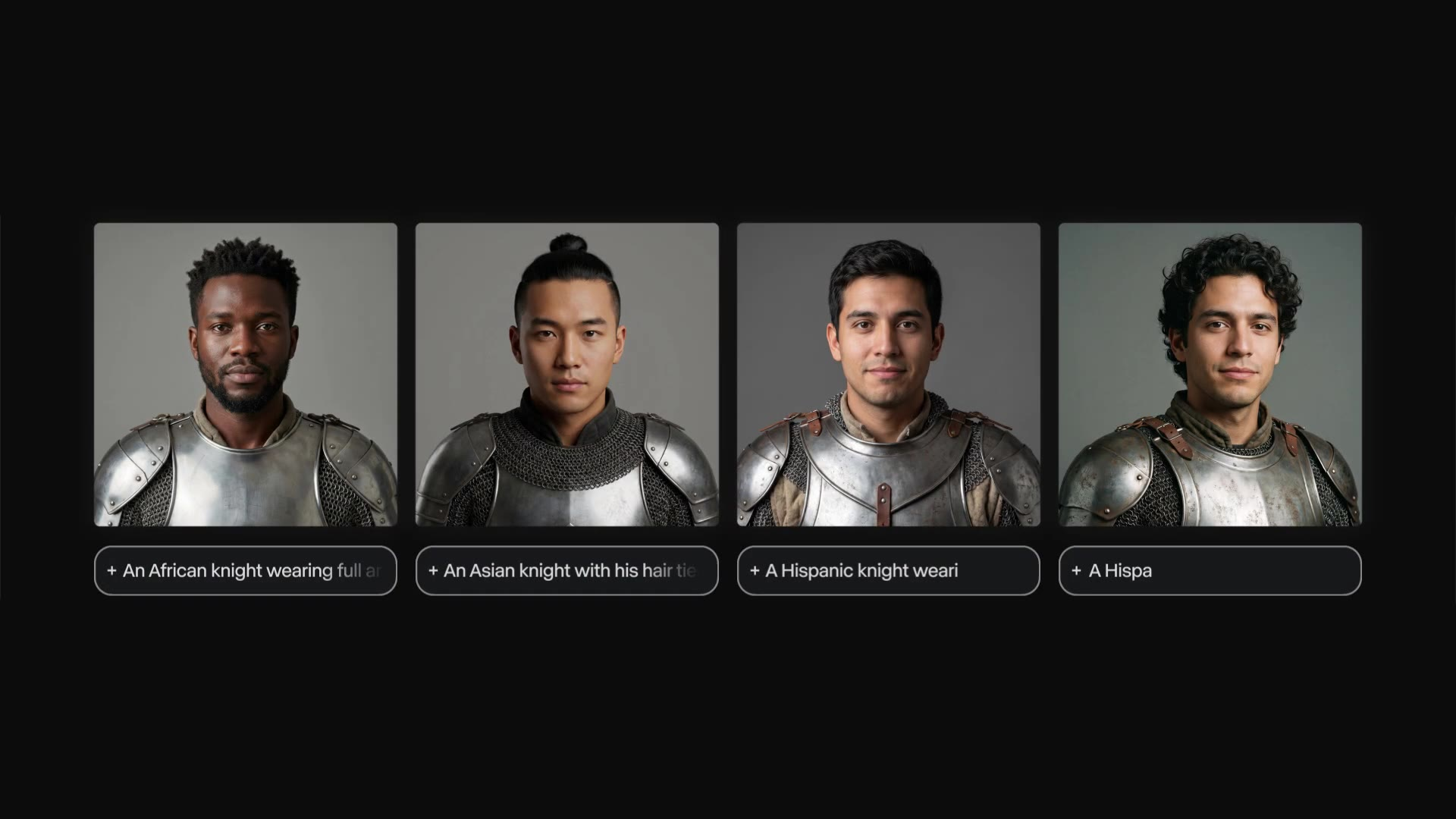
The video also compares results from different image models. The on-screen interface shows GPT Image 2 and Nano Banana Pro producing noticeably different interpretations of the same broad character idea. That comparison illustrates a useful habit: treat model choice as part of art direction. Two capable models may both follow the prompt while producing different faces, texture, polish, and realism. If you are still discovering the character, generating the same concept through more than one model can reveal a direction you would not have thought to describe.
The lesson is not that one model is universally better. It is that model diversity can be used as a creative search tool.
Design a World by Referencing Mood, Not the Exact Shot
After the main characters are established, the workflow moves to location design. The creative target is not initially a precise castle layout. It is a feeling: desaturated color, gray skies, dreary atmosphere, somber medieval scale.
Rather than describing every visual trait in words, the presenter uses a reference image to communicate the mood quickly. The key advice is subtle but important: do not necessarily reference an image of the exact thing you are trying to create.
If you need a new castle scene, a reference image of another castle can push the model toward copying the source composition too closely. A stronger reference may capture the atmosphere you want without reproducing the exact subject. It might share the weather, color palette, lens character, contrast, or production-design language while depicting something else entirely.
This is a more cinematic way to think about references. Instead of asking, “What picture looks like my final shot?” ask, “What picture communicates the visual rule I want the model to inherit?”
That distinction becomes especially useful when developing a film with multiple scenes. A mood reference can help establish a visual world without locking every shot into the same composition.
Create a Hero Image Before You Generate Coverage
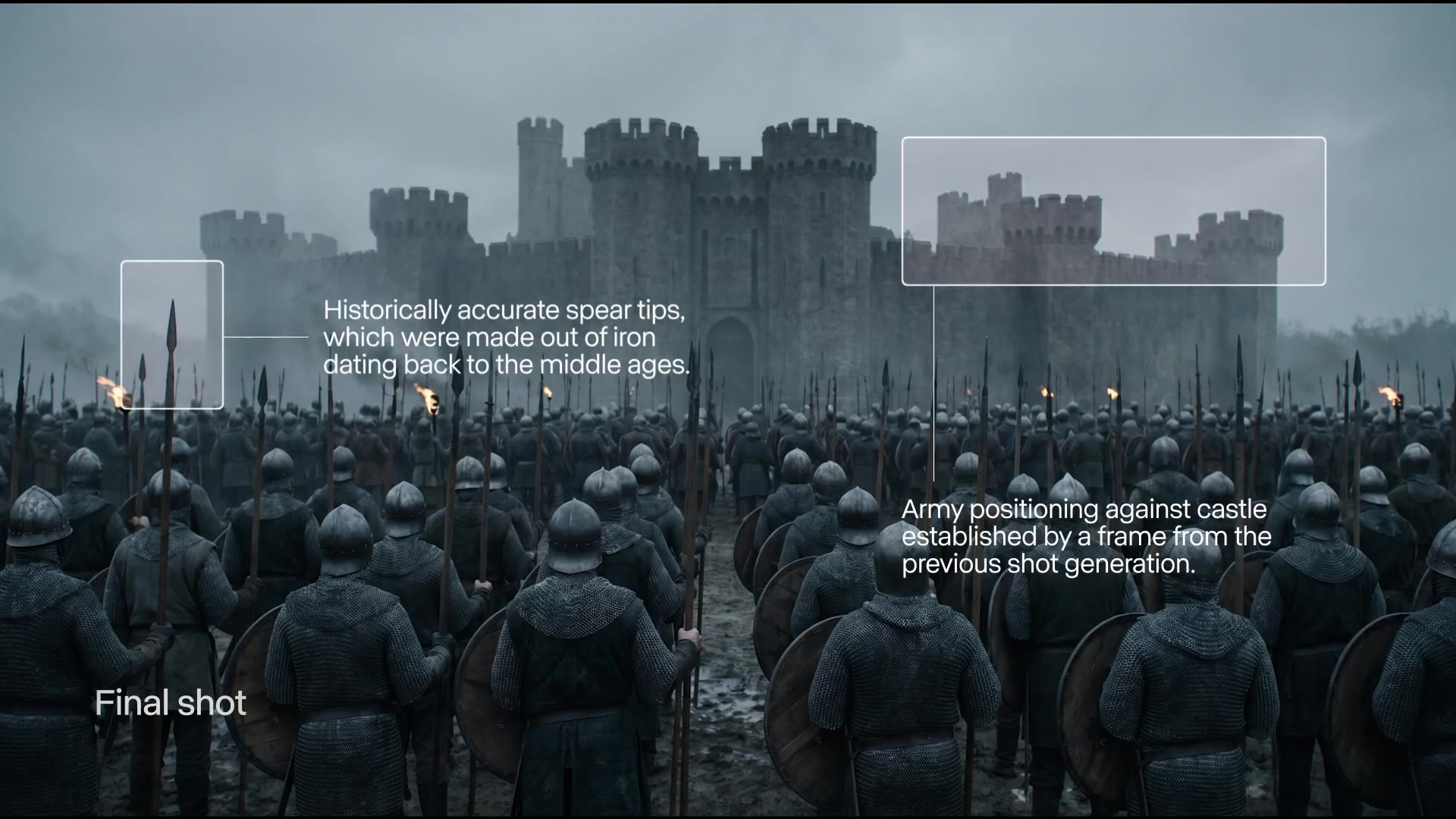
Once the location is working, the tutorial treats a strong still image as the visual anchor for the scene. This “hero image” defines the environment, color palette, scale, and basic geography before the team starts generating motion.
That is a powerful production pattern because still-image iteration is often easier to control than trying to fix every element inside a moving shot. If the castle, crowd, wardrobe, or lighting is wrong, it is cheaper conceptually to solve that problem before it becomes part of several video generations.
Runway's own filmmaking guidance uses a similar idea in its recommendation to build storyboards and character plates before generating long sequences. A carefully designed still can become a repeatable reference for many later shots.
The hero image is not necessarily the first frame of the finished scene. It is a reference asset that captures the visual truth of the scene.
Use Video Generation as a Shot-Idea Machine
One of the most useful techniques in the tutorial is to use video generation for brainstorming rather than for final output.
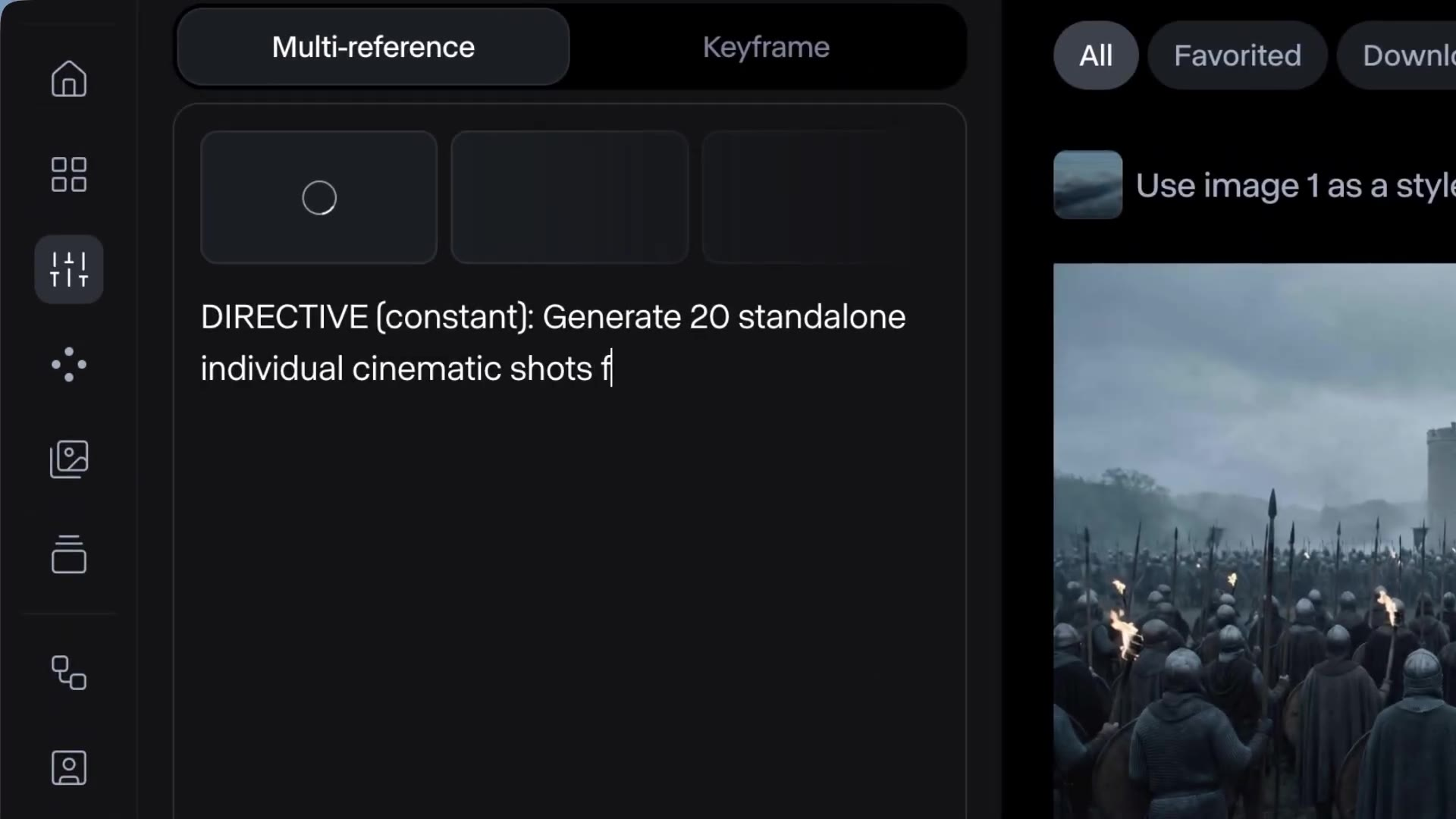
The workflow takes the hero image and asks Seedance for a short generation containing many unique angles, inserts, and details from the same scene. The resulting video is intentionally not expected to be usable as a final edited sequence. Instead, it becomes a moving contact sheet of visual possibilities.
This is a major shift in how generative video can be used. A failed or messy five-second generation can still be valuable if it contains one strong composition you had not considered. A close-up of a torch, a line of soldiers, muddy horse hooves, a banner moving in the wind, or a strange over-the-shoulder angle may be enough to inspire a proper shot.
The creator then extracts promising ideas and rebuilds them deliberately. In the video, some exploratory frames have problems: duplicated faces, awkward framing, or composition that would not work in a finished edit. That does not make the generation useless. The value is in discovering shot ideas.
For filmmakers, this is similar to sketching thumbnails or building a rough storyboard. Generative video can function as a visual ideation layer before final shot production.
Prompt Individual Shots Like a Director
Once the team knows which shots it wants, the prompting becomes simpler and more precise. The tutorial recommends describing three things clearly:
- Shot type – close-up, medium, wide, insert, profile, and so on.
- Camera position or movement – side view, tracking shot, slow push, static frame.
- Action – what the subject actually does in the shot.
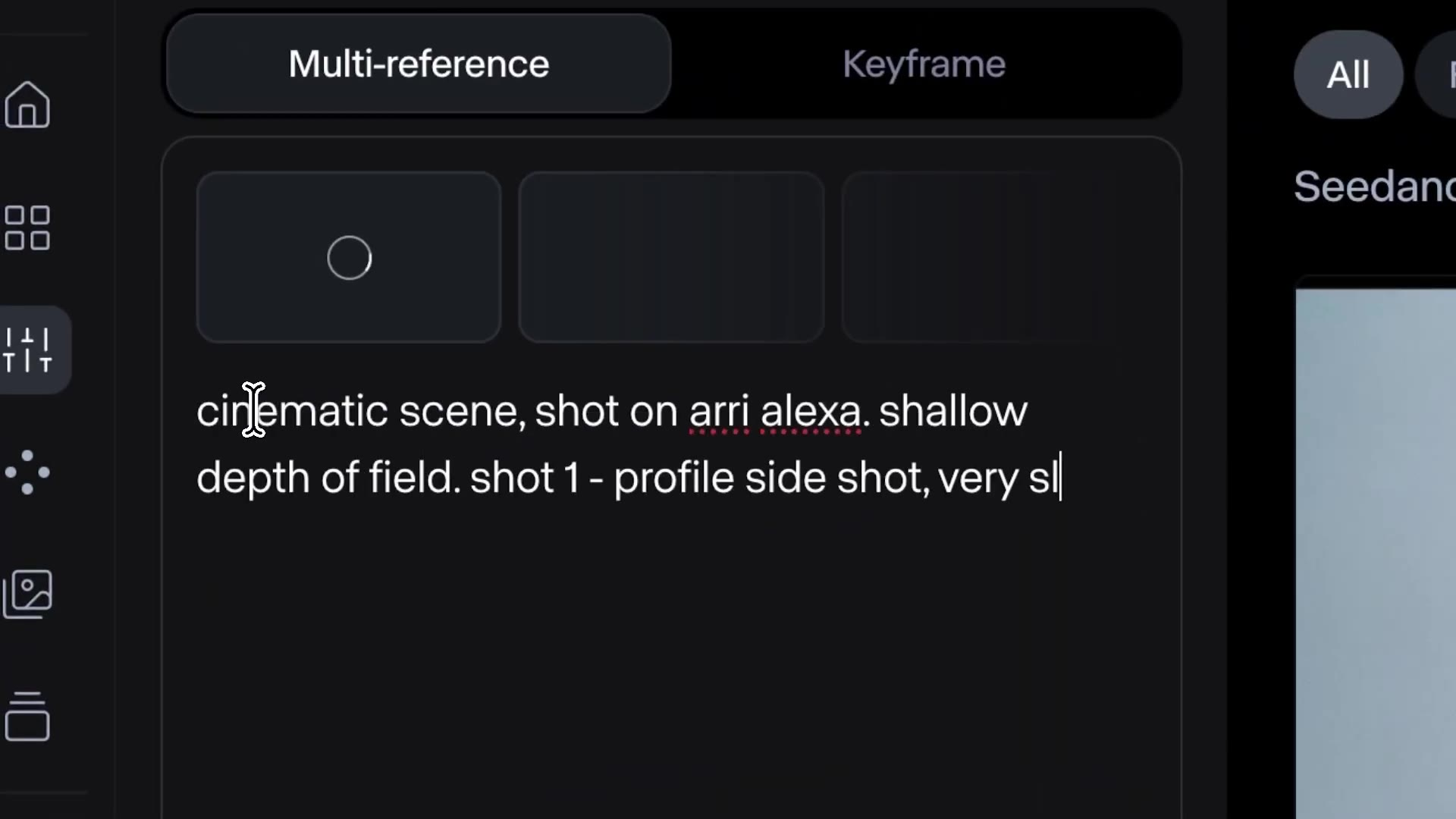
The tutorial contrasts a very short prompt for a torch with a more detailed description for horse hooves moving through mud. The important point is that detail should serve the shot. You do not need to describe every physically obvious event. If the horse is walking slowly through mud, the model can infer some of the secondary motion. Over-specification can make a prompt harder to control rather than more cinematic.
This suggests a useful hierarchy for video prompts:
- Start with the shot's purpose.
- Specify the framing and camera behavior.
- Describe the primary subject action.
- Add only the environmental details that materially affect the shot.
- Leave incidental physics and micro-motion to the model unless they are story-critical.
Sometimes a few strong terms such as “cinematic” or “shallow depth of field” are enough. Other shots require more explicit staging. The right amount of prompting is the minimum needed to communicate the directorial intention.
Fix Continuity Problems at the Image Level
The knight initially appears without a helmet. That seems like a small problem, but for a short film it becomes a continuity problem. If the team simply asks the video model to “add a helmet” every time, the helmet may change from shot to shot.
The tutorial solves this by creating a new character reference image with the correct helmet first.
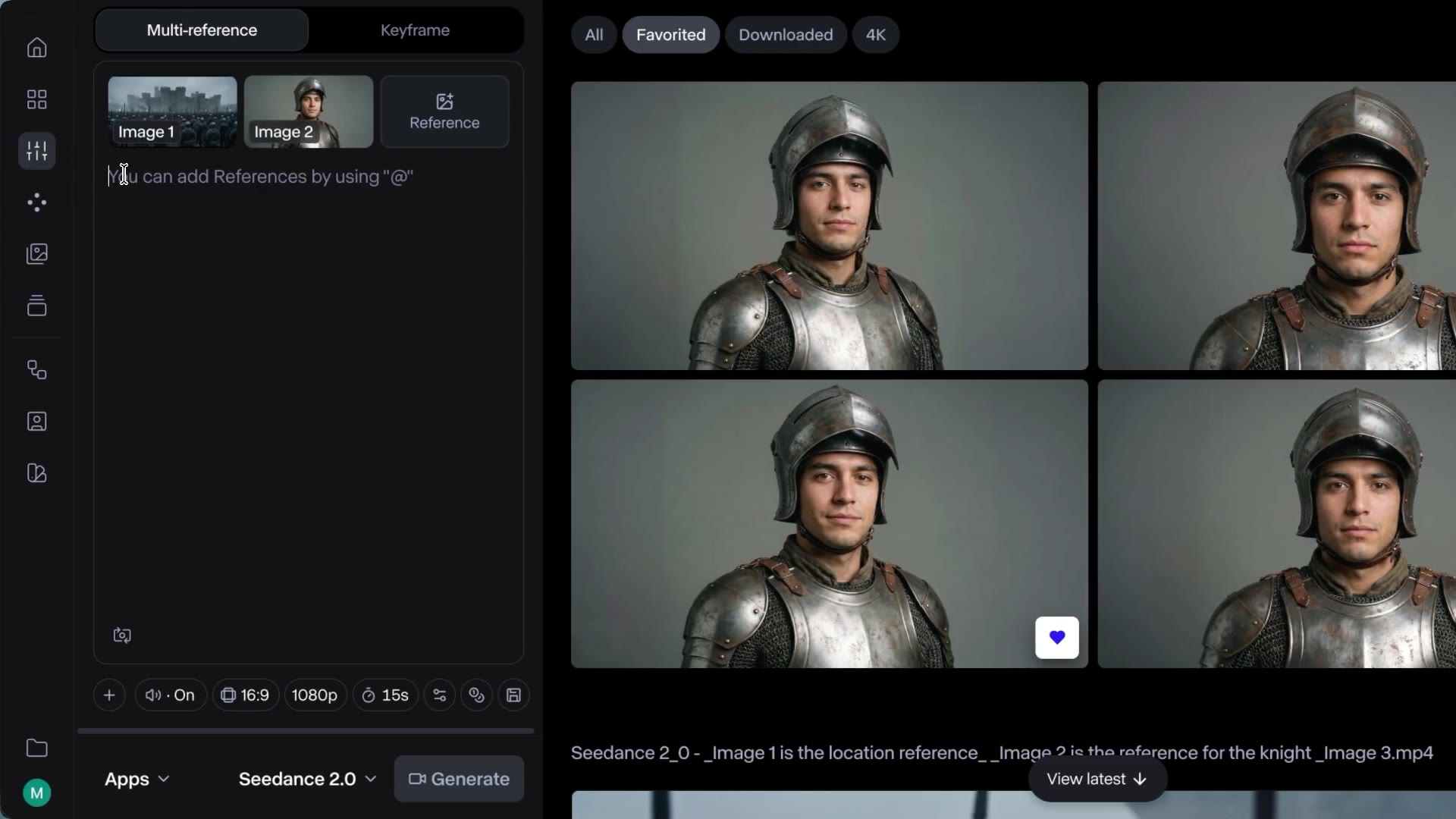
This principle applies far beyond medieval armor. Any persistent attribute should be solved at the reference level whenever possible:
- a specific jacket or uniform;
- a sword, bag, watch, or prop;
- a facial scar or tattoo;
- a hairstyle;
- a particular piece of jewelry;
- makeup, dirt, blood, or costume damage that must remain consistent.
If an element needs to survive across multiple shots, treat it as part of the character asset instead of repeatedly asking the video model to recreate it from text.
This is closely related to Runway's current guidance on character plates: establishing the same character from useful angles, outfits, and framing gives later generations more visual information and reduces subtle identity drift.
Rebuild the Hero Frame When the Character Enters
The original location image does not contain the knight. Once the knight becomes part of the scene, the workflow creates a new hero shot that combines the environment with the character reference.
That new composite becomes the basis for later generations. The reason is consistency. If every video is generated from the empty castle shot plus a separate knight reference, the model has too much freedom to decide where the knight stands, how large he is, which direction the soldiers face, and how the scene is lit around him.
By turning one successful composite into the new anchor, the production removes ambiguity. Subsequent shots inherit a more stable visual relationship between character and environment.
The rule is simple: when the important visual state of the scene changes, create a new reference that already contains that state.
Know When to Stop Fighting a Generation
The workflow then tries to integrate a soldier character into the line of troops. The first attempts fail for familiar generative reasons: the character is too small, the lighting does not match, and he does not feel like he belongs to the formation.
At first, the team considers fixing the composition on the image level. But they eventually realize that the soldier's exact appearance is not actually important to the scene. Instead of spending generation after generation forcing a precise result that the audience will barely notice, they relax the requirement and accept a shot that works dramatically.
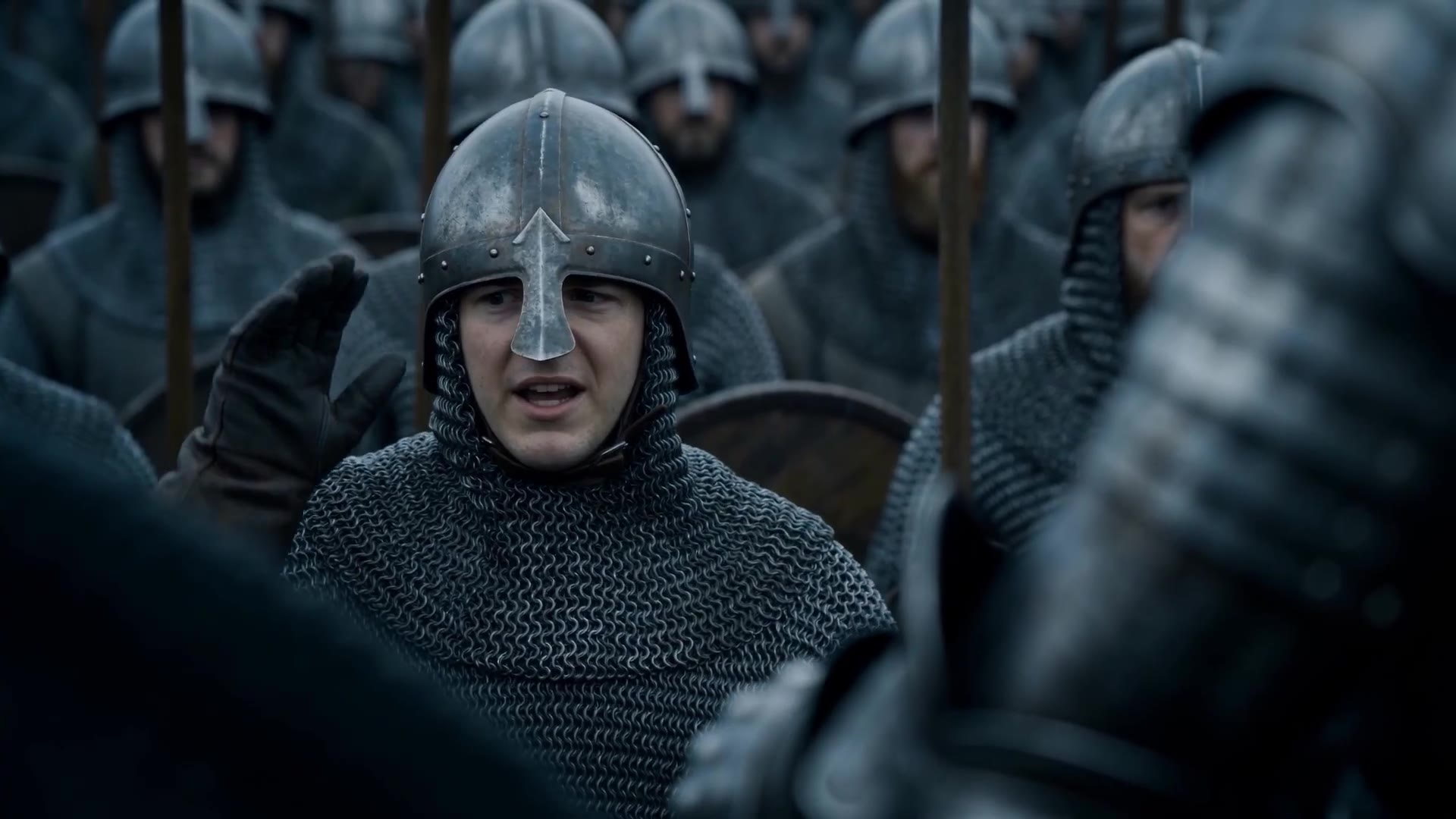
That is one of the most practical lessons in the entire tutorial. AI filmmaking involves deciding which errors matter. If a continuity problem affects story comprehension, character identity, or a recurring prop, fix it. If a background extra is slightly different and the difference has no narrative cost, the fastest solution may be to move on.
Creative control does not mean controlling everything equally. It means spending effort where the audience will feel it.
Direct Dialogue as a Performance, Not Just Text
When the soldier asks why the army is actually there, the tutorial shifts from visual continuity to performance direction.
Dialogue written inside a generation prompt can be treated like a miniature screenplay. Punctuation and small bits of stage direction can change rhythm. Ellipses can create hesitation. A short parenthetical or action cue can introduce a pause, breath, laugh, snort, or change in attitude.
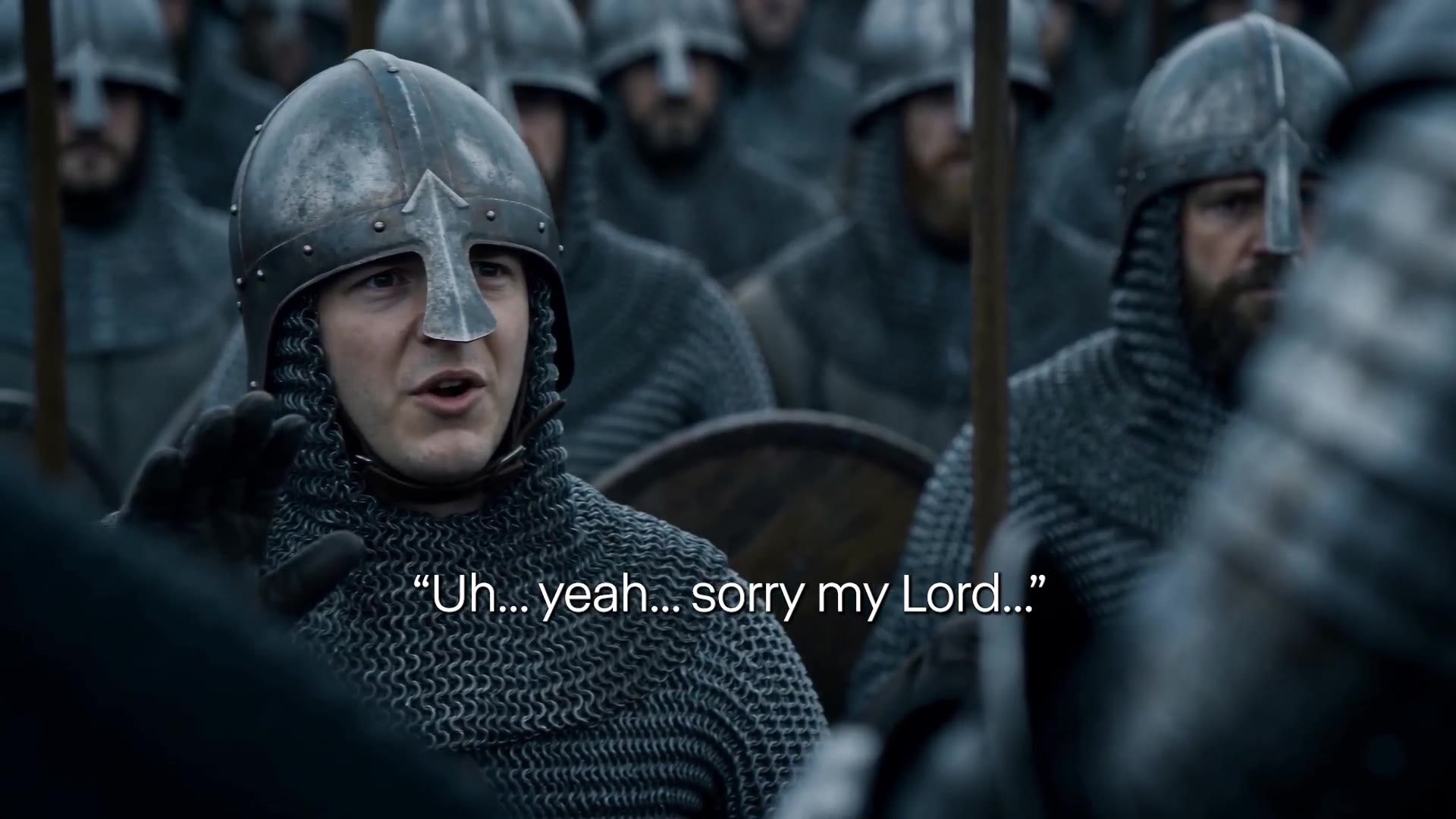
The creator demonstrates that a single word or pause can reshape a delivery. That is worth emphasizing because generative dialogue often fails not because the voice quality is poor, but because every line is delivered at the same emotional speed.
For narrative work, prompts should not merely contain the words a character says. They should communicate how the line functions. Is the character stalling? Embarrassed? Interrupting? Trying to sound confident? Losing patience?
Performance direction can be lightweight. You do not need a paragraph of acting notes for every sentence. Often the most effective instruction is one or two words placed exactly where the emotional beat changes.
Use Clip Length to Control Pacing
The tutorial also points out that output duration affects performance. A model will try to fit the requested action and dialogue into the available time.
If a line feels rushed, increasing the clip duration can give the model room for pauses, looks, and reactions. If a scene feels lifeless, shortening the duration can create urgency and sharper timing.
This is especially useful for comedy, where half a second of hesitation can be the difference between a joke landing and feeling flat. It also applies to dramatic scenes, where the timing of a glance or breath can create tension.
Instead of assuming that a weak performance requires a totally new prompt, test whether the generation simply has the wrong temporal container.
Build Story Around Conflict and Motivation
About halfway through the tutorial, the creator deliberately stops discussing technical settings and focuses on story structure.
The core principle is conflict. A scene becomes more dramatic when the characters want incompatible things or hold opposing beliefs. Two friends casually eating lunch may be a conversation. Two friends arguing about who should pay the bill creates a scene because someone has to win, give in, reveal something, or change.
The medieval comedy uses this by pairing a romantic, self-important knight with a screenwriter who questions his assumptions. The knight wants the fantasy to behave like a heroic legend. The writer wants the story to make sense. Their disagreement creates the engine for the comedy.
But conflict alone is not enough. The tutorial also asks “why?” Why does the knight want the princess? Why does it matter to him? Why should the audience care?
A shallow motivation produces a shallow scene even if the images are beautiful. Generative tools make it easy to keep producing spectacle, but story still depends on characters wanting something meaningful enough to create consequences.
Use Claude for Story Development, Not Just Prompt Writing
With the character dynamic established, the workflow returns to Claude through Runway MCP to brainstorm where the story could go next. Because the conversation already contains context about the project, the creator can ask for several simple ideas for how the knight first meets the princess.
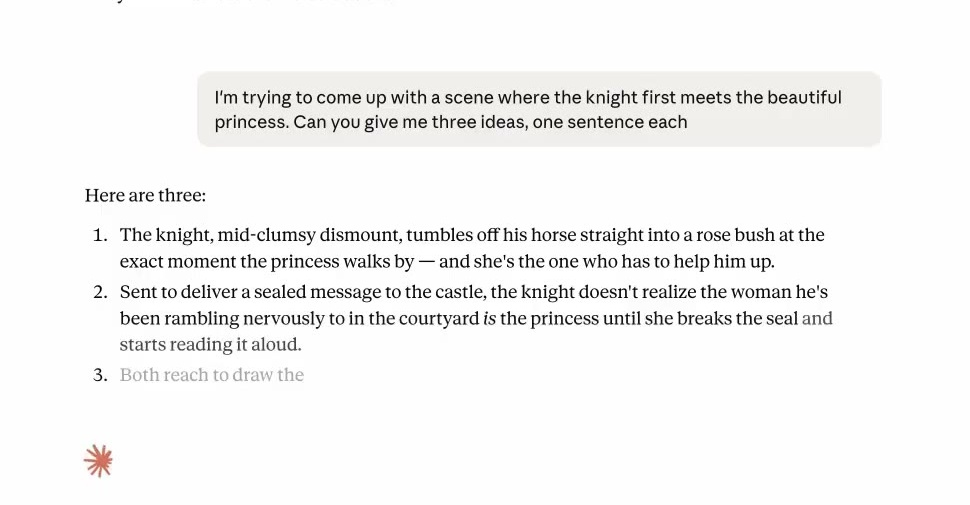
After some back and forth, the team chooses a jousting tournament. The important point is that the agent is being used as a collaborator in story development rather than a prompt vending machine.
This distinction matters. Asking an AI assistant to “write a video prompt” is a narrow task. Asking it to explore scene possibilities, compare dramatic options, remember character dynamics, and then help translate the chosen idea into assets and generations creates a much more useful creative loop.
Runway's current product direction reinforces this approach. Runway Agent can now help with scripts, narrative structure, storyboards, mood boards, character sheets, multi-shot projects, and timeline assembly. Even if you prefer an external MCP client such as Claude, the broader principle is the same: use the language model for planning and reasoning, and use media models for the specific visual or audio tasks they are best at.
Choose Hero Images That Contain the Most Useful State
The jousting scene introduces another continuity lesson. The writer character is not present at the very beginning of the scene, but the team still creates a hero image with her included because she appears in most of the later coverage.
For the opening shot, they simply remove her.
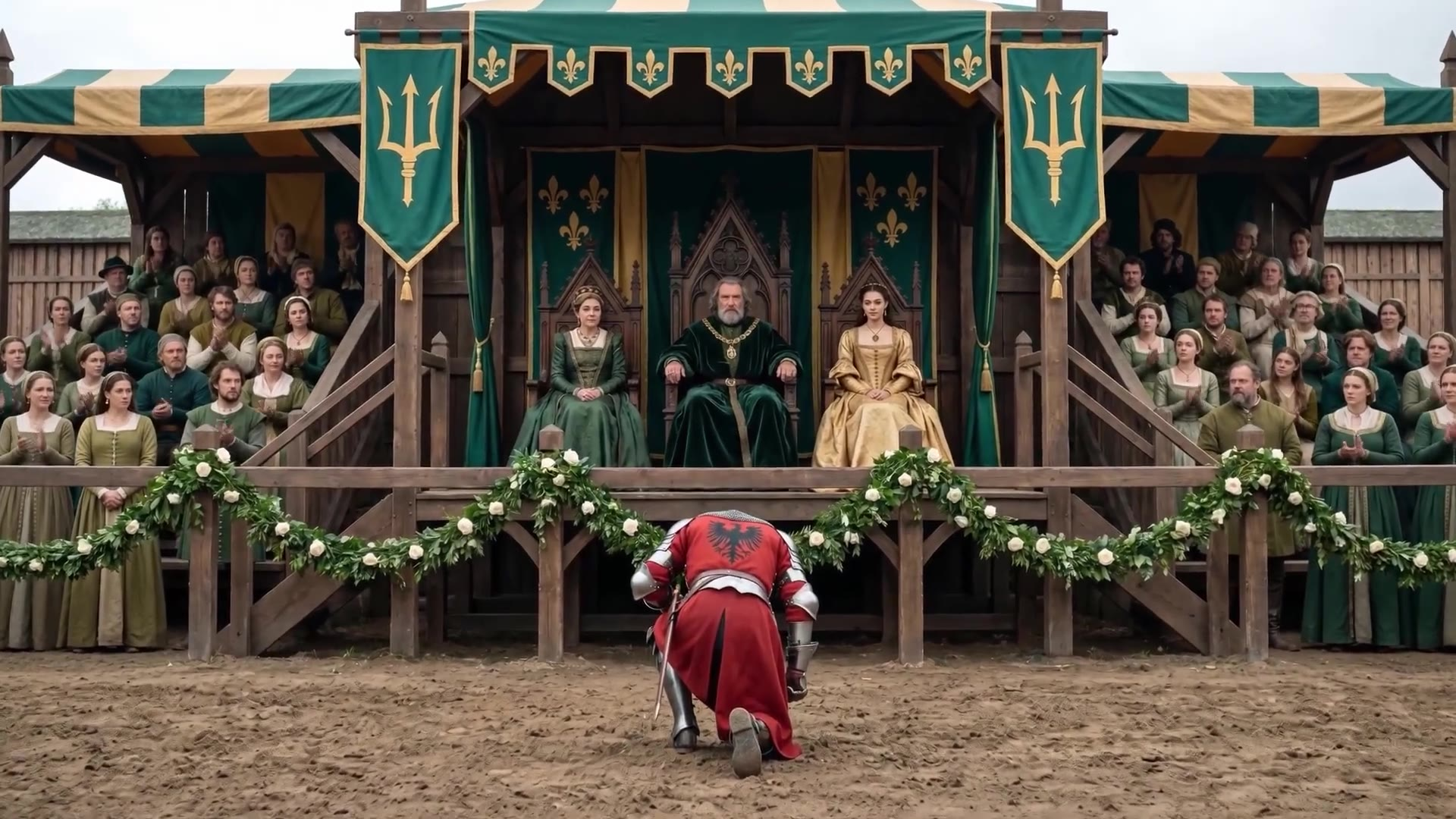
The creator describes this as easier than trying to add a character back later. More broadly, the best hero image is not always the literal first frame of a scene. It is the image that contains the maximum amount of useful scene information for the shots you need to generate.
If three characters appear together for most of a scene, build the reference with all three present. If one leaves for the opening or closing shot, create that variation afterward. This gives the model a stronger anchor for identity, placement, lighting, and spatial relationships.
Keep Character Voices Consistent Across Scenes
Visual continuity is only half the problem. Once a character moves to a new location or a generation uses different references, the voice may drift as well.
The tutorial offers several strategies for maintaining audio consistency:
- Upload a short audio clip from a previous scene as a voice reference.
- Use a previous generated video as a reference when visual and audio context both matter.
- Create a dedicated character reference video in which the character speaks directly to camera.
- Edit together the best dialogue takes into a clean audio track, then use that audio to drive a new performance.
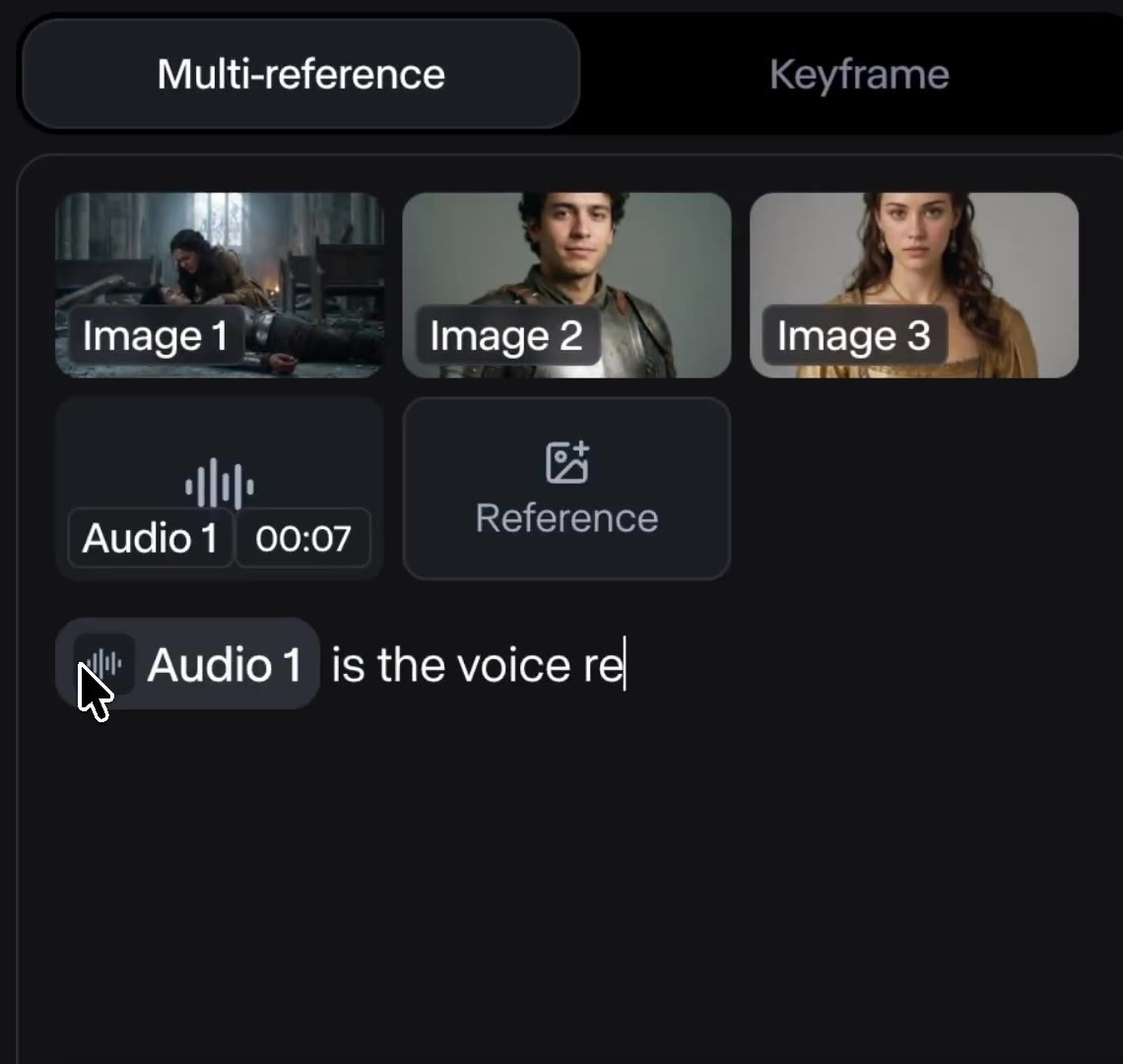
Runway's current reference-media system formally supports image, video, and audio references, with the exact combination depending on the chosen model. Seedance 2.0, the model shown in the tutorial, supports image, video, and audio inputs. Runway has since added Seedance 2.5 as a newer option with a larger reference budget and longer maximum duration, so the model picker may look different now even though the underlying strategy remains the same.
The strongest method in the tutorial is to use edited audio as the stable performance source. Instead of asking the model to reinvent the line every time, the creator can combine the best readings from earlier generations and use the resulting audio as a target for the visual performance. The words, timing, and emotional cadence stay fixed while the image model solves the shot around them.
That makes the process more predictable and much closer to traditional filmmaking, where picture can be adjusted around a locked performance.
Treat Reference Assets as Your Film's Continuity System
Across the entire workflow, a pattern emerges: references are not just inspiration. They become the production's continuity system.
A character reference stabilizes identity. A hero image stabilizes composition and lighting. A location image stabilizes atmosphere. A prop or wardrobe variation stabilizes recurring details. An audio reference stabilizes voice. A reference video can stabilize both motion and sound.
This suggests a practical asset structure for an AI short film:
Character assets
Keep approved portraits, full-body views, costume variations, special props, and useful speaking references for every recurring character.
Location assets
Keep one or more anchor frames for each location, including the version that best defines lighting, color, and spatial geography.
Scene hero frames
Create a hero image for each important character arrangement or state of the scene. If the cast or environment changes significantly, create another anchor.
Performance assets
Save dialogue takes, voice references, edited audio, and any generated video that demonstrates the correct voice or motion.
Shot references
Keep exploratory frames and successful compositions even when the original generation is unusable. A bad clip may contain the best reference image for a later shot.
With a library like this, generation becomes less about repeatedly rediscovering the movie and more about extending a world that already has rules.
A Practical End-to-End Runway Short-Film Workflow
The tutorial can be reduced to a repeatable production sequence:
1. Define the scene dramatically
Know who wants what, where the conflict comes from, and what emotional turn the scene needs to deliver.
2. Develop the main characters
Use Runway MCP, Agent, or a direct image workflow to explore appearances. Compare models when useful. Do not over-specify before you have visual feedback.
3. Lock important continuity details
Create approved reference images for recurring wardrobe, props, scars, armor, hairstyle, or other identity-critical traits.
4. Establish the world
Build a location image that captures the correct mood and production design. Use references for visual language rather than blindly copying a target shot.
5. Create a scene hero image
Combine the environment and the important characters into one strong visual anchor before producing many video shots.
6. Explore coverage
Use a short generative-video pass to brainstorm angles, inserts, and camera ideas. Treat this phase like moving storyboards.
7. Generate the shots deliberately
For each chosen composition, prompt the shot type, camera behavior, and main action. Add detail only when it improves control.
8. Solve errors where they originate
If a helmet, costume, or face keeps changing, fix the image reference. If pacing is wrong, test clip duration. If a voice drifts, add audio or video references. Do not keep rewriting the same prompt when the real problem is upstream.
9. Direct dialogue and performance
Use punctuation, pauses, scene directions, and duration to shape line delivery. When you find a strong take, preserve it as a reusable performance asset.
10. Assemble and iterate
Build the scene from the best shots, then evaluate it as a story. If a shot is beautiful but weakens pacing or clarity, cut it. The finished film matters more than any single generation.
For a useful next step, see our Runway fantasy-trailer case study.
What Has Changed in Runway Since This Workflow Was Recorded?
The underlying filmmaking method is still current, but Runway's product surface continues to evolve.
Runway MCP remains officially supported and can connect to several MCP-compatible agents. Nano Banana and GPT Image models remain available within Runway's broader model ecosystem. The tutorial uses Seedance 2.0, while Runway now also offers Seedance 2.5 with longer outputs and a much larger reference allowance. Runway also provides Agent for conversational project planning and Multi-Shot Video for automatically or manually building short sequences from several connected shots.
These newer features can reduce some manual steps, but they do not eliminate the need for deliberate references, character continuity, shot planning, pacing, or story structure. In fact, more capable automation makes those decisions more important because the system can generate a larger amount of material more quickly.
The best way to use the newer tools is to preserve the same filmmaking logic while choosing the most efficient interface for each stage.
Final Takeaway
The strongest lesson from this Runway workflow is that AI filmmaking becomes more controllable when you stop treating every generation as an isolated prompt.
Build a system of assets. Preserve the things that work. Use a successful frame as the next reference. Solve persistent problems before they reach the video stage. Direct dialogue instead of merely supplying text. Use models to explore options, but make the creative decisions yourself.
Most importantly, keep the story ahead of the technology. The medieval comedy works because the characters have a relationship, the scene has conflict, the visual tone creates contrast, and the performances are timed to support the joke. The tools make those choices faster to execute, but they do not replace the choices.
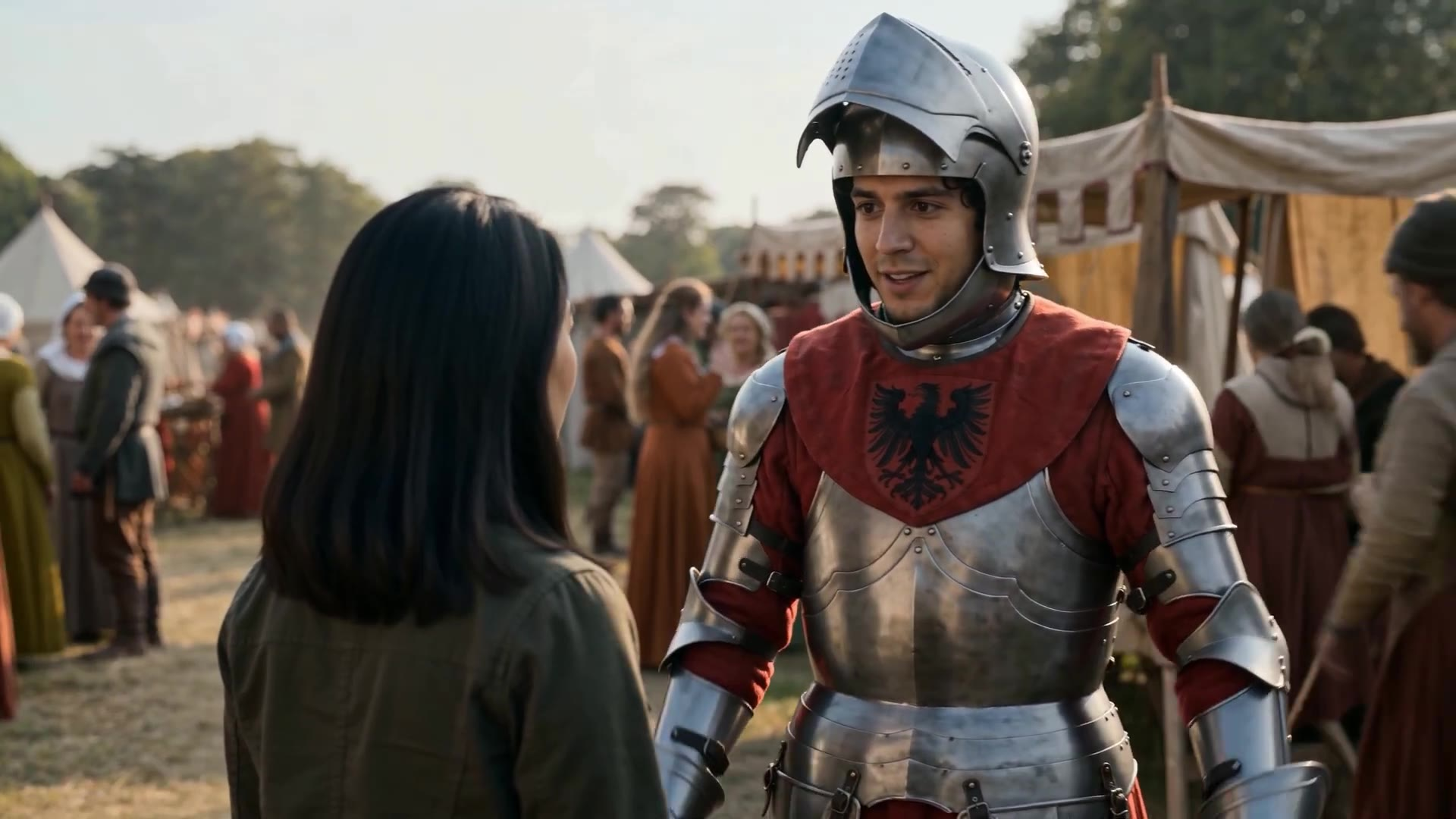
For creators who want to move beyond isolated AI clips and start building actual narrative work, that is the useful shift: think in scenes, continuity, performances, and story beats first. Then use Runway's models, references, MCP connection, and editing tools to make those decisions visible on screen.
Current Product Sources
Current feature notes in this article were checked against Runway's official documentation: