
Cursor
AI code editor for rapid programming and software development
A look at Cursor
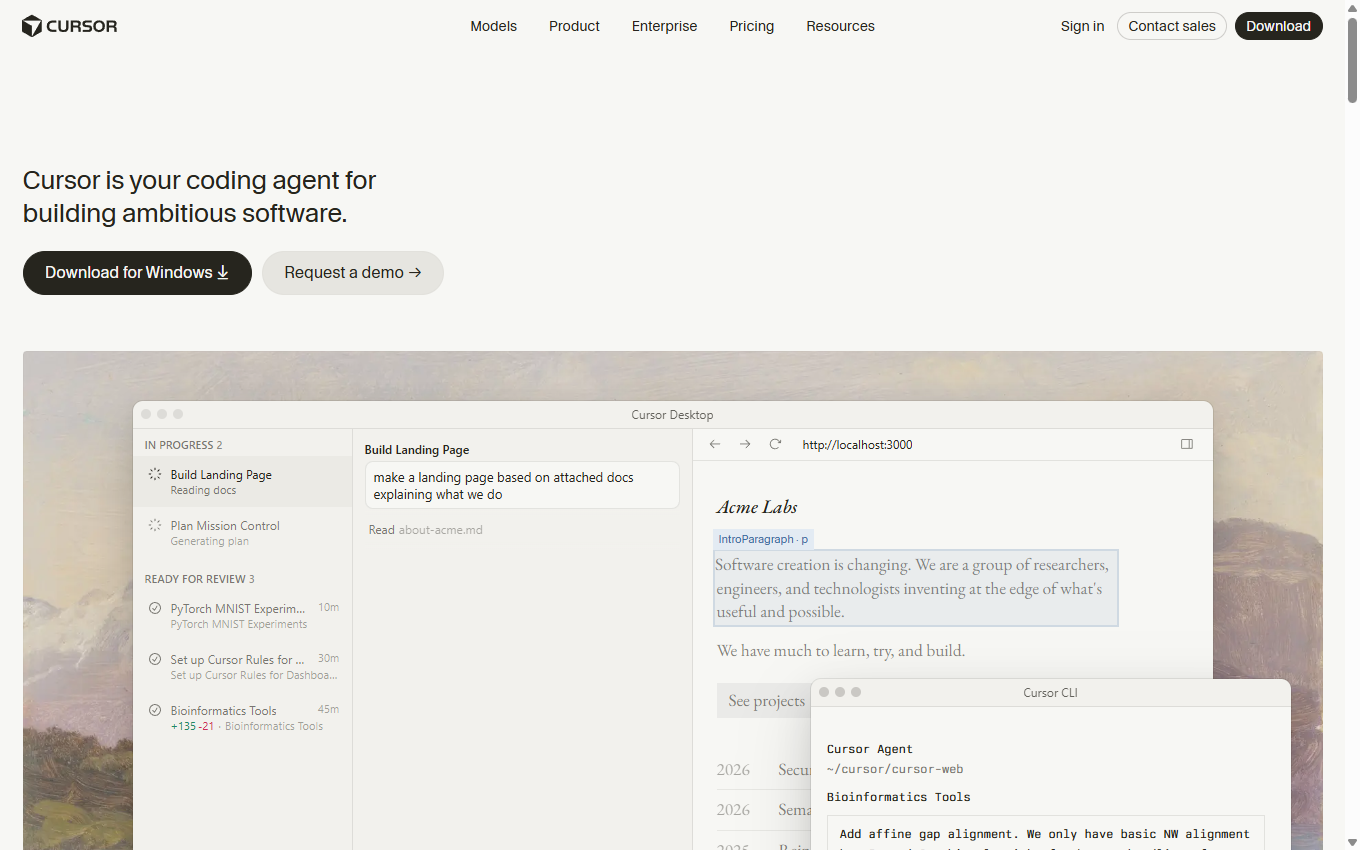
About Cursor
What is Cursor
Cursor is an AI code editor launched by Anysphere. It is based on the GPT3.5 and GPT4.0 models and supports multiple languages such as Python, Java, C#, and JavaScript. Through shortcut key operations, it can realize automatic code generation, editing, discussion and other functions, significantly improving development efficiency. Cursor has advanced functions such as code reconstruction, understanding, and optimization. Cursor launches web and mobile Agents. Seamlessly use AI programming agents on any device. Multiple Agent tasks can be run in parallel. It provides 200 GPT3.5 and 50 GPT4.0 usage times per month to meet the needs of most users.
The newly upgraded Cursor 2.0, equipped with the self-developed coding model Composer, can complete complex tasks within 30 seconds, with a code generation speed of 250 tokens/second, which is 400% faster than its peers. Cursor 2.0 supports functions such as voice generation code, native browser tool testing code, and simultaneous running of multiple Agents. The interface has changed from "file-centered" to "Agent-centered". Composer is trained based on reinforcement learning and MoE architecture, runs directly in the real environment, and has strong reasoning and generalization capabilities.
Cursor version 2.2 adds a new debugging mode, which can implant logs while the application is running, helping developers quickly locate and fix complex bugs. Planning mode has also been improved, with new inline flowcharts and task assignment features to make team collaboration more efficient. The multi-agent "referee" mechanism can automatically evaluate the results of multiple agents and recommend the best solution with detailed comments, eliminating the trouble of filtering results.
Main functions of Cursor
- Code generation: Cursor can automatically generate code based on the developer's instructions or code context, saving time on writing basic code.
- Intelligent completion: Provide more accurate code completion suggestions to help developers quickly complete code writing.
- Bug detection and repair: AI can identify errors in the code and provide repair suggestions, reducing debugging time.
- Code explanation: When developers have questions about a certain piece of code, Cursor can provide explanations and function descriptions of the code.
- Document generation: For example, the automatic generation of README files helps developers quickly organize project information.
- Code optimization suggestions: Analyze existing code and provide optimization suggestions to improve code quality and performance.
- Multi-language support: Supports multiple programming languages to help developers in different fields.
- Cursor Agent: Cursor launches web and mobile Agents. Seamlessly use AI programming agents on any device. Code writing and task execution: Agents can run tasks in the background, such as launching bug fixes, building new features, or answering complex code base questions. Cross-device collaboration: Developers can use Agent on any desktop, tablet or mobile browser and install it as a Progressive Web App (PWA) for a native app-like experience. Team collaboration: Team members with code repository access can review Agent changes, view pull requests, and create pull requests directly from the web interface. Rich contextual support: users can add images, follow-up instructions, and run multiple Agents in parallel to compare results. Slack integration: Developers can trigger the Agent through "@Cursor" in Slack and receive Slack notifications when the task is completed. Using Agent: You can start using the web and mobile Agent by visiting the official website https://www.cursor.com/cn/agents.
- Cursor 2.0 feature update: Improved coding efficiency: Cursor 2.0’s Composer model generates code at a speed of 250 tokens per second and completes complex tasks within 30 seconds, 400% faster than its peers. Intelligent programming assistance: Native browser tools can automatically test, debug, and iterate code; the voice generation code function allows developers to convert voice input into code; multi-agent collaboration supports multiple agents running at the same time, without interfering with each other, and can select the best results. Real environment training and practical capabilities: Composer is based on reinforcement learning training and runs in a real environment. It has emergent behaviors such as automatic testing and error repair, and fits the daily workflow of developers.
- Cursor 2.2 feature update: Debug Mode: Implants logs when the application is running to help developers proactively discover and fix elusive bugs, saving time in troubleshooting. It is suitable for various technology stacks. Plan Mode Improvements: Added inline Mermaid flowchart to visually display AI's problem-solving ideas; supports assigning to-do items to different agents to improve team collaboration efficiency. Multi-Agent Judging: Automatically evaluates the results of multiple agents, recommends the best solution, and provides detailed comments to help developers quickly select the optimal solution. Pinned Chats: Important chat records can be pinned to the top in the sidebar of the agent to facilitate quick access and review of important information.
How to use Cursor
- Download and installation: Visit Cursor’s official website (cursor.com) to download the installation package and follow the prompts to complete the installation.
- Register an account: After starting Cursor, you need to register an account and verify your email address.
- Install plugins: Install language plugins and other extensions as needed, such as Chinese plugins or compilation plugins for specific programming languages.
- New file: Open or create a new project file in Cursor and add the correct extension to the file.
- Configure the interpreter: If you need a specific language running environment, configure the corresponding interpreter.
- Using AI features: Use shortcut keys (such as Ctrl+K) to call up the AI dialog box and enter your programming requirements. AI will generate code or provide suggestions based on demand.
- Run and test the code: Use the run button or shortcut keys on the interface to run the code and observe the output.
- Code review and modification: If the code generated by AI does not meet expectations, it can be modified manually or the requirements can be further refined through the AI dialog box.
- Questioning and learning: For code segments you don’t understand, you can use shortcut keys to call out the chat box and ask the AI about the functions and principles of the code.
- Import libraries: If you need to use a specific library, you can install the required library through the terminal or command line.
- Code management and optimization: Use Cursor’s AI function to conduct code review and optimization to improve code quality.
Cursor’s applicable groups
- Newbies to programming: For those who have just started learning programming, Cursor’s AI assistance can help them quickly master programming skills and provide code examples and explanations.
- Professional developers: Experienced developers can use Cursor's AI capabilities to improve coding efficiency, automatically generate code snippets, and detect and fix bugs.
- Students and Teachers: In the process of learning programming or teaching programming courses, Cursor can be used as a powerful tool to help understand and practice programming concepts.
- Data scientists and analysts: When working on data analysis and machine learning projects, Cursor can help quickly write and test code.
- Freelancers and entrepreneurs: Individuals who need to quickly develop software prototypes or products can use Cursor to accelerate the development process.
More in AI Programming Tools
Compare other tools in this category.