
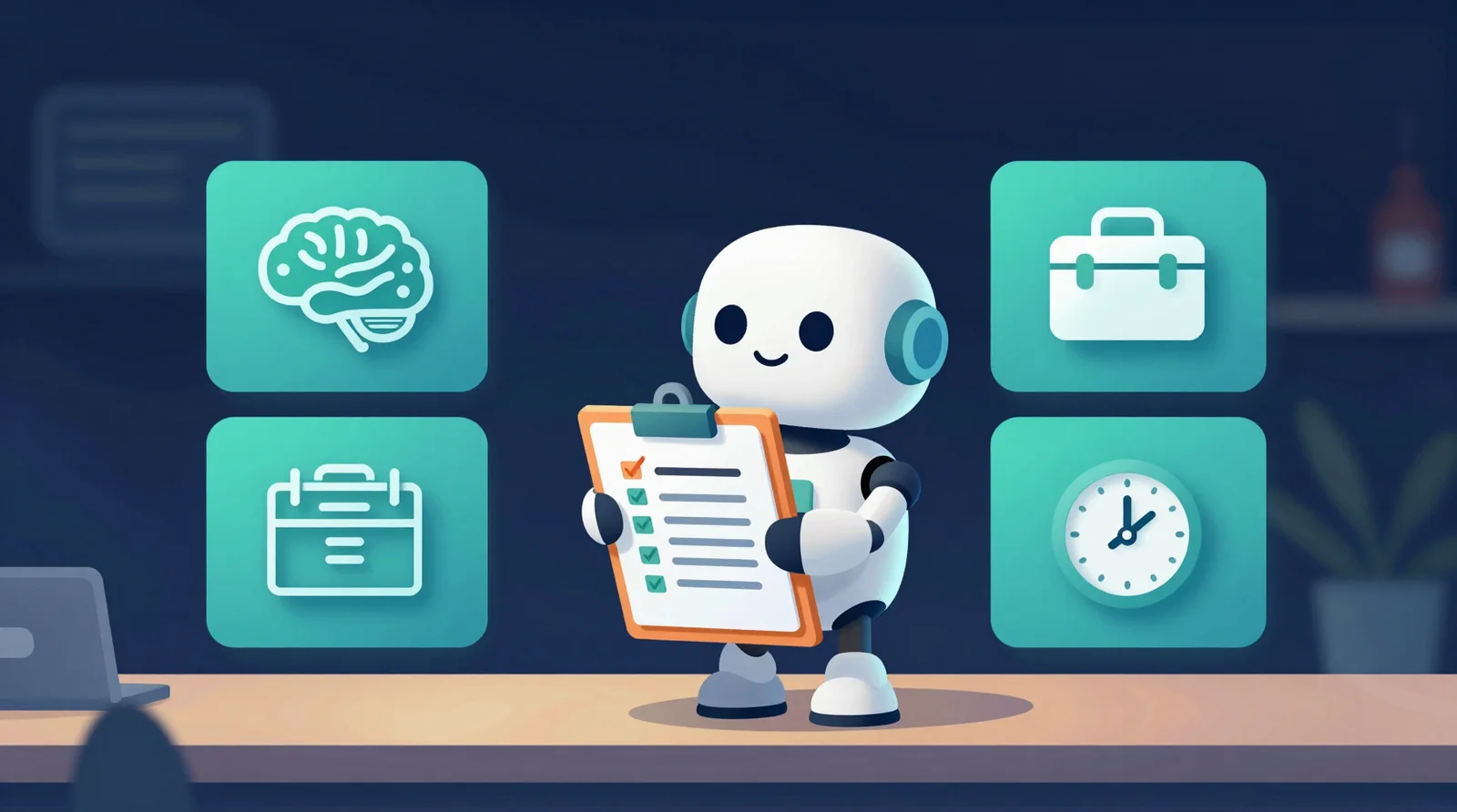
An AI agent is a model, a written method, and a set of tools running on a schedule. This guide explains the parts, how an agent differs from a chatbot and from plain automation, a real customer-support example with safety checks, and a simple test for whether you need an agent at all.
Reading map
- What an agent is — in one picture and four parts.
- Agent vs chatbot vs automation — a table that ends the confusion.
- Why ready-made agents disappoint — and what makes an agent valuable.
- How to build one that works — the three stages from manual to autonomous.
- A worked example — a customer-support agent with safety checks.
- Do you even need an agent? — a three-question test.
- FAQ and quick reference.
The short answer
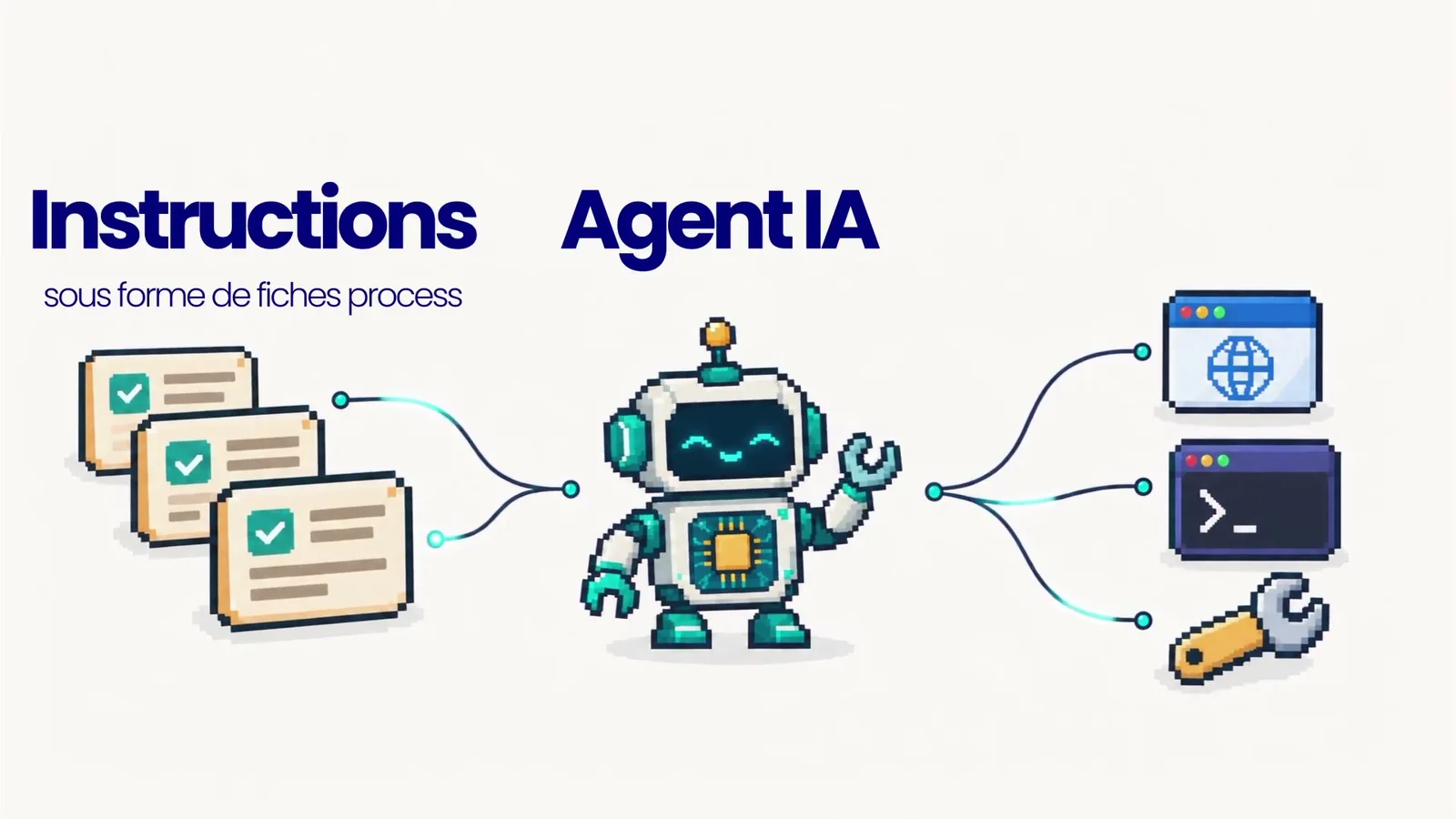
An AI agent is an AI model that follows a written method, uses tools (email, a database, a spreadsheet), and runs on its own, often on a schedule, without you chatting with it. The model supplies the thinking, the method tells it what to do, the tools let it act, and a “runtime” (the place where it runs) wakes it up and keeps it going.
The point of an agent is not “AI that is smart”. The point is delegation: someone else (the agent) does the task and carries the mental load of remembering to do it and checking it. If you still have to open a chat, paste the task and watch the result, you have an assistant, not an agent.
The four parts
Think of hiring a junior employee. You give them a brain, a procedure, tools and a place to work.
| Part | What it is | In a support agent |
|---|---|---|
| 1. Model | The AI “brain”. It predicts text word by word; that has not changed since chatbots began. | A language model (cloud or local) that writes the reply |
| 2. Method | A written set of instructions: goal, steps, rules. Often called a process sheet or playbook. | “Classify the email, find the right policy, write a reply in this tone” |
| 3. Tools | What the agent is allowed to touch. | The mailbox, a help-centre database, a spreadsheet |
| 4. Runtime | Where it runs and what wakes it up. | An automation platform that fires every time a new email arrives |
Some descriptions add a fifth part, memory: what the agent remembers between runs. Many useful agents need none. A support agent answering one email at a time does not have to remember yesterday’s customer; each run starts clean. Add memory only when the task needs it (for example, “continue the project from last week”).
The loop inside
Underneath, most agents run a loop: read the task → decide the next step → use a tool → look at the result → decide again → stop when done. This loop is what makes agents more flexible than a fixed script, and also what makes them riskier: each pass is a new chance to go wrong, and a bad loop can run for hours.
Where agents run
There are many runtimes. Some are workflow builders such as n8n, some are open-source agent programs you host yourself, some are hosted platforms, and now chat products let you schedule tasks too. They look different but do the same job: run this method with this model and these tools at the right moment. The runtime is the least important part; it is where companies make their profit margin, not where your results come from.
Agent vs chatbot vs automation
| Chatbot / assistant | Automation (workflow) | AI agent | |
|---|---|---|---|
| Who starts it | You, by typing | A trigger (new email, every morning) | A trigger or schedule |
| Who decides each step | You | Fixed rules written in advance | The model, within your method |
| Handles surprises | Yes, you steer | No; it breaks or ignores | Often, but unpredictably |
| Same input, same output? | No | Yes | No |
| Cost per run | Your time | Nearly zero | Model tokens |
| Best for | Thinking together, one-off jobs | Repeating the exact same job | Repeating a job that needs judgment |
| Example | Draft a reply to this email | Save every email attachment to a folder | Read every support email, pick the policy, write the reply |
An agent sits between the other two: it has the schedule of an automation and the judgment of a chatbot, and it inherits some weaknesses of both.
What really makes an agent valuable
It is the method, not the tool. The same model and the same tools in the hands of a person with a better procedure give better results. This has three consequences:
- 1. A ready-made, plug-and-play agent is someone else’s method. It was written for another company’s customers, tone and rules. Its output will be average, and nobody on your team understands why it makes the choices it makes.
- 2. The person who owns the work should own the method. If the person responsible for customer service cannot read the agent’s method and change it, she cannot fix mistakes and will not trust it. Responsibility cannot be handed to a tool she did not design.
- 3. Improvement needs an owner. Real gains come from improving the method month after month. A bought agent has no one to improve it.
The practitioner’s advice for how to start follows from this:
- Work bottom-up. Do not let an outside consultant or the IT department invent the method. Ask the person who does the task today to explain it: “What is the first thing you check when an email arrives? What do you do for a refund? What do you do when the customer is angry?” People explain their work well when asked about their day, and a good interviewer pulls out rules they never wrote down.
- Keep it at the smallest level. Let the person closest to the work own and adjust the agent (the “subsidiarity” idea: what can be decided in a small unit should be).
- No expert in the team? Ask an AI for the reference books on the subject, read the best ones yourself, and write a method you can test personally before giving it to an agent.
- Test yourself. If you cannot say from memory what step 3 of your agent’s method is, you do not control the agent. Treat it like a junior hire: you should know what it does and how it is judged.
The three stages: from manual to autonomous
Never start with a fully autonomous agent. Climb in stages and move up only when the last stage works.
| Stage | What happens | Move up when |
|---|---|---|
| 1. Manual | You follow the written method yourself, perhaps with an AI chat helping | The method works in practice |
| 2. Skill | You give the method to an AI assistant (a “skill” or saved instruction) and run it on demand, correcting it whenever it goes off track or lacks information | After about 10–15 runs, your corrections are all folded into the method |
| 3. Supervised | It runs by itself and produces drafts; you check each result before it goes out | You approve about 10 results in a row without changes |
| 4. Autonomous | It runs on a runtime and sends or saves results directly; you check a sample of past runs each day | Keep monitoring; the human job shifts from doing to reviewing and improving |
In the support example, the human time goes from many hours of answering every day to roughly one hour of reviewing and improving, but only after weeks spent at stages 2 and 3.
Skills beat agents for creative work. Tasks that need your own taste, such as presentation slides, are better as a skill you invoke with your input than as an agent that runs alone, because an agent produces the average of everything it has seen, which tends to read as generic AI output.
Why agents make mistakes (and the fix)
An agent in production will make a lot of mistakes if you leave it unsupervised. The reasons are built into the model:
- Each run starts fresh. Without memory of earlier runs, every run is a new gamble: will it understand this request, follow the method, avoid inventing facts?
- Models are not deterministic. Same instructions, slightly different email, a different style of answer. A very unhappy customer can pull the model into a sharp reply even though the method says “be polite”.
- Loops happen. Models can get stuck repeating themselves for hours, which costs real money. With high volume this can happen as often as daily.
- Result: a plug-and-play agent often delivers roughly “half acceptable, half failed”. This is one practitioner’s experience, not a measured statistic, but it matches what many teams report.
The fix: do not give the model the last step. Put a deterministic check between the model and the action. In practice:
- 1. Ask for structured output. Instead of free text, tell the model to return a fixed format (JSON): the type of request, the proposed reply, which policy it applied.
- 2. Route with plain code. A switch sends each request type down its own branch.
- 3. Add a second opinion. A second, independent model reviews the first one’s choice, or simple code checks keywords: if the email says “refund”, it should be classified as a refund; if the two disagree, flag it.
- 4. Check style and policy. A checker confirms the reply follows the tone rules and that the discount offered is allowed. If not, rewrite or send to a human.
- 5. Only then give it the “send” tool. At first a human approves; later, when drafts pass untouched, the agent may send directly.
- 6. Review daily. A person looks at yesterday’s runs to confirm routing was right.
A worked example: customer support agent
Goal: answer incoming support emails quickly and consistently.
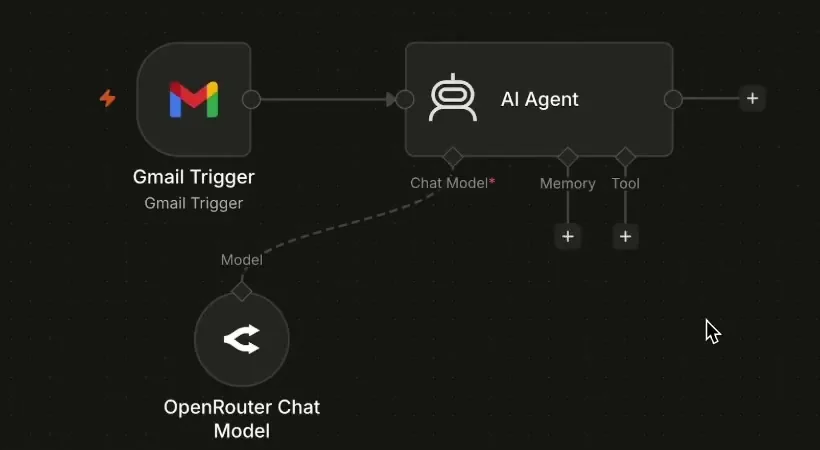
- 1. Trigger: a new email arrives in the support mailbox.
- 2. Model: a small, cheap model is enough once the method is clear (see cost below).
- 3. Method: identify the request type (feedback, complaint, refund request, access request), read the matching policy, choose the most favourable allowed option, then write the reply using the style guide.
- 4. Tools: read the mailbox; search the documentation or a database of past cases.
- 5. Memory: none; each email is independent.
- 6. Output: fixed format with request type, suggested reply and applied policy.
- 7. Checks: switch by type, second reviewer, keyword rule, style check.
- 8. Send: only after the checks pass; a human reviews past runs daily.

What model to use
Once the method is written down and the path is well worn, you do not need the most powerful, expensive model. The practitioner’s rule of thumb: for a task where the method is already fixed, a cheap model costing a fraction of a dollar per million tokens is usually enough, and using a top-tier model there can be a hundred times more expensive for little gain. Reserve strong models for design, planning and hard judgment. Test it on your own emails before trusting a rule of thumb.
Do you even need an agent?
Many jobs that look like agent jobs are plain automation in disguise. The agent decides every time, burns tokens and makes small mistakes; a script does the same thing the same way for free.
Ask three questions in order:
- 1. Is it the same action every time? → Use an automation. No AI needed.
- 2. If not, does a clear method exist? → Use an agent (or a skill).
- 3. If there is no method yet? → It stays a human job until someone can describe how to do it.
Examples:
| Task | Better as | Why |
|---|---|---|
| Collect receipts, read the PDF text, send them to the accountant | Automation (a script or workflow), perhaps written by an AI | Same steps every time; code is cheaper and more reliable |
| Monitor blogs and channels you like | Automation (feeds into a daily digest) | You can fetch and merge articles with code; use AI only to summarise |
| Answer support emails with different policies | Agent with checks | Judgment needed, and a method exists |
| Make a sales presentation in your own voice | Skill you run with your input | Needs your taste |
| Decide company strategy | Human | No stable method |
A useful trick: ask your AI assistant to write the workflow code from your process sheet. It will build a script that runs the method deterministically, which is cheaper and more predictable than an agent that re-thinks everything on every run.
What the video does not tell you
- Some of its numbers are experience, not research. “Half fail”, “paying over a dollar per million tokens is the wrong model” and the 10%-a-month compounding story are opinions. They are useful warnings, but test them.
- Prices and model names change fast. Check current pricing before choosing a model.
- Security matters. An agent with a “send email” or “delete file” tool can do real damage if it is tricked by text inside an email. Give it the least access, and keep dangerous tools behind checks.
- Data protection. If the agent reads customer data, check where the model runs and what the provider does with the data.
- The business pitch. The video also promotes the creator’s own paid training. The advice above stands on its own, but treat sales claims about “reversing the 80/20” as marketing.
FAQ
What is an AI agent in simple words?
A program that uses an AI model, follows a written method, can use tools such as email or a database, and runs on its own without you chatting with it.
What is the difference between an AI agent and ChatGPT?
ChatGPT waits for you to type. An agent is started by a trigger or schedule, follows a fixed method and uses tools. You can build an agent on top of a chat model.
Are AI agents the same as automations?
No. An automation follows fixed rules and always does the same thing. An agent uses a model to make choices, so it handles variety but is less predictable.
Do agents need memory?
Not always. A task where each run is independent needs none. Add memory when the agent must continue earlier work.
Are ready-made AI agents worth buying?
Rarely as a finished product. They embody someone else’s method, and nobody on your team can maintain them. They can be useful as a starting point you then rewrite.
How reliable are agents?
Less than people expect. Plan for mistakes: use structured outputs, independent checks and human review, and expand autonomy slowly.
What tools can run an agent?
Workflow builders such as n8n, open-source agent programs, hosted agent platforms, and the scheduled-task features of chat products like Claude and ChatGPT.
How do I start?
Pick one repeated task, write down its steps with the person who does it, run it by hand, then as a skill, then supervised, and only then autonomous.
Final perspective
An AI agent is not magic and not a product you plug in. It is your method, written down, run by a model with tools. Start from the people who do the work, climb from manual to supervised to autonomous, keep the model away from the final action without a check, and choose code over agents whenever the task never changes. The value you build is the method, and the method belongs to you.
Quick reference
- Agent = model + method + tools + runtime (+ memory only if needed).
- Value is in the method; the runtime is replaceable.
- Build bottom-up: ask the person who does the task; keep ownership with them.
- Stages: manual → skill → supervised drafts → autonomous with daily review.
- Never give the model the final action without deterministic checks.
- Test: same action every time? Automation. Otherwise a method exists? Agent. No method? Human.
- Use cheap models once the method is fixed; check prices yourself.
Credit: some ideas in this guide come from video lessons by Eliott Meunier.
Educational guide. The ideas about reliability and cost come from hands-on experience reported by a practitioner; your own results will vary, so test on your own data.