
Most people use Claude as a smarter chat box, but the bigger gains come from adding persistent context, connected tools, reusable workflows, scheduled work, code, and agents. This guide turns a six-level Claude workflow into a practical progression you can adopt one layer at a time, with current product notes where the interface has evolved.
The Claude tool page covers the product; for hands-on setup, continue with our Claude guide to Projects, code, and Skills.
There is a big difference between using Claude and building a working system around it.
At the simplest level, Claude is a conversational assistant: you ask a question, get an answer, and move on. That is useful, but it leaves most of the leverage on the table. A more mature setup gives Claude stable context, access to the tools where your work lives, repeatable operating instructions, scheduled jobs, software-building capabilities, and eventually specialized agents that can coordinate work without requiring you to manually push every step forward.
The six-level framework below is useful because it is not really about collecting features. It is about changing your role. You move from being the person who asks for an answer, to the person who defines a process, to the person who supervises systems that execute that process.
The important caveat is that Claude changes quickly. Some labels and interface details shown in the source workflow have already evolved. The underlying progression still holds, but current Claude behavior should be separated from the creator's personal terminology and habits. Where that matters, this guide calls it out.
Level 1: Stop treating Claude like a one-shot search box
The first level is the familiar one: open Claude, type a question, copy the answer, close the tab.
The problem is not that this is wrong. The problem is that a one-shot interaction gives Claude very little context. If the task depends on your audience, constraints, company, preferred format, existing work, or definition of success, the model has to guess. The easiest improvement is to make the conversation more diagnostic before it becomes generative.
Ask Claude to interview you first
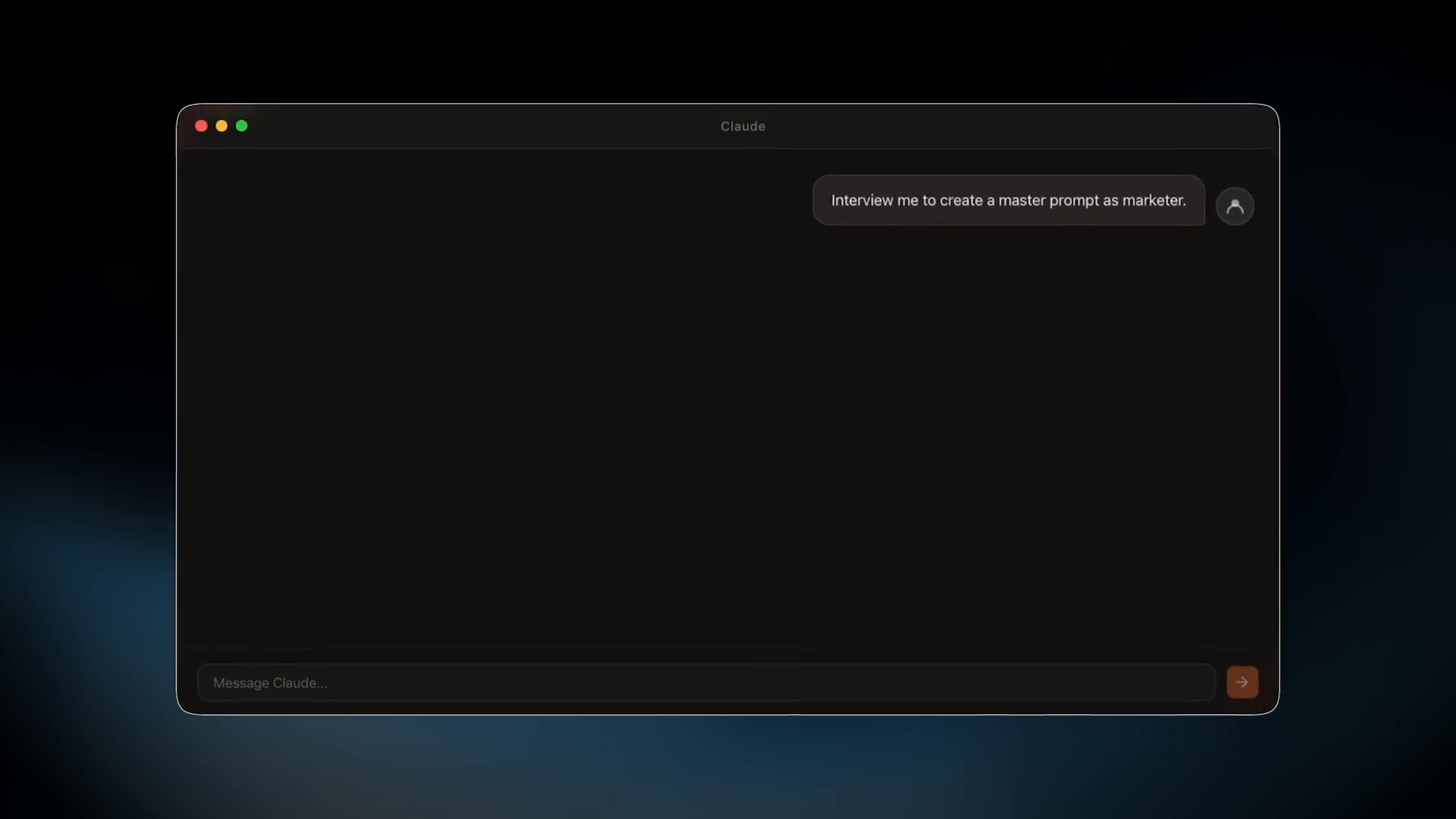
A simple prompt such as, "Before you answer, ask me any questions you need to perform this task properly," changes the interaction. Instead of forcing you to predict every missing detail, Claude can identify the context it needs.
That is especially useful for ambiguous work: planning a campaign, drafting a proposal, analyzing a business problem, designing a workflow, or writing something in a specific voice. The questions expose assumptions before those assumptions turn into a weak answer.
A more targeted version is even better:
|
Interview me until you have enough information to produce a strong first draft. Ask about the audience, goal, constraints, examples I like, and what a successful result should look like. |
The point is not the exact wording. The point is to turn prompting into a short requirements-gathering process.
Make Claude verify its own output
The second beginner upgrade is to add a review pass. The workflow in the video uses the simple instruction, "Check your work."
For higher-stakes tasks, make the review criteria explicit. For example:
|
Check this against the original request. List any missing requirements, unsupported claims, contradictions, or formatting problems. Then revise the answer. |
That is more useful than asking whether the answer is "good." A good review prompt gives Claude something concrete to test.
This habit becomes important later because the same pattern can be formalized as a dedicated reviewer or critique agent. What starts as a second prompt can eventually become a permanent quality-control step in an automated workflow.
Level 2: Turn Claude into a persistent workspace with Projects
The second level is about ending the repeated setup work.
Instead of explaining the same role, brand, client, or process at the beginning of every conversation, create a Project and give it the context that should stay attached to that body of work. A Project can be organized around a role such as marketing, a client account, a product launch, a research initiative, or a recurring content workflow.
The source workflow recommends three building blocks:
1. Create a Project for a stable area of work.
2. Build a "master prompt" that describes your role and context.
3. Add supporting files such as examples, processes, brand material, sample data, and reference documents.
What a "master prompt" means in this workflow
"Master prompt" is the creator's own term, not a special Anthropic file type. In this setup, it means a durable briefing document that explains things such as:
- what your role is;
- what you are trying to accomplish;
- how your team works;
- what tools you use;
- your preferred tone and formats;
- important constraints;
- examples of work you consider good.
The creator's recommended way to build it is itself an interview: ask Claude to question you about your role, then turn the answers into a reusable context document.
This is a strong pattern because people often know how they work without having documented it. The interview converts tacit knowledge into explicit instructions that can be reused.
Master prompt vs. system prompt
The video makes a useful distinction:
- the master prompt is the ingredients: background, context, preferences, examples, and facts about you;
- the system prompt is the recipe: the repeatable procedure Claude should follow for a specific workflow.
The terminology is personal, but the distinction is valuable. Context tells Claude what world it is operating in. Process instructions tell Claude what to do in that world.
For example, a YouTube content Project might contain brand guidelines, audience notes, previous scripts, and voice examples as context. A separate set of instructions might define the exact process for turning a topic into an outline: research first, extract the core tension, propose five hooks, choose a structure, and end with a clear CTA.
Current product note: Projects and memory are not one single behavior
This is one place where current Claude needs nuance. Anthropic's classic Projects documentation says project knowledge and project instructions can be reused across chats, but context from one chat is not automatically shared with another unless it is added to the Project knowledge base. Newer Cowork/Claude Project experiences are rolling out with project memory that can carry context across work inside that project.
So the safe mental model is: use Project knowledge and instructions for deliberate persistent context, and treat automatic memory as a capability whose exact behavior may depend on which Project experience has rolled out to your account.
Level 3: Connect Claude to the places where work already lives
Once Claude has context, the next bottleneck is manual transfer.
If you repeatedly copy an email into Claude, paste a document out of Drive, summarize Slack by hand, or bounce between a calendar and a chat window, you are acting as middleware. The integrator level removes some of that glue work.
Use connectors instead of copy-and-paste
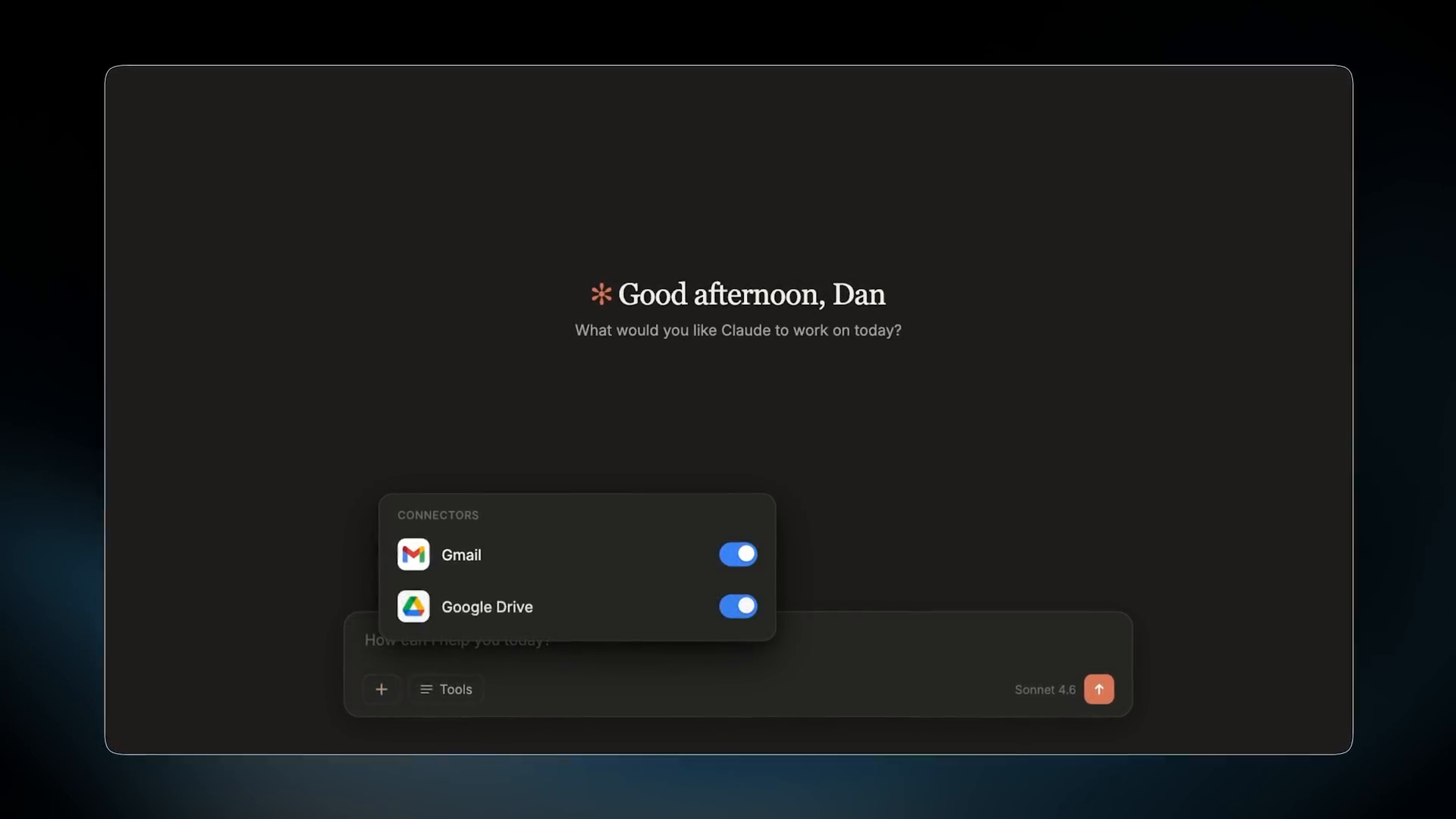
Claude connectors can give the model access to external services so it can retrieve information and, where supported, take actions using your existing permissions. Anthropic's current connector system includes first-party and partner integrations, and Google Workspace support includes Gmail, Calendar, and Drive.
The workflow in the video uses this idea for executive awareness: ask Claude to scan a calendar for what is coming up, review email for what needs attention, or summarize recent Slack activity at an executive level.
This is a much better pattern than dumping everything into one giant prompt. Let the connected service remain the source of truth, and ask Claude to retrieve only what the current task needs.
There is also an important permissions principle: a connector does not magically grant Claude access to data you cannot see. Anthropic's connector documentation says Claude inherits the connected user's permissions from the underlying service.
Use visual outputs when the answer is easier to understand than to read
The video highlights another underused behavior: ask Claude to visualize information instead of only writing about it.
A table is better than paragraphs for some comparisons. A bar chart is better for some distributions. A dashboard mockup is better when you are deciding how to present a metric set. A small interactive tool can be better than a long explanation if the reader needs to adjust assumptions and see how the result changes.
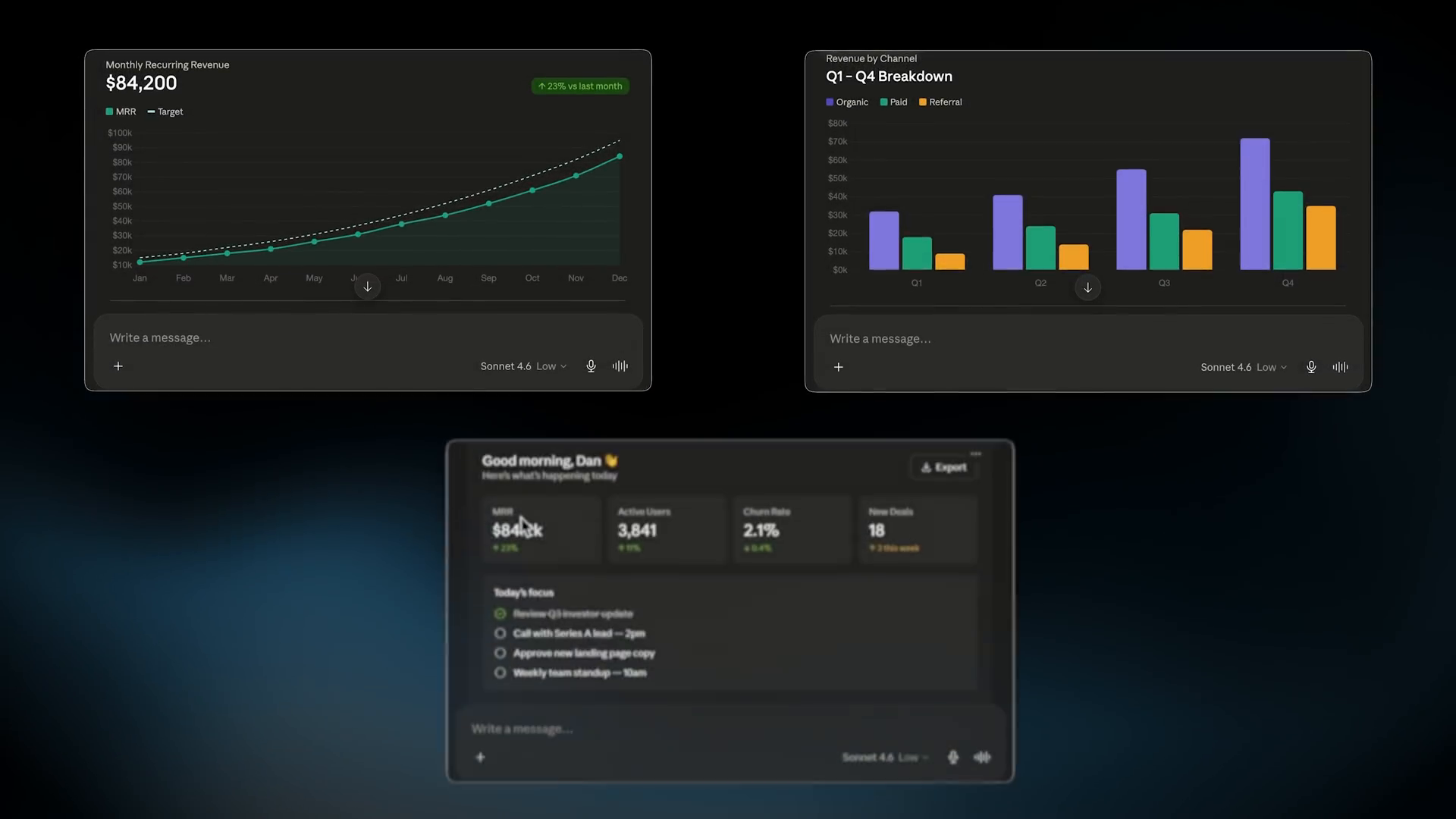
Anthropic now groups many of these richer outputs under Artifacts. Current Artifacts can include documents, dashboards, designs, decks, and small interactive tools that open beside the conversation and can be edited or shared. The video's reference to an in-chat "composer" should therefore be understood as an interface pattern that has evolved; the durable idea is that you do not have to treat the chat transcript itself as the final editing surface.
Claude in Chrome moves from retrieval to browser action
The source workflow also recommends Claude in Chrome for tasks that need to happen directly on a website. Current Anthropic documentation describes Claude in Chrome as an extension that can read, click, and navigate websites alongside the user, and it can be invoked from Claude, Cowork, or Claude Code in supported setups.
That creates a useful separation:
- use a connector when there is a direct, structured integration;
- use browser interaction when the work exists primarily in a web interface;
- use screen/computer interaction only when a more precise connector or browser tool is not available.
Browser control is powerful, but it is also a higher-risk capability because the assistant can take real actions in authenticated sites. Review permissions and planned actions rather than treating it as a passive browsing feature.
Level 4: Become the operator by packaging repeatable work
At level four, the goal changes from "help me do this" to "run this process the same way every time."
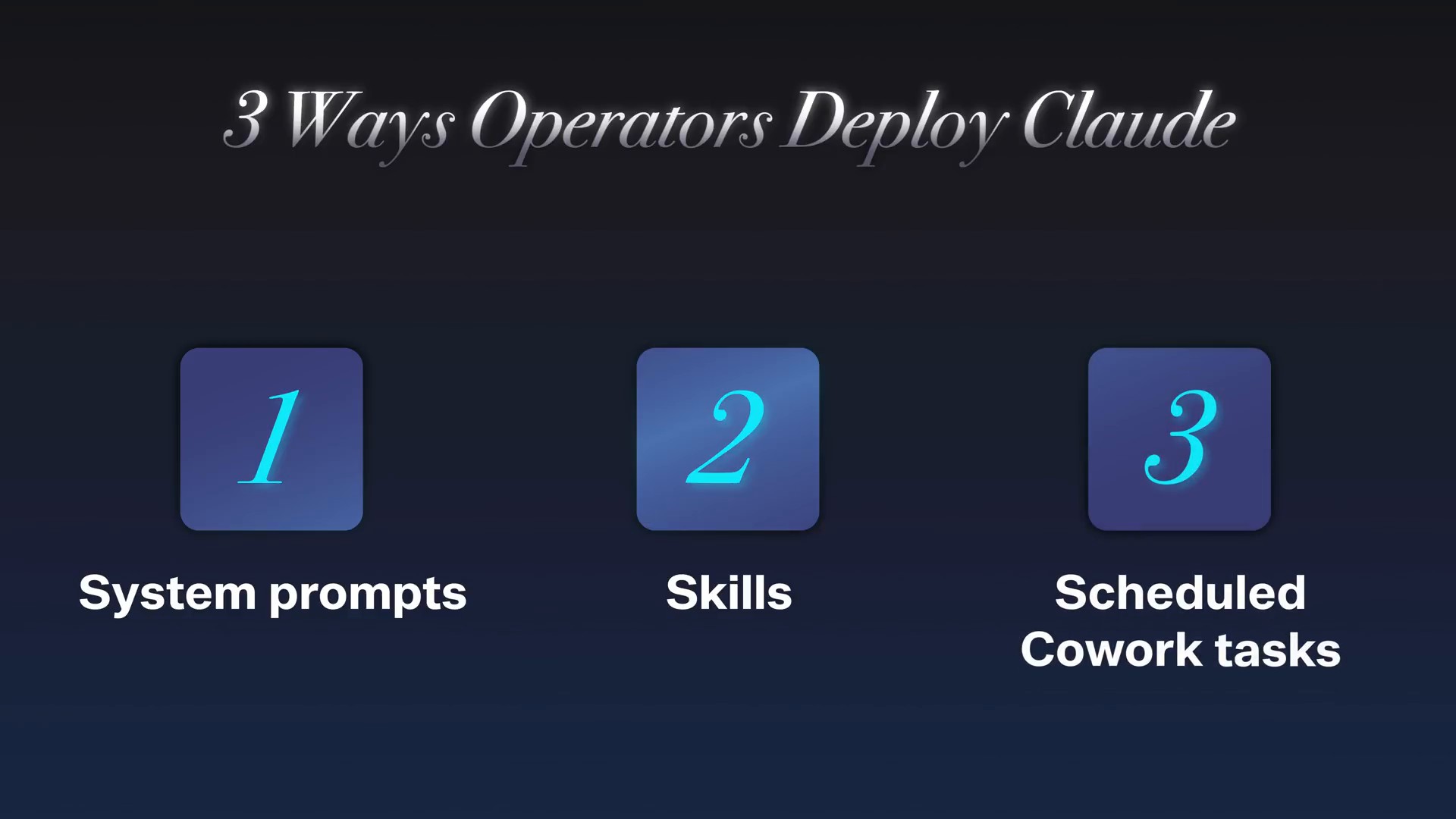
The creator frames the operator around three building blocks: system prompts, Skills, and scheduled Cowork tasks.
Turn recurring procedures into Skills
A Skill is a reusable package that teaches Claude how to perform a specialized task. Anthropic's current description is concrete: Skills are folders of instructions, scripts, and resources that Claude can load dynamically when the task calls for them.
That is more powerful than saving a favorite prompt because a Skill can contain supporting files, reference material, executable helpers, and a workflow rather than a single block of text.
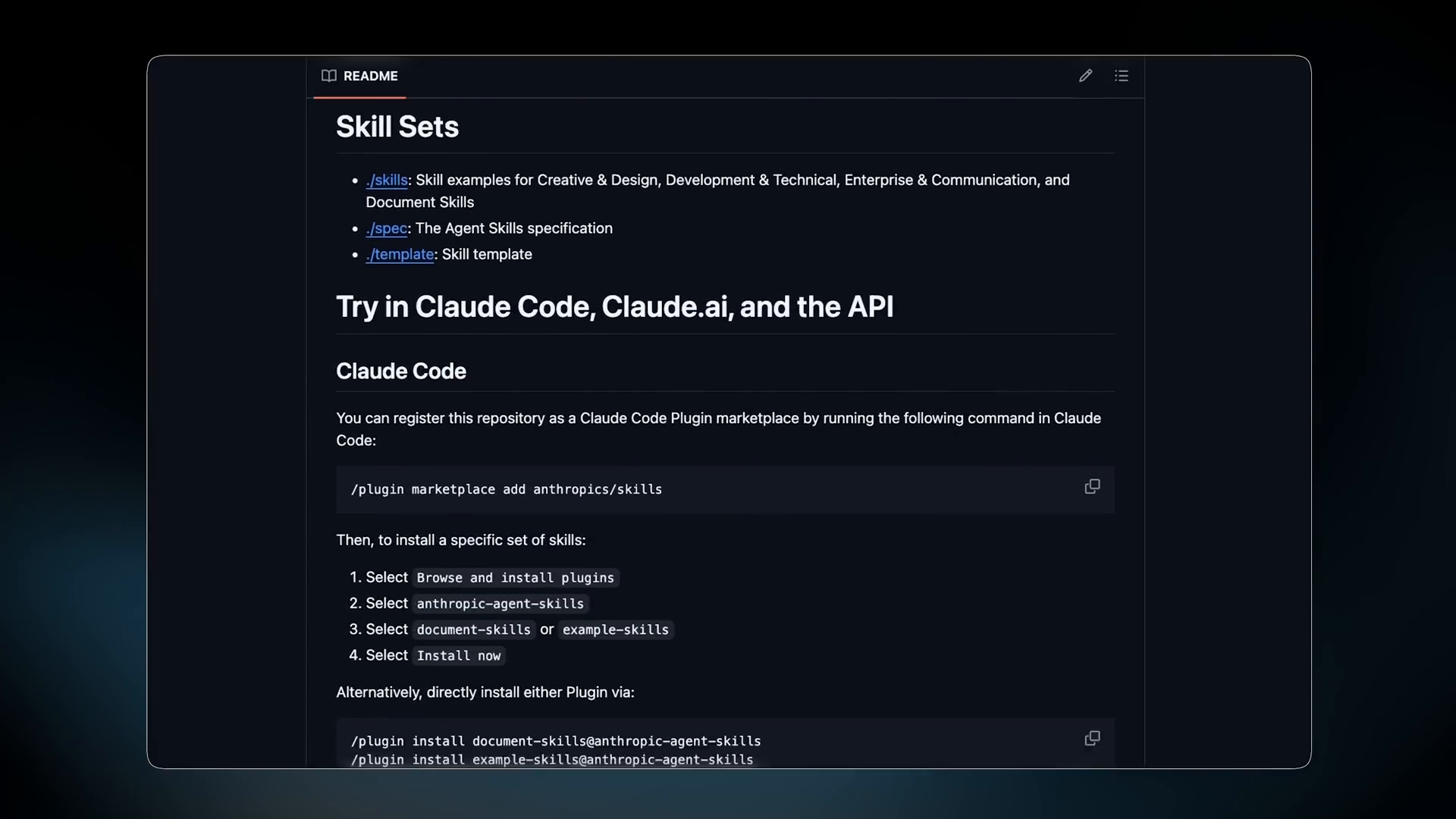
The creator uses a practical personal rule: if a workflow happens more than three times a week, consider turning it into a Skill. The exact threshold is not universal, but the decision rule is good. Repetition is a signal that the process should stop living only in your head.
A company-status Skill is the example used in the video. Instead of manually gathering updates and asking the same questions each time, the Skill can define which metrics to inspect, what reports matter, how to summarize them, and what the final executive update should look like.
Chain Skills instead of building one giant mega-prompt
One of the strongest ideas in the source is Skill composition.
Imagine a copywriting Skill that understands your voice, an email Skill that knows your email structure, and an inbox-automation Skill that decides which messages need a response. The inbox workflow can invoke the email workflow, which can in turn use the copywriting guidance.
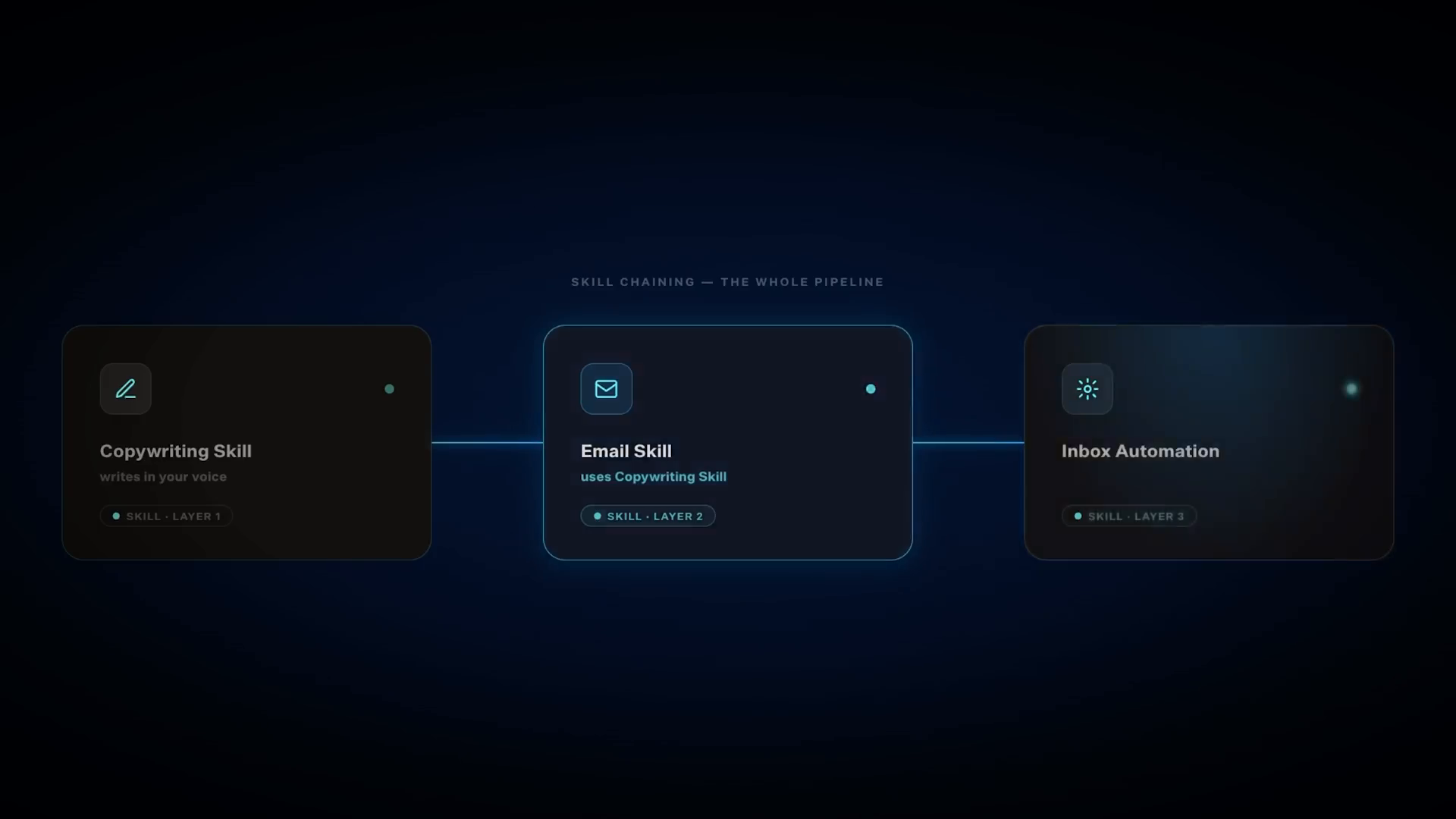
This modular approach is easier to maintain than one enormous prompt. If your brand voice changes, update the copywriting Skill once. Every higher-level workflow that depends on it can benefit from the change.
Schedule the work that should happen without a fresh prompt
Scheduling is what turns a reusable workflow into an operating routine.
The example in the video is a nightly briefing that reviews the next day's calendar and relevant email so the user can see what is coming before the morning begins. Current Anthropic documentation confirms that scheduled tasks can run recurring work in Claude/Cowork and can use connected tools, Skills, and plugins. In the newer experience, many scheduled tasks run remotely so they can execute even when the user's computer is asleep, although tasks that require local files or local apps may still need the local machine.
Product naming is in transition here: Anthropic currently notes that "Claude Cowork" is being folded into a unified Claude experience for some plans, so the buttons you see may not exactly match the video.
The operational principle is stable: if a task is predictable enough to describe once and a schedule can determine when it should run, stop relying on yourself to remember to launch it manually.
Level 5: Use Claude Code to build the tools you wish existed
Automation still depends on tools. Sometimes the missing piece is not a prompt or connector; it is software that does not exist yet.
That is where the builder level begins.
The source workflow separates what you build into three categories:
- loops: recurring jobs that continue to run and may communicate with APIs, systems, or other agents;
- disposable tools: small utilities built for a one-off project or temporary need;
- apps: durable software that is intended to become a real working product or internal system.
This categorization is useful because not every script needs to become a startup. AI-assisted coding makes it cheap to build narrow tools, use them for a project, and throw them away when the need disappears.
The video gives two concrete examples of that shift. The creator describes shutting down normal work for a two-day internal AI hackathon so non-programmers could learn to build with Claude Code. He also describes a house manager building a system to organize recurring personal-life workflows such as cars, real estate, investments, and budgets. The important lesson is not that every employee should suddenly become a software engineer. It is that domain experts can now prototype tools around problems they understand deeply, with Claude handling much of the translation from requirements into code.
Plan before you let Claude write code
The creator's strongest Claude Code recommendation is to use Plan Mode before substantial builds.
That recommendation aligns with current Claude Code. Anthropic's command reference says /plan switches into plan mode before a large change. In plan mode, the useful behavior is that Claude can analyze the problem, inspect context, ask questions, and propose an implementation approach before editing the codebase.
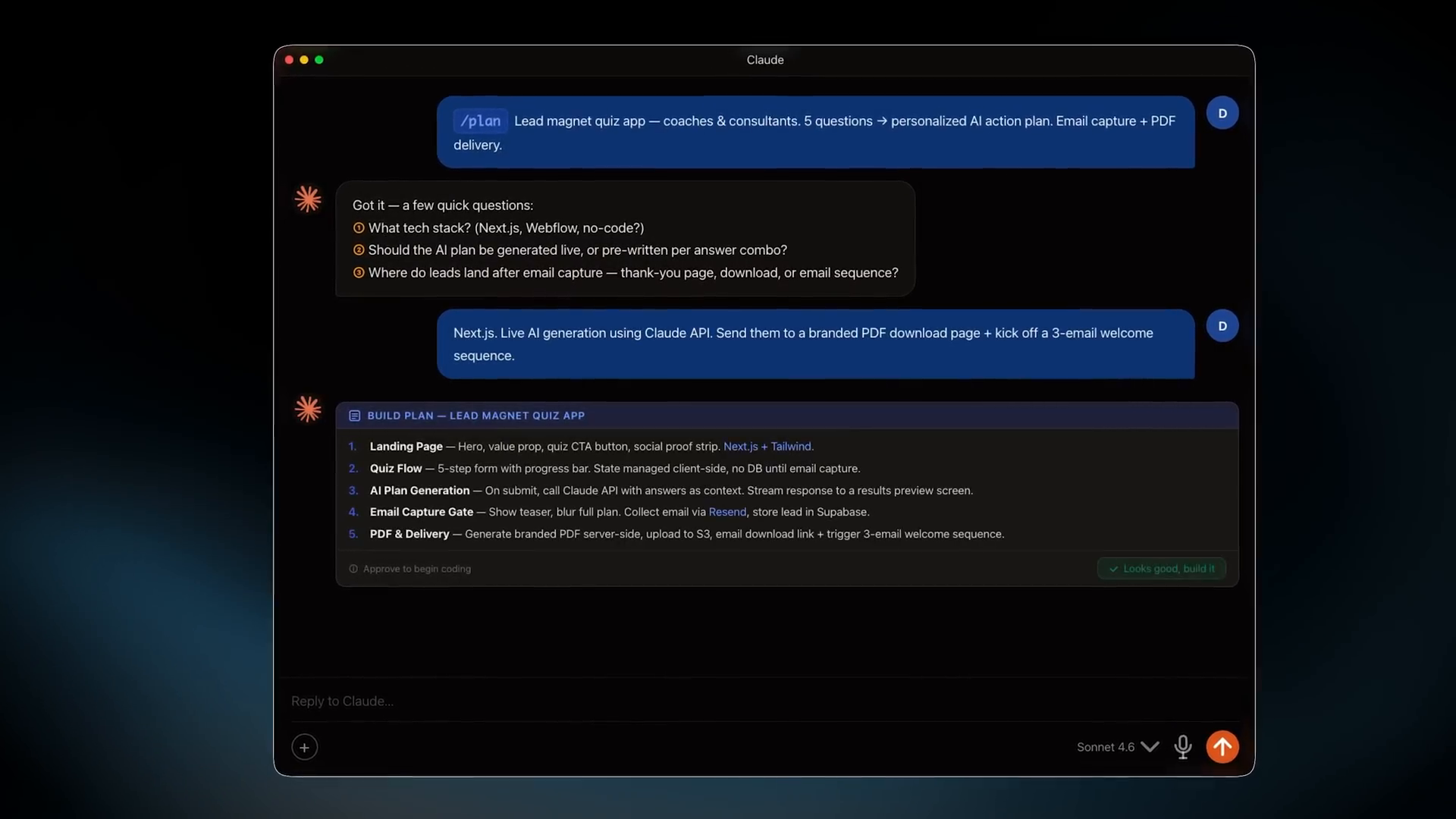
The cost-saving argument in the video is also sensible even though the exact savings will vary: a confused implementation can burn time and tokens on edits that a five-minute requirements discussion would have prevented.
A strong planning prompt should make Claude clarify at least four things before implementation:
- the user or business outcome;
- constraints and non-goals;
- technical approach and dependencies;
- how success will be tested.
Remote Control changes where you can supervise coding work
The video also demonstrates Claude Code Remote Control: a terminal session continues on the computer while the user can interact with it from a phone.
That is not just a video trick. Current Claude Code documentation includes /remote-control, which makes a local session available from another device, and Anthropic's current power-user guidance describes controlling a local session from the phone or web.
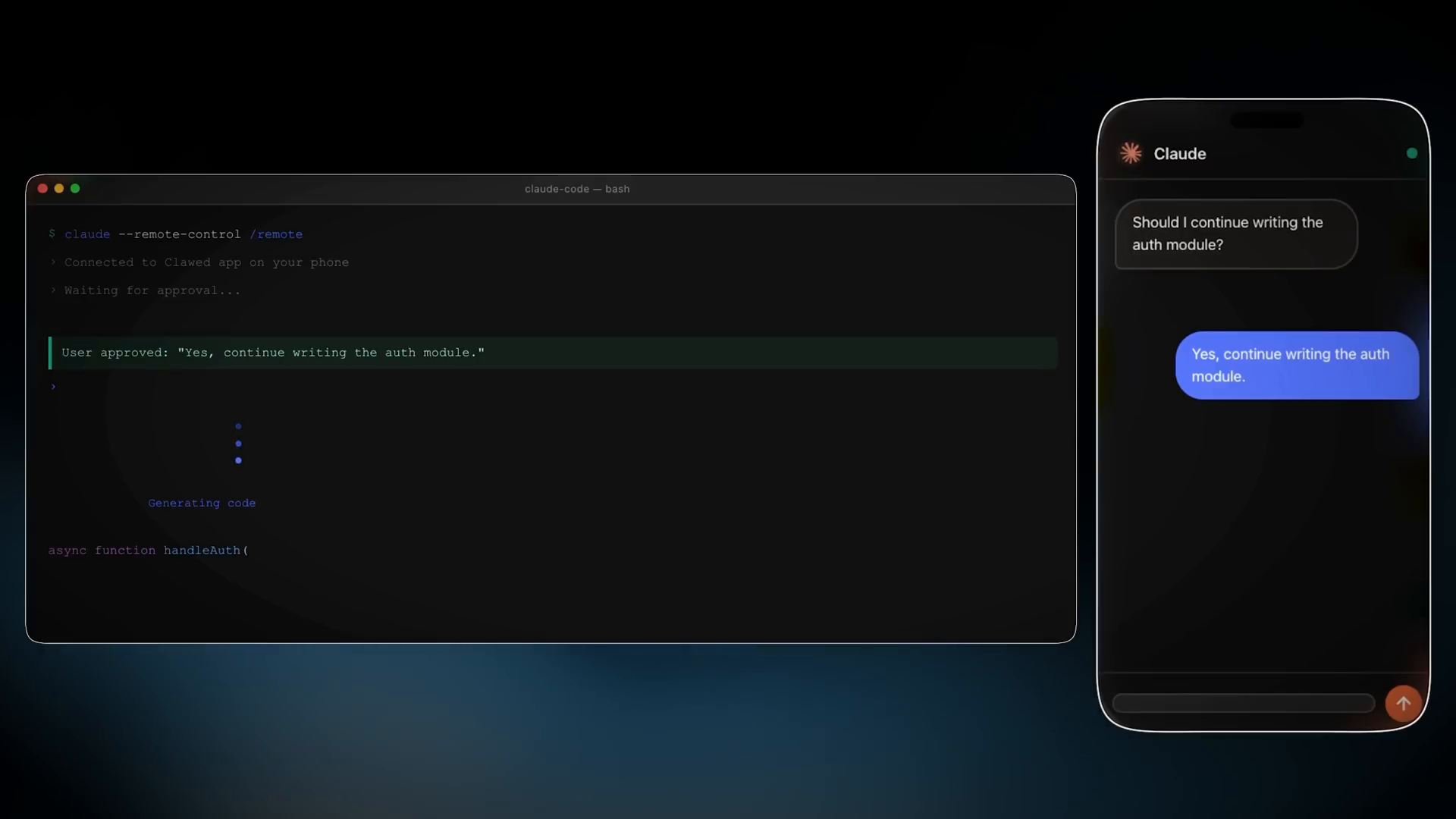
This is most useful when the job is already well scoped. Remote supervision is not a substitute for planning; it is a way to stay connected to a long-running task without remaining physically attached to the terminal.
The creator also makes the broader point that non-programmers can increasingly build useful software by describing what they want in ordinary language. That should not be taken to mean engineering judgment disappears. Requirements, data design, security, testing, and maintenance still matter. What changes is that the cost of translating an idea into working code is dramatically lower.
Level 6: Move from individual automations to agent orchestration
The final level is not "use more agents." It is design an operating structure.
The framework in the video starts with one main agent that acts as an orchestrator. That agent does not need to do every task itself. Instead, it routes work to specialized sub-agents that each own a narrow workflow.
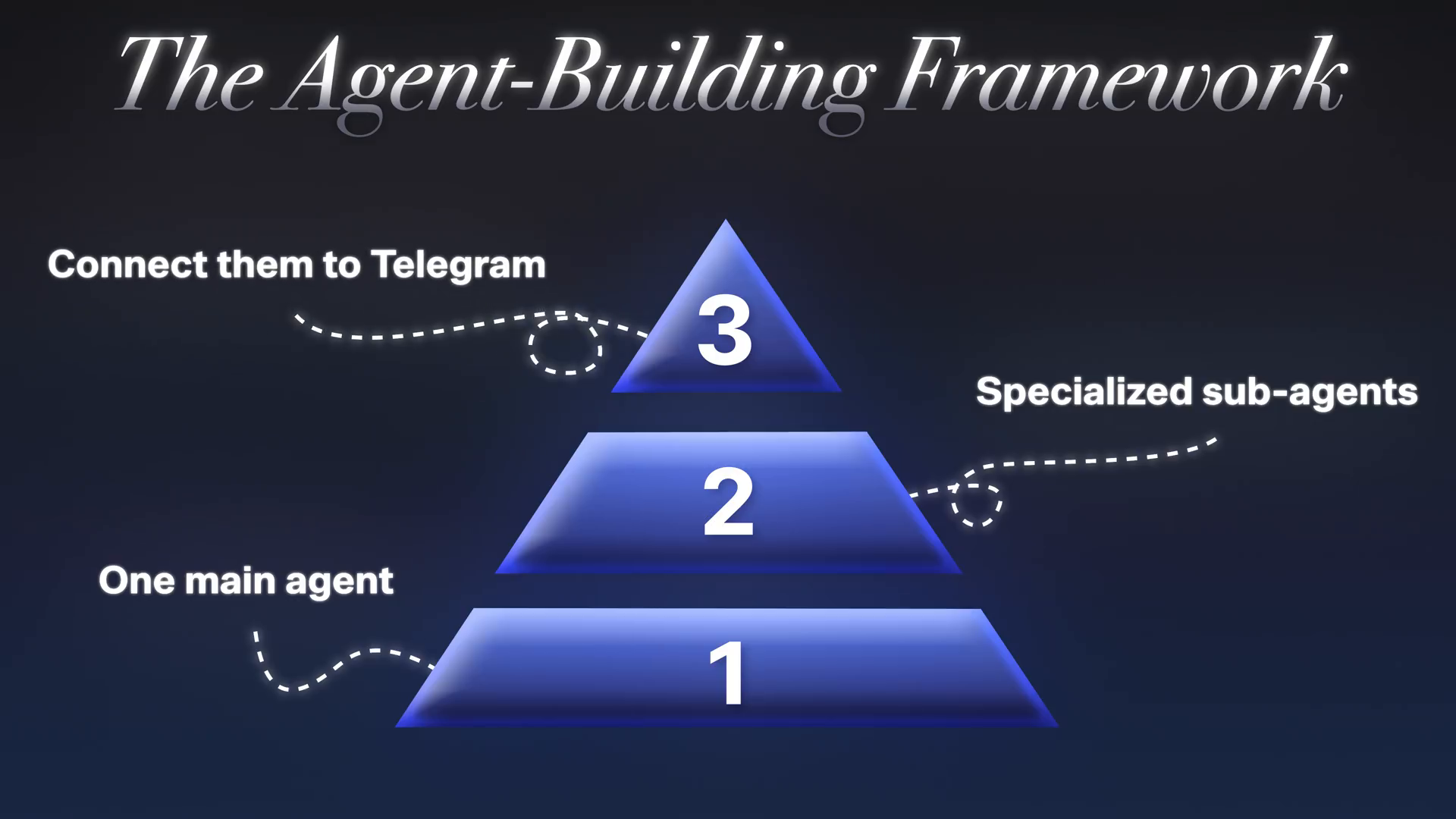
A chief-of-staff agent might coordinate research, scheduling, reporting, inbox triage, and finance agents. A CEO agent might ask a metrics agent for performance, a sales agent for pipeline movement, and a research agent for competitor changes, then combine those answers into one briefing.
The video's concrete example is a real-estate sub-agent that looks for investment opportunities while the main orchestrator checks in on it and reports the useful results upward. That illustrates the intended division of labor: the specialist owns a narrow domain; the orchestrator owns routing, prioritization, and communication with the human.
This architecture matters because specialization creates clearer instructions and cleaner context. A research agent can be optimized for finding and comparing evidence. A critique agent can be optimized for finding flaws. A writing agent can be optimized for producing a final deliverable. Asking one monolithic agent to remember every rule for every task creates unnecessary complexity.
Current Claude Code supports subagents as isolated workers with their own context, and Anthropic also documents agent teams for more advanced parallel work. So the general orchestration pattern is official product territory. The exact topology in the video, however, is the creator's own design.
Telegram is a workflow choice, not an Anthropic requirement
The source framework adds Telegram as the phone-facing communication layer. That is one reasonable interface, but it is not a required part of Claude agent architecture. You could use another messaging system, a web app, a mobile app, Slack, or the native Claude surfaces depending on the environment you are building.
The important design question is not "Do I use Telegram?" It is "Where should a human be able to inspect, approve, redirect, or receive the work?"
The creator's Apex layer is his own platform
The video also shows a platform called Apex, which the creator says uses Claude as a core agent model while adding its own interface and security layer.
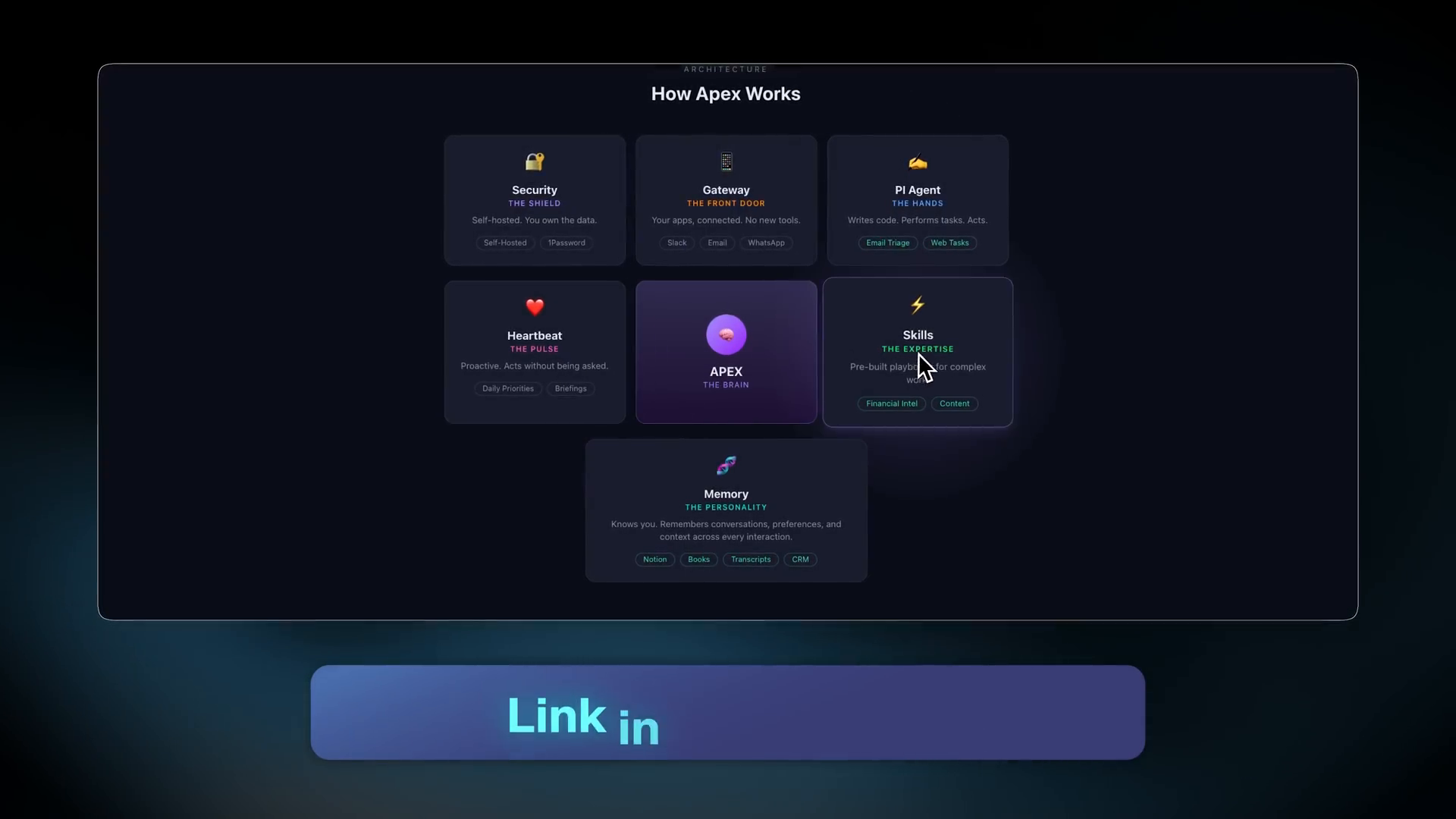
That should be treated as the creator's own product and implementation choice, not as an Anthropic feature or a requirement for running agent workflows.
This distinction is important in any AI tutorial: a creator may demonstrate a genuinely useful architecture while also using proprietary tools, private conventions, or a commercial layer around the base model. Keep the architecture and the product dependency separate in your head.
Add a critique agent as a quality-control loop
The final pro tip in the video is one of the most practical: create a separate critique step.
Instead of asking the same agent to create something and declare it good, send the result to a reviewer with a different job. The reviewer can look for weak hooks, unsupported claims, missing requirements, structural problems, or style drift and return a list of issues for the producing agent to fix.
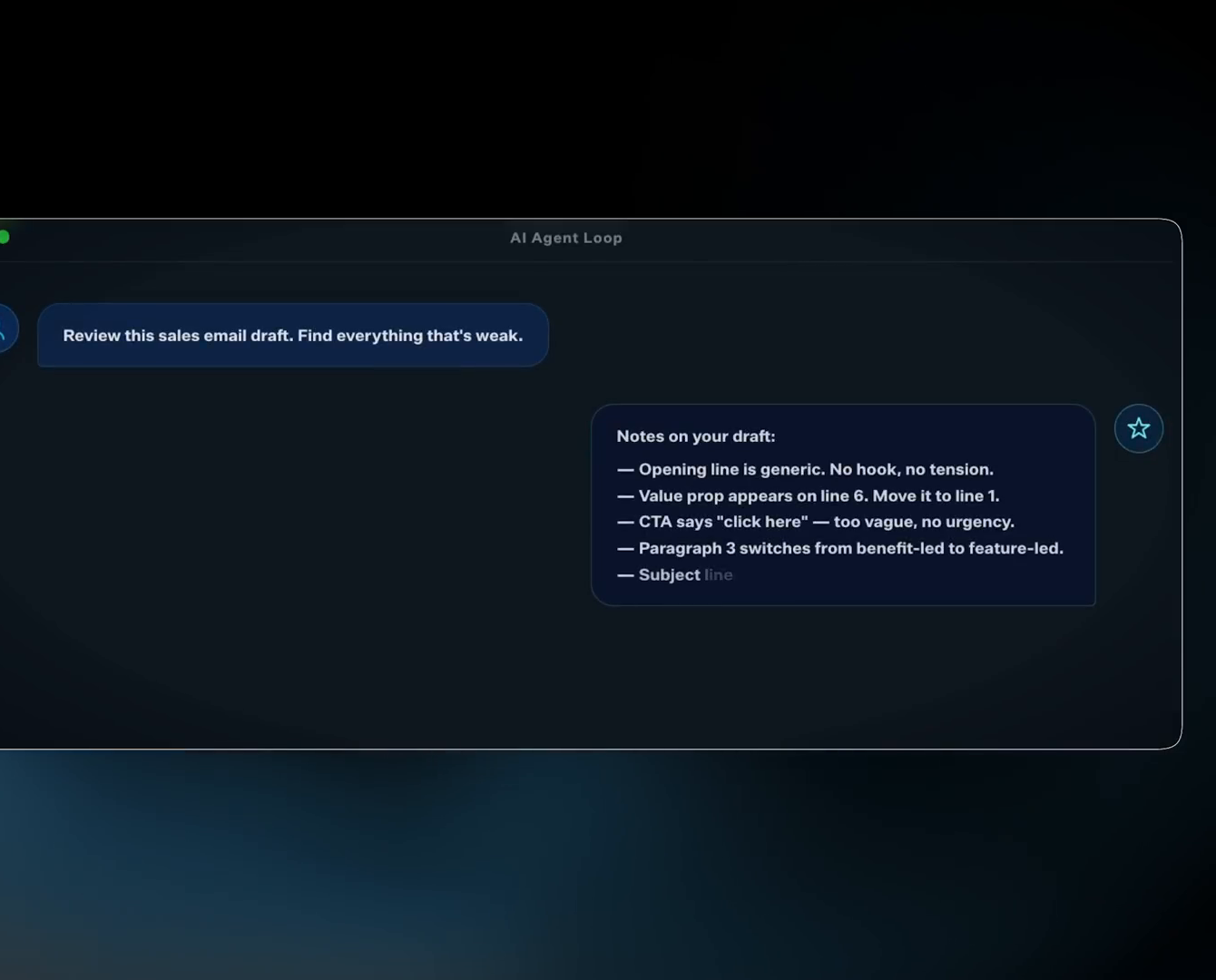
This is the agentic version of "check your work" from level one. The mechanism becomes more sophisticated, but the principle is the same: separate generation from evaluation when quality matters.
The real progression: from human in the loop to human on the loop
The six levels describe a shift in where human effort goes.
At the beginner level, you perform the work and Claude helps with pieces. At the Project and connector levels, Claude gets enough context and access to reduce repetitive explanation and copying. At the operator level, repeatable procedures become Skills and schedules. At the builder level, you create missing tools. At the orchestrator level, specialized agents can own parts of a process and report upward.
The creator describes this as moving from human in the loop to human on the loop.
That phrase is useful, but it should not be interpreted as "remove human oversight." A better reading is that the human moves up one level of abstraction. Instead of typing every step, you define objectives, permissions, standards, escalation rules, and review points.
That is also where safety and reliability become more important. A bad chat answer is annoying. A bad automated action can send an email, change a file, modify a system, or make an external commitment. As autonomy increases, the workflow needs clearer boundaries and better verification.
Which parts are official Claude capabilities, and which are creator-specific?
The framework mixes real Claude features with personal operating conventions. Keeping them separate makes the article more durable.
Official or currently documented Claude capabilities include: Projects and project knowledge/instructions; connectors; Artifacts; Claude in Chrome; Skills; scheduled tasks; Claude Code; Plan Mode; Remote Control; subagents; and more advanced agent/team patterns.
Creator-specific choices include: the labels "master prompt" and "system prompt" as ingredients vs. recipe; the rule to create a Skill after doing something three times a week; the exact company-status Skill; the specific chained inbox stack; Telegram as the agent interface; the Apex platform; and the exact six-level ladder itself.
That does not make the personal parts less useful. In many cases, those conventions are what turn a feature into a habit. The mistake would be presenting them as platform requirements.
A practical way to adopt this without rebuilding your whole workflow
The video's closing recommendation is better than trying to jump straight to level six: choose one capability and use it consistently for 30 days.
A sensible progression looks like this:
1. Week 1: improve prompting. Make Claude interview you before ambiguous work and add a structured self-review step.
2. Week 2: create one Project. Add the context you repeatedly explain, plus a few examples of good work.
3. Week 3: remove one copy-paste loop. Connect a source such as Drive, Gmail, Calendar, or Slack and use Claude to retrieve information directly.
4. Week 4: package one recurring workflow. Turn a repeated process into a Skill, then decide whether it should also run on a schedule.
After that, build only when there is a real gap. Use Claude Code for a tool you actually need, not because building is impressive. Introduce subagents when separation of roles makes a workflow clearer, not because more agents automatically means a better system.
The goal is not to reach a badge called "orchestrator." The goal is to remove repeated cognitive and operational work while keeping enough human judgment in the system to catch mistakes and steer outcomes.
Final takeaway
The most useful idea in this six-level framework is that advanced AI use is less about clever prompts and more about system design.
Prompting still matters, but it is only the first layer. The bigger gains come from persistent context, connected data, reusable procedures, schedules, software, and structured delegation. Each layer reduces a different kind of friction: re-explaining, copy-pasting, remembering, repeating, building, or coordinating.
Start with the friction you feel most often. Solve that one deliberately. Once the solution becomes reliable, package it so you do not have to solve the same problem again tomorrow.
Current Product Sources
- Anthropic Help Center, How can I create and manage projects? https://support.claude.com/en/articles/9519177-how-can-i-create-and-manage-projects
- Anthropic Help Center, Organize your tasks with projects in Claude Cowork https://support.claude.com/en/articles/14116274-organize-your-tasks-with-projects-in-claude-cowork
- Anthropic Help Center, Use connectors to extend Claude's capabilities https://support.claude.com/en/articles/11176164-use-connectors-to-extend-claude-s-capabilities
- Anthropic Help Center, What are skills? https://support.claude.com/en/articles/12512176-what-are-skills
- Anthropic Help Center, Schedule recurring tasks in Claude Cowork https://support.claude.com/en/articles/13854387-schedule-recurring-tasks-in-claude-cowork
- Anthropic Help Center, Get started with Claude in Chrome https://support.claude.com/en/articles/12012173-get-started-with-claude-in-chrome
- Anthropic Help Center, What are artifacts and how do I use them? https://support.claude.com/en/articles/17153992-what-are-artifacts-and-how-do-i-use-them
- Claude Code Docs, Commands https://code.claude.com/docs/en/commands
- Claude Code Docs, Extend Claude Code https://code.claude.com/docs/en/features-overview