
|
Current-product check: OpenAI product claims in this article were verified against official documentation on October 7, 2026. Video-specific integrations are identified as the creator's own setup. For the product overview, see the ChatGPT tool page. To make repeated work more reliable, continue with our guide to reusable ChatGPT Work skills and workflows. |
The most interesting shift in the video is not a new prompt trick. It is a change in how ChatGPT is used: instead of opening a chat every time something needs to be done, the creator gives ChatGPT access to the relevant tools, defines a repeatable job, and lets that job run on a schedule.
That turns a chatbot into something closer to an operations layer. It can collect information from email, Slack, meeting notes, social platforms, and other sources; write the structured result into a database; then repeat the process later without rebuilding the workflow from scratch.
The video demonstrates eight examples built around the creator's company, Agent Native. They range from a daily commitments database to recruiting research, social-media monitoring, podcast guest discovery, sponsorship routing, message ingestion, and a monthly business review. The exact apps and prompts are personal to his setup, but the underlying design patterns are broadly reusable.
There is also an important distinction to keep in mind. ChatGPT Work, plugins, connected apps, and scheduled tasks are official product capabilities. The particular Notion databases, Scrape Creators workflows, Typefully skill, WhisperFlow setup, email addresses, timing choices, and local Messages integration shown in the video are part of the creator's own system. They should be copied as patterns, not treated as required ChatGPT configuration.
What makes these agent workflows possible
The video starts by moving from ordinary Chat to ChatGPT Work. That matters because Work is designed for longer-running jobs that can use files, a browser, connected apps, and other tools while it carries a task through to completion.
The second building block is plugins. In the current ChatGPT product, a plugin can package reusable instructions or skills together with connected apps. A connected app provides access to a service such as Gmail, Slack, Google Drive, or another supported system, subject to the account's permissions and any workspace controls. In practical terms, plugins are what let an agent move beyond the text in the current chat and work with business context stored elsewhere.
The third building block is Scheduled Tasks. A useful workflow can be turned into a one-time or recurring task, and eligible tasks can also respond to supported events or monitor for changes. This is the piece that converts a successful one-off run into an operating routine.
In the source video, the creator repeatedly follows the same loop: prove the task manually, inspect the result, then schedule it. That order is worth copying. Automation should come after the output is good enough to trust, not before.
Workflow 1: Build a daily commitments and deadlines database
The first workflow solves a common management problem: commitments are scattered across multiple communication channels, so nobody has one reliable list of what was promised, to whom, and by when.
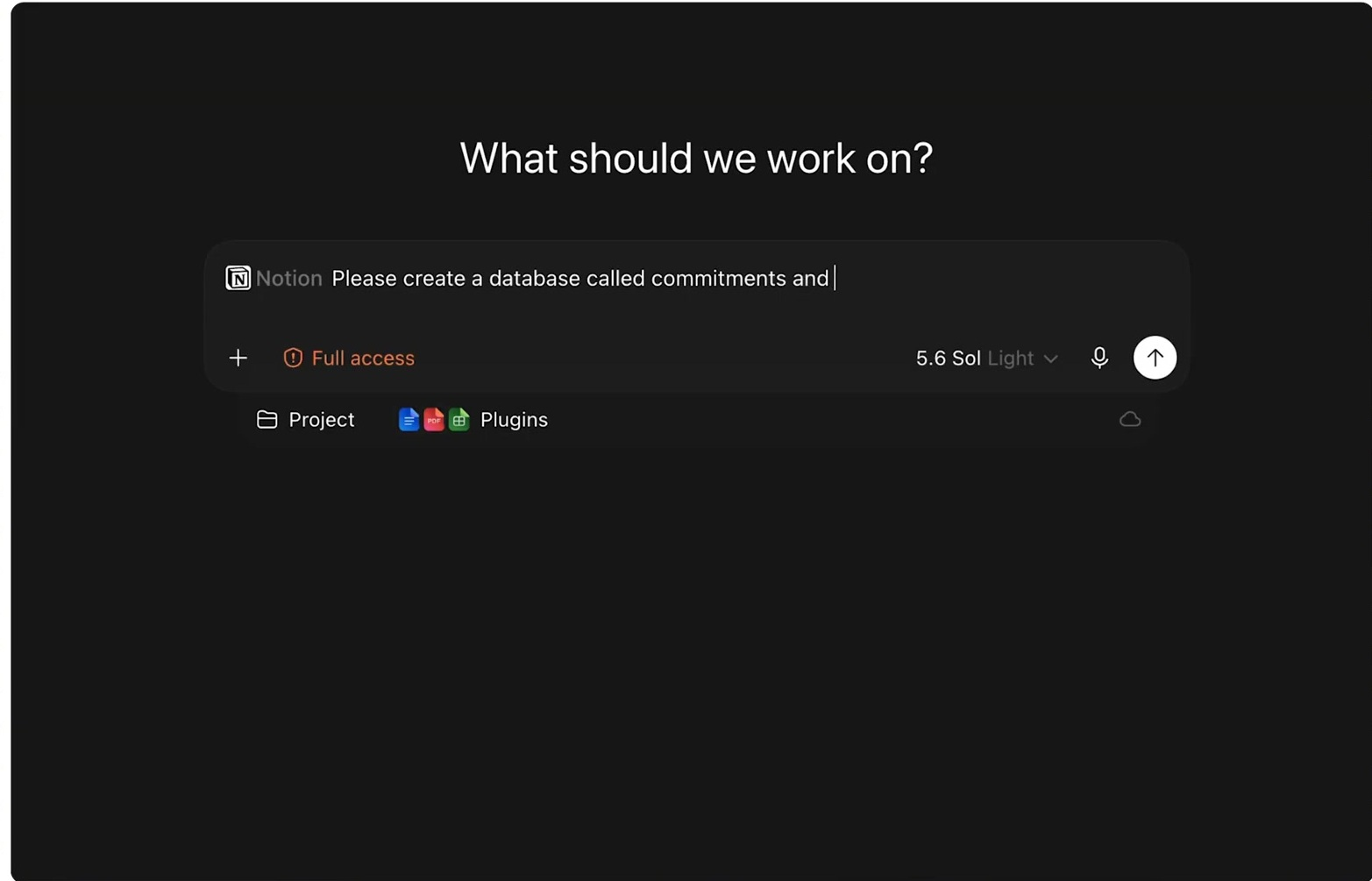
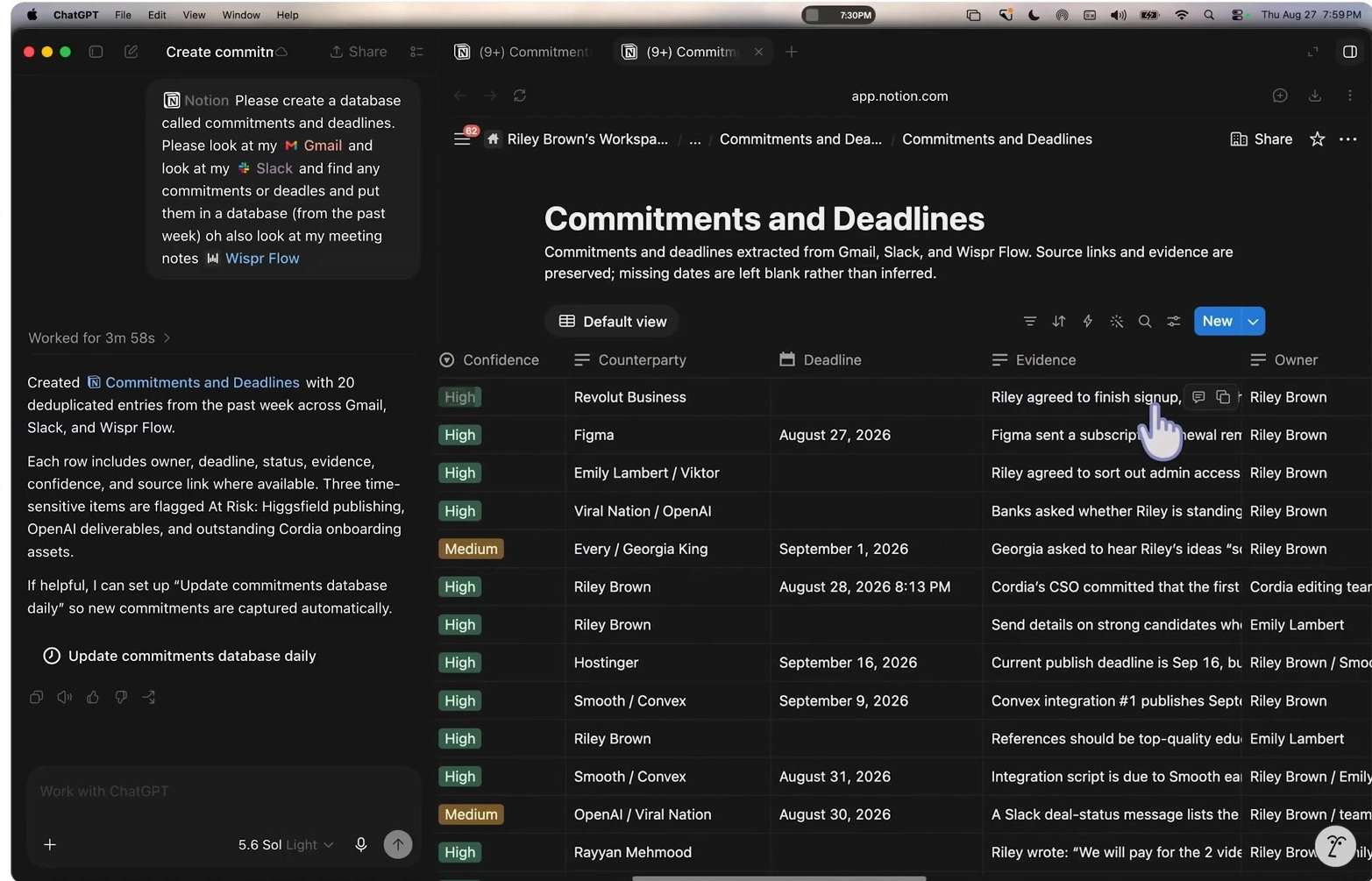
The creator asks ChatGPT Work to look through several sources, including Gmail, Slack, and meeting notes, then create a Notion database named Commitments and Deadlines. The demonstrated result is more than a list of extracted sentences. The database includes structured fields such as the counterparty, deadline, evidence, owner, confidence, and source information.
That structure is what makes the workflow useful. A daily summary in prose would be easy to read once and forget. A database can be filtered, reviewed, assigned, and compared over time. It also gives later agents a persistent place to look for the current state of work.
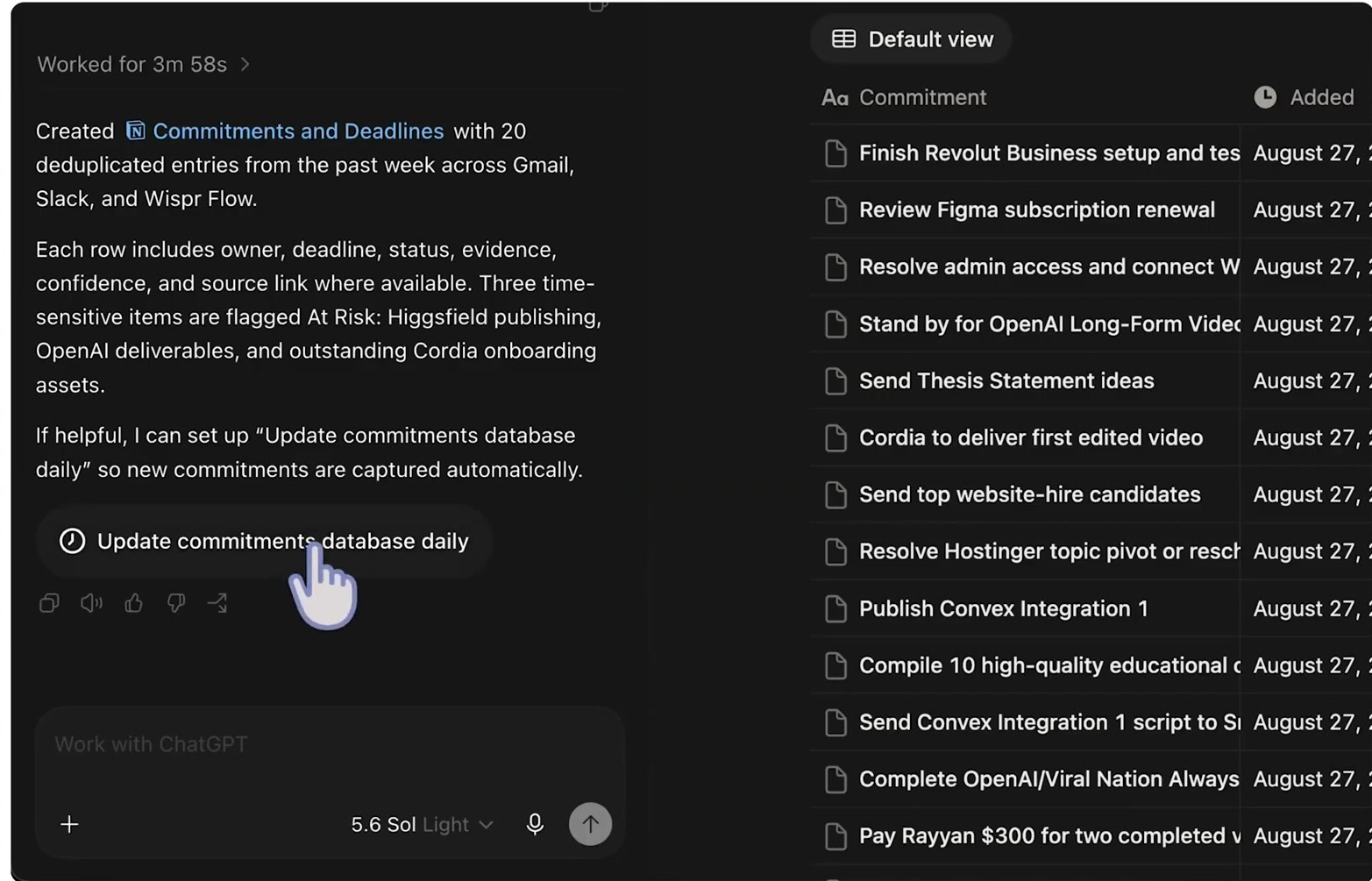
The video shows the initial run taking only a few minutes. The creator then schedules an update every morning at 8:00 a.m. and adds another step: email the refreshed list to a colleague so another human can hold him accountable.
That last step is an especially good design choice. The agent is not merely collecting information for its own sake. It is creating a visible accountability loop. A useful version of this workflow for another team might be:
- collect explicit promises and deadlines from approved sources;
- preserve a source link or evidence snippet for every item;
- avoid inventing dates when the source does not contain one;
- flag ambiguous commitments for review instead of silently guessing;
- update the same database on a fixed schedule;
- notify an owner or manager about new or high-risk items.
The video's prompt also makes it easy to turn the successful run into a recurring task directly from the conversation.
Workflow 2: Turn an inbox into a hiring pipeline
The second automation begins with an open recruiting call. Candidates are asked to send an email, and those incoming messages become the raw material for a hiring dashboard.
The morning task adds new applicants to a Notion database. A separate nighttime task researches those people and enriches their records with additional notes. Splitting intake and enrichment into two runs is a smart operational pattern because the first job can stay fast and deterministic while the second can spend more time on research.
The creator's existing hiring dashboard contains more fields than he shows publicly, and he deliberately redacts some information in the video. That is another useful lesson: an agent may have access to more context than should appear in a report, screenshot, or shared database view. The automation needs an explicit boundary between what it can read and what it should expose.
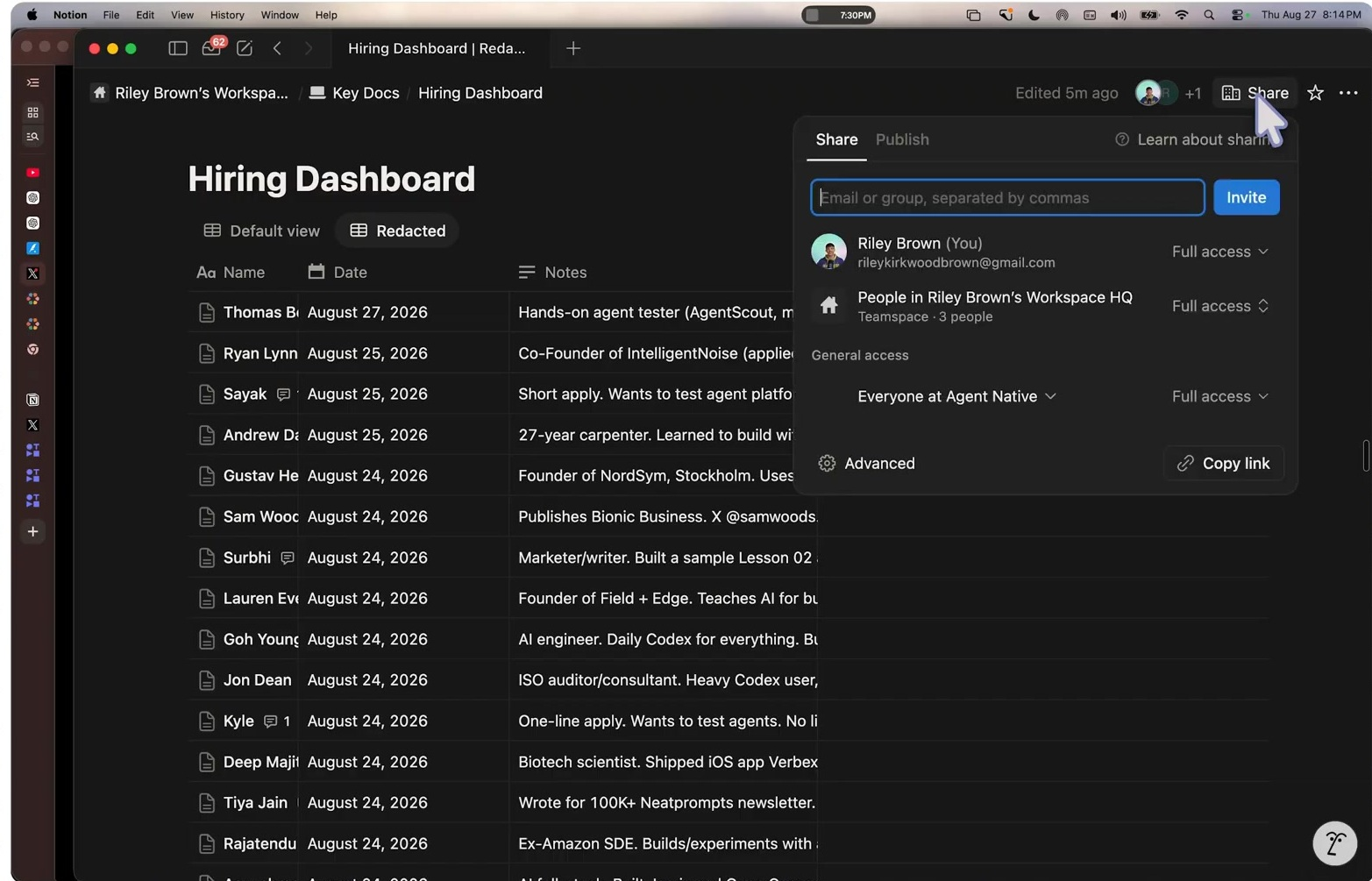
A reusable version of this workflow could monitor a dedicated recruiting inbox, deduplicate people by email address, extract the role they applied for, summarize relevant experience, record links they intentionally shared, and queue deeper research separately. The creator's example schedules the intake in the morning and the research at night so the database keeps improving without blocking the first pass.
Workflow 3: Research social-media posts and store the raw material
The third workflow begins a two-stage social-content system. Stage one is research, not writing.
The creator wants to grow the Agent Native account, so he asks the agent to find popular, relevant posts about AI agents, coding tools, product updates, and model releases. The prompt specifies a minimum engagement threshold and uses Scrape Creators to gather the social data. The agent then writes the results into a Notion database called Scraped Tweets.
The database acts as machine-readable research memory. It can store the source URL, author, engagement, media link, and other useful fields. The creator explicitly says he does not expect to browse this giant database manually every day. Its primary purpose is to give the next automation a clean pool of source material.
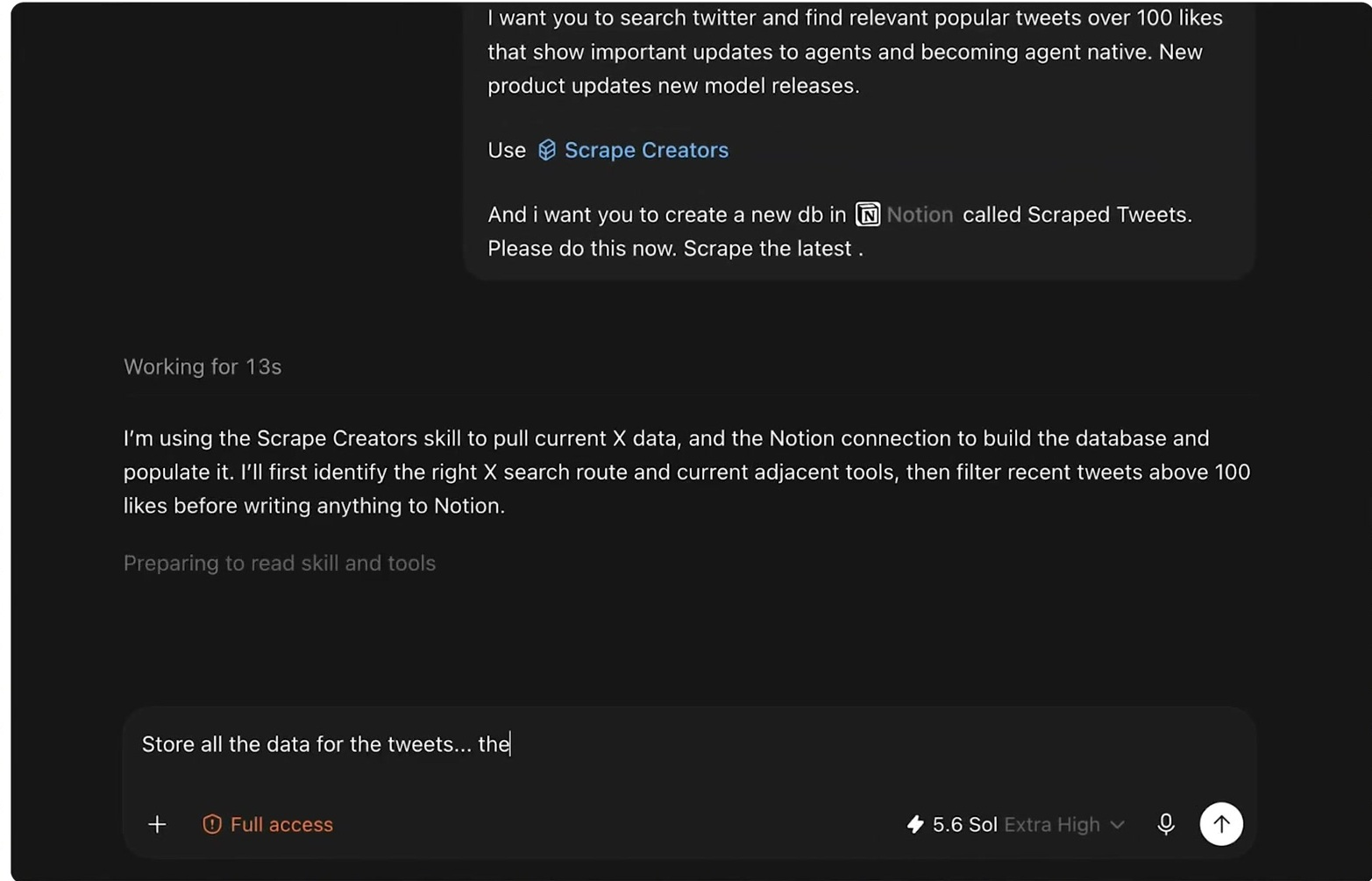
After the first successful run, the creator schedules the research to refresh every morning at 9:00 a.m. The important design idea is the separation of collection from creation. The research agent can be broad and data-heavy, while the writing agent can be selective.
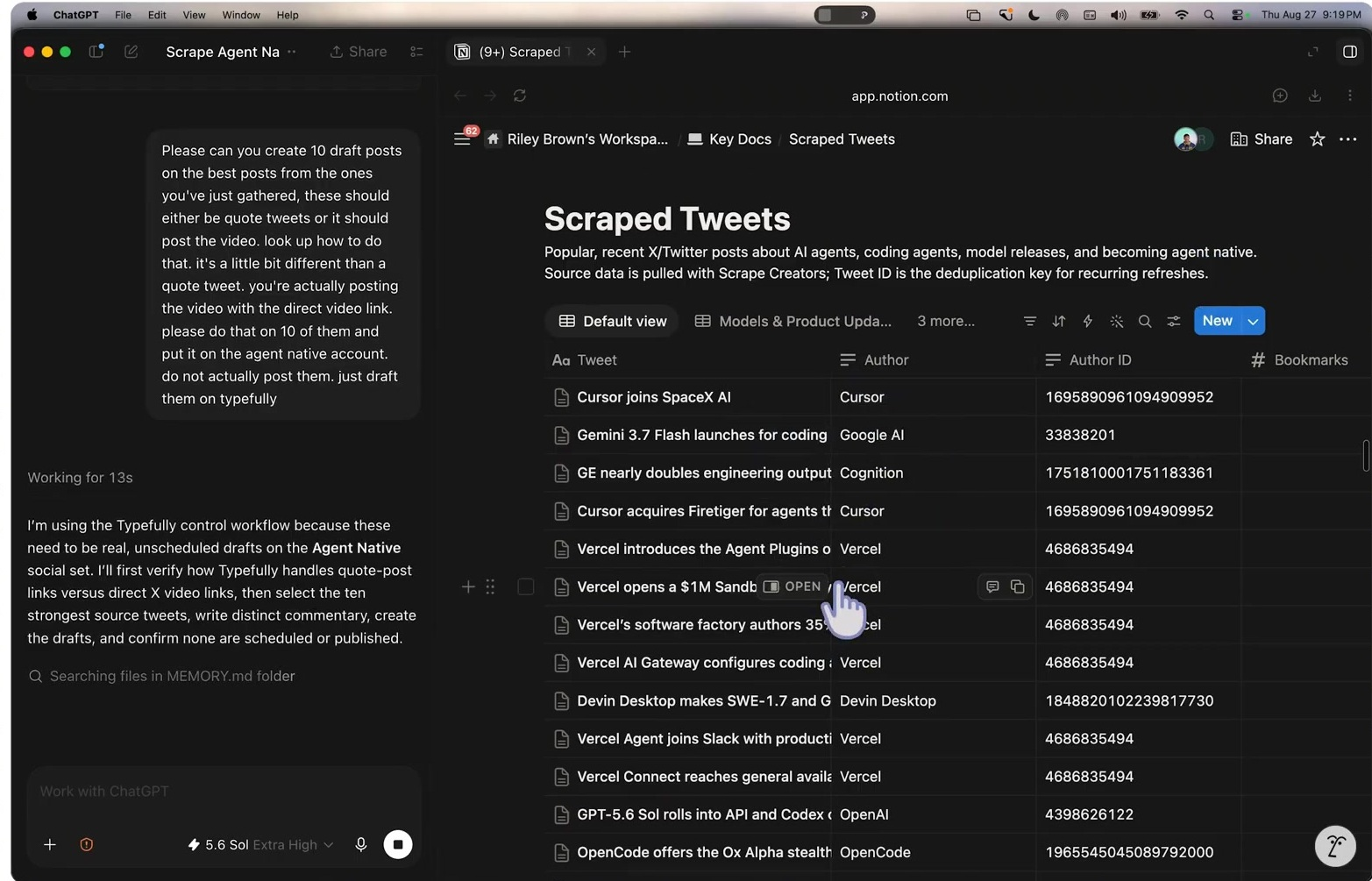
If you adapt this pattern, it is worth storing the original URL and enough evidence to verify every generated claim later. Social feeds move quickly, and engagement counts can change. A durable research database should preserve source identity, not just copy text into a summary.
Workflow 4: Draft commentary posts in Typefully, but keep a human editor
The fourth automation takes the best items from the social-research database and turns them into draft posts. In the demonstrated setup, the creator uses Typefully and a custom skill or workflow that can create drafts through his configured API access.
His instruction is intentionally conservative: create the drafts, but do not publish them. Some should be quote posts; others can reuse the source video where appropriate. The agent prepares a batch, and the creator reviews and edits before anything goes live.
That human-review step is one of the strongest choices in the entire video. The creator argues that ten minutes of editing can make the generated posts dramatically better because he understands his audience and has experience writing on the platform. He also tells the automation to learn from previously published posts that performed well, using those as voice references for future drafts.
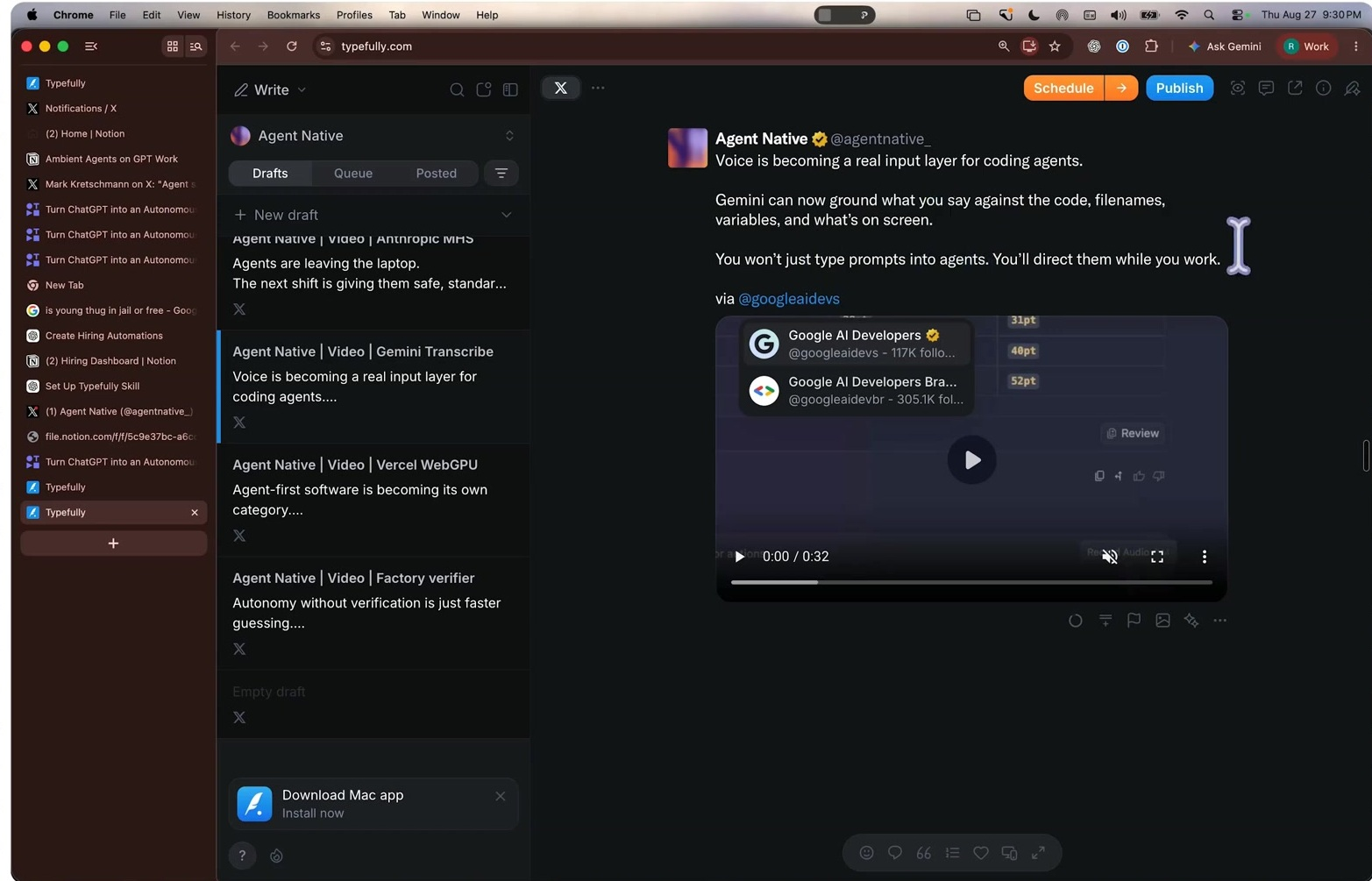
The recurring version of this workflow creates a smaller batch each day. That is a better model than giving an agent unrestricted publishing access: automate the repetitive research and first draft, while keeping taste, brand voice, factual verification, and final accountability with a person.
Workflow 5: Continuously research podcast guests
The fifth workflow turns guest discovery into a recurring research job. The creator asks for deep analysis using a YouTube researcher skill, which in his setup uses Scrape Creators to inspect videos and transcripts. Strong candidates are then added to an existing Notion podcast-guest database.
A subtle desktop feature appears here as well: the creator opens the relevant Notion page and adds that active page as context while composing the request. The practical lesson is not the exact keyboard shortcut. It is that giving the agent the destination schema and existing records helps it avoid duplicates and write new information in the right format.
The scheduled task is set to run every morning at 11:00 a.m. The on-screen task instructions emphasize useful quality controls: inspect the current database, normalize names and aliases, avoid near-duplicates, focus on recent evidence, and add only a small number of strong guests per run.
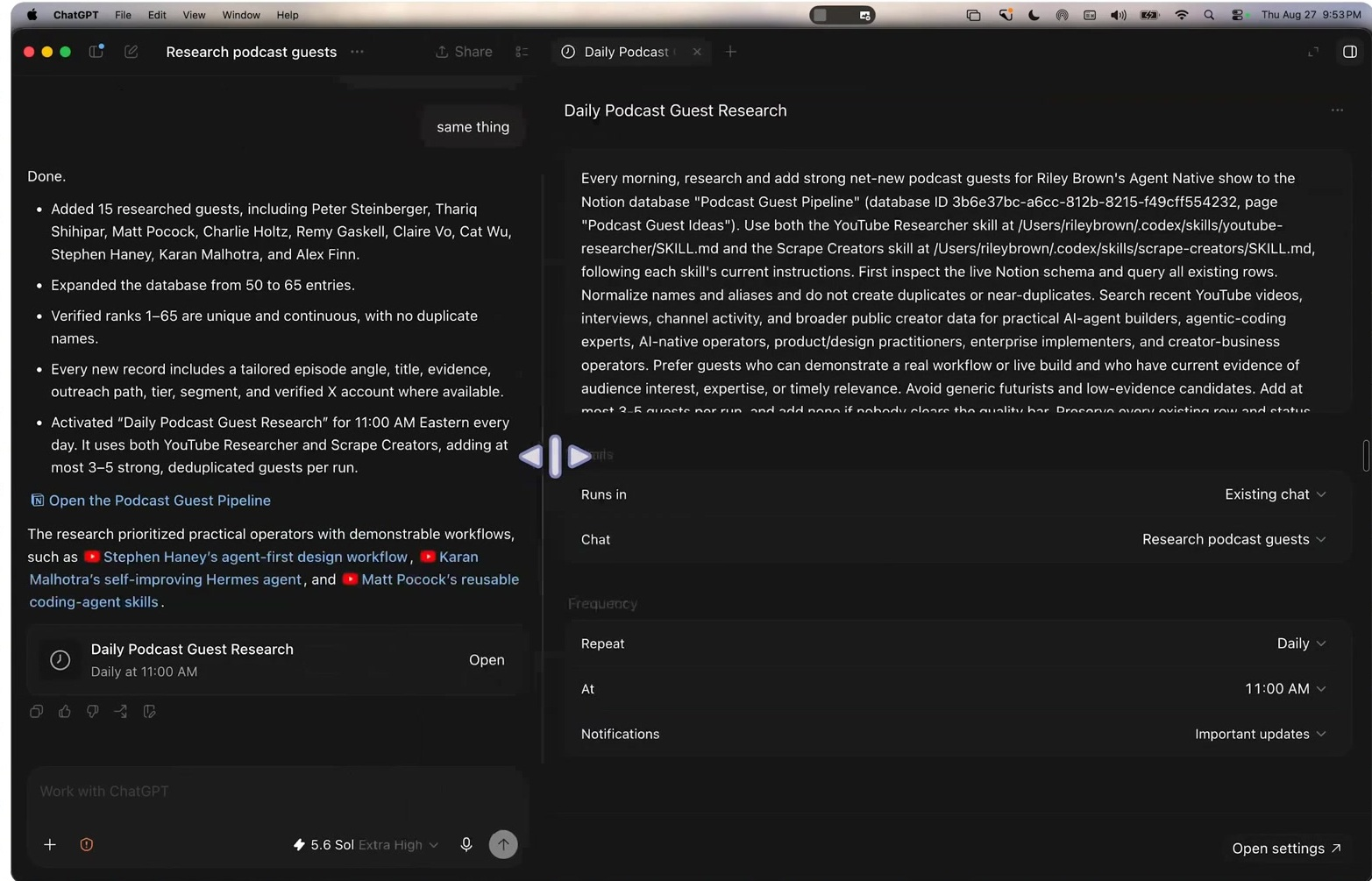
This pattern works for far more than podcasts. It can be adapted for sales prospects, partnership targets, newsletter sources, potential affiliates, expert interviewees, vendors, or conference speakers. The important part is defining what a qualified candidate looks like before asking the agent to search every day.
Workflow 6: Route sponsorship emails from the phone
The sixth workflow is deliberately simple: when an incoming email is about a brand sponsorship, forward it to the address used by the creator's team. He sets the workflow to run twice per day and demonstrates creating it from a phone.
The value here is not sophisticated reasoning. It is reliable routing. Many useful agent workflows are closer to an intelligent mail rule than to a research project.
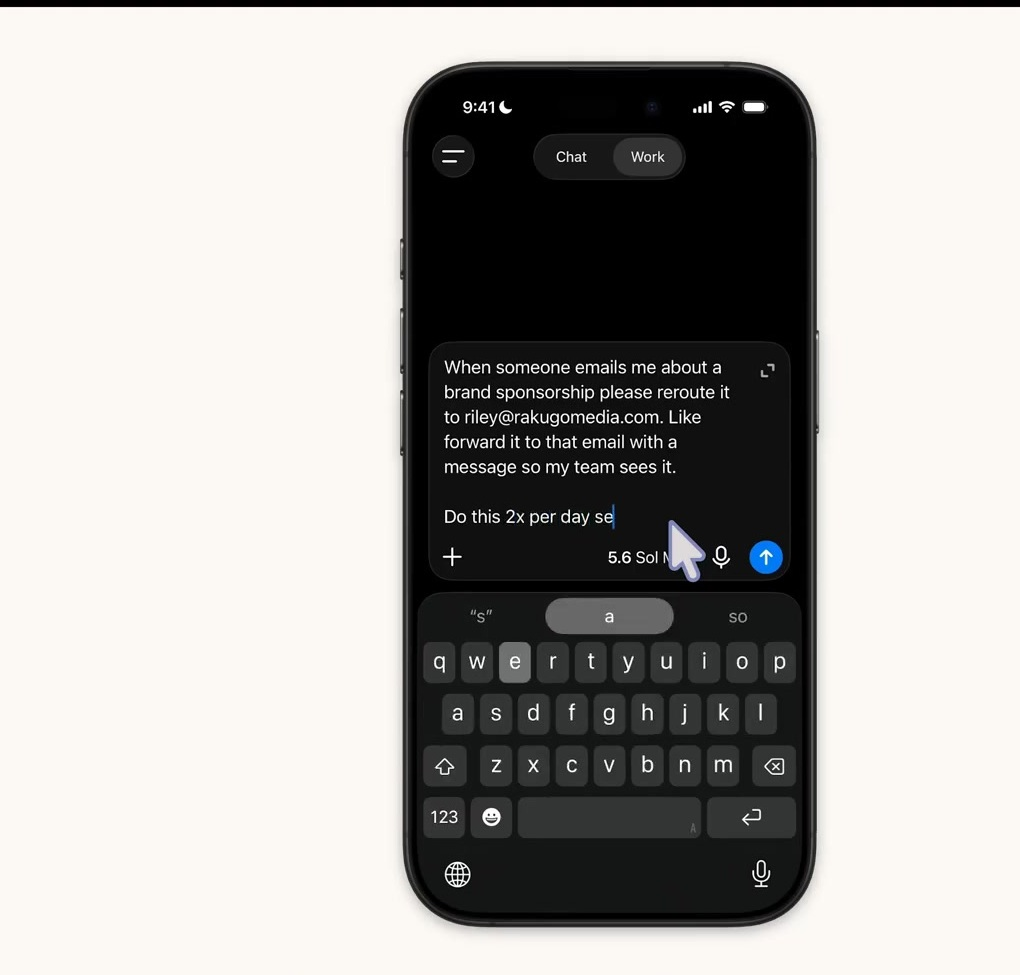
A safer production version would define what counts as a sponsorship message, what should be excluded, whether forwarding needs approval, and what information the forwarded message should contain. It may also be better to label or summarize messages rather than forwarding every match, depending on the sensitivity of the inbox.
The broader point is that cloud tasks do not have to start on a desktop. Current ChatGPT experiences can sync Work across supported surfaces, so a user can create or manage recurring work without being tied to one machine.
Workflow 7: Bring text-message context into Codex
The seventh workflow is different from the previous six. The creator moves into Codex because his local setup has the permissions needed to read message data on his computer. He demonstrates a Messages integration that can summarize a conversation and then uses that information to keep sponsorship-related communication available to his agents.
In the example, a daily process reads messages from several relevant contacts, includes group-chat context when needed, and stores the resulting information in Notion. The reason is straightforward: if important business decisions happen over text, an agent that only sees email and Slack still has an incomplete view of the company.
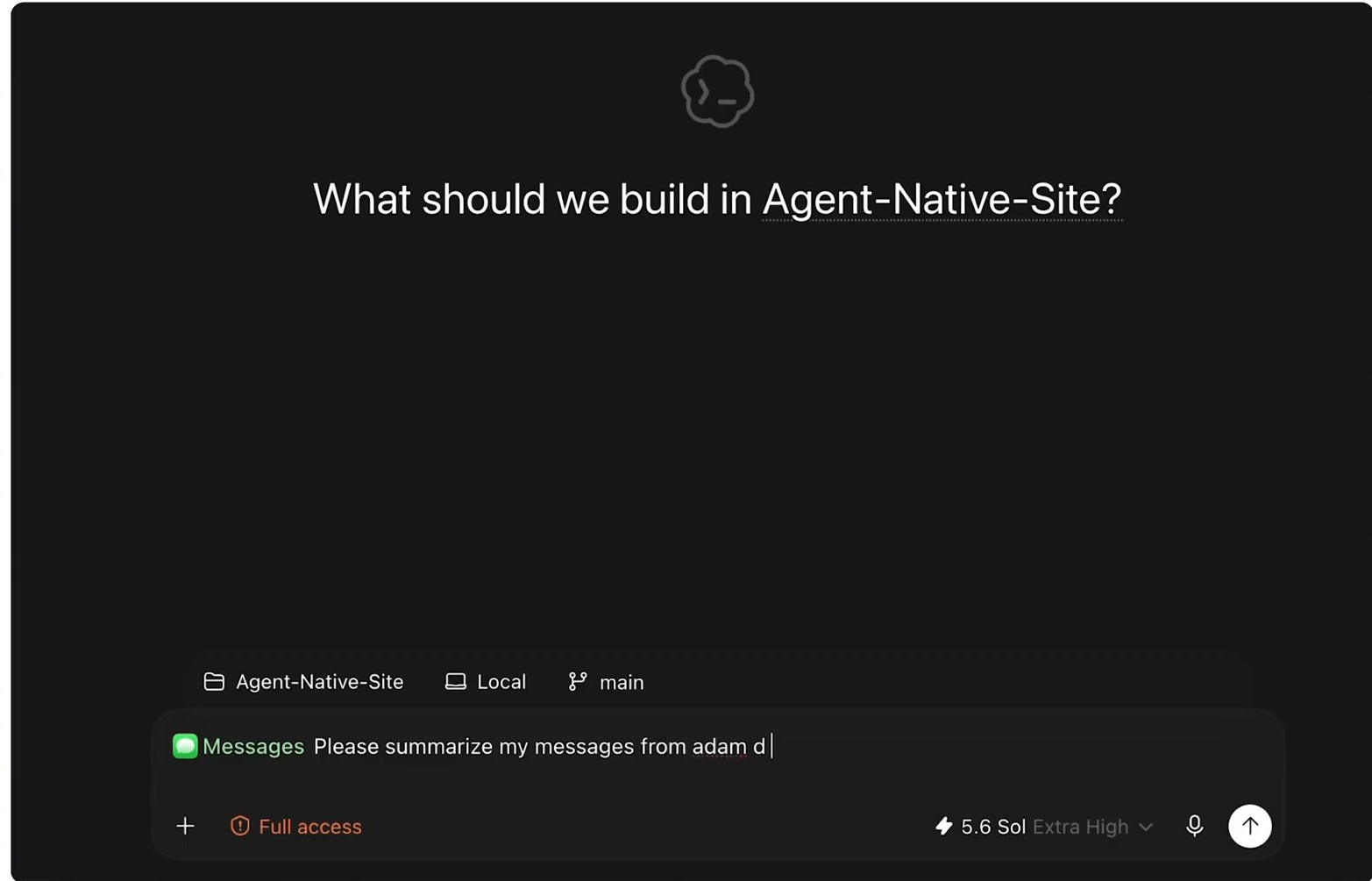
This is one area where the article should not over-generalize the demonstration. OpenAI's current documentation confirms that plugins can be used with supported Codex workflows, but the specific local Messages integration shown in the video is best treated as the creator's environment rather than a universal ChatGPT feature available to every account. Local permissions, operating system access, plugin availability, and workspace policy can all change what is possible.
The design principle is still broadly useful: an agent performs better when it has the business context that actually matters. The implementation should use the smallest set of permissions necessary, and private-message ingestion deserves especially careful access controls and retention rules.
Workflow 8: Run a monthly business review across all connected context
The final workflow is the most ambitious. Instead of asking for a daily operational update, the creator schedules a deep monthly review using a high-reasoning ChatGPT model.
The prompt asks the agent to review the previous month across sources such as Notion, Gmail, Slack, Calendar, meeting notes, Google Drive, and the other connected research systems. It is told to compare results with goals, identify wins and misses, surface unfinished work and risk, support conclusions with dates and source links, and avoid inventing missing information.
The on-screen prompt also asks for an executive-style report ranked by business importance, including goal-by-goal results, key metrics, lessons, next month's priorities, and the five most important next actions. The creator schedules it for the last day of each month for the next 12 months and routes the finished report into his normal knowledge-management workflow.
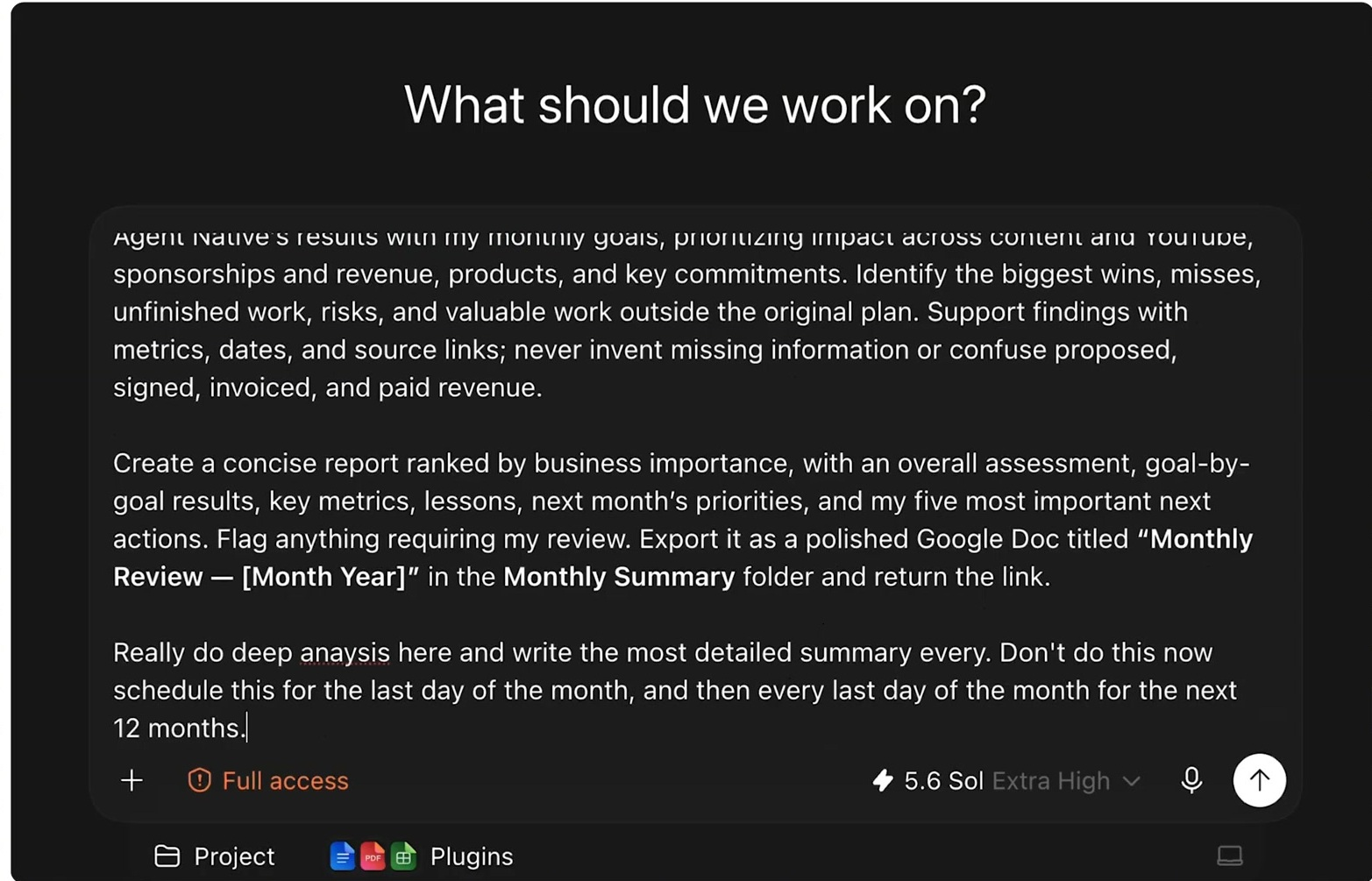
This is where the earlier automations compound. A monthly review becomes more useful when the company already has structured databases for commitments, candidates, social research, podcast guests, and deal-related communication. The monthly agent is not starting from an empty chat. It is reading the outputs created by the smaller agents all month long.
The hidden architecture behind all eight workflows
Although the eight examples look different, most of them use the same five-part architecture.
1. Collect context from the systems where work already happens
The agent reads from approved sources such as email, Slack, meeting notes, databases, social feeds, calendars, files, or local data. Good automation starts with the correct source set. Missing a major communication channel can be more damaging than using a weaker model, because the agent will reason from an incomplete picture.
2. Store structured state instead of relying on chat history
Several workflows write to Notion. The specific database tool is not the important part. What matters is having a durable state store with explicit fields, deduplication rules, source links, timestamps, and ownership.
A structured store gives future runs something stable to update. It also lets humans inspect what the automation believes to be true.
3. Separate collection from judgment
The social workflow first gathers posts, then a second workflow drafts commentary. The hiring workflow first adds candidates, then another run researches them. This separation reduces complexity and makes failures easier to diagnose.
A good rule is to let one automation answer one operational question. If a workflow is collecting, ranking, rewriting, publishing, notifying, and updating five systems in one giant prompt, it becomes harder to test and harder to trust.
4. Schedule only after a successful manual run
The creator repeatedly runs the task once, checks the output, and only then turns it into a recurring job. That is a safer rollout strategy than immediately scheduling an untested prompt.
The current Scheduled Tasks product also makes the task itself inspectable. The video shows a central task list where recurring jobs can be reviewed, edited, paused, or opened individually.
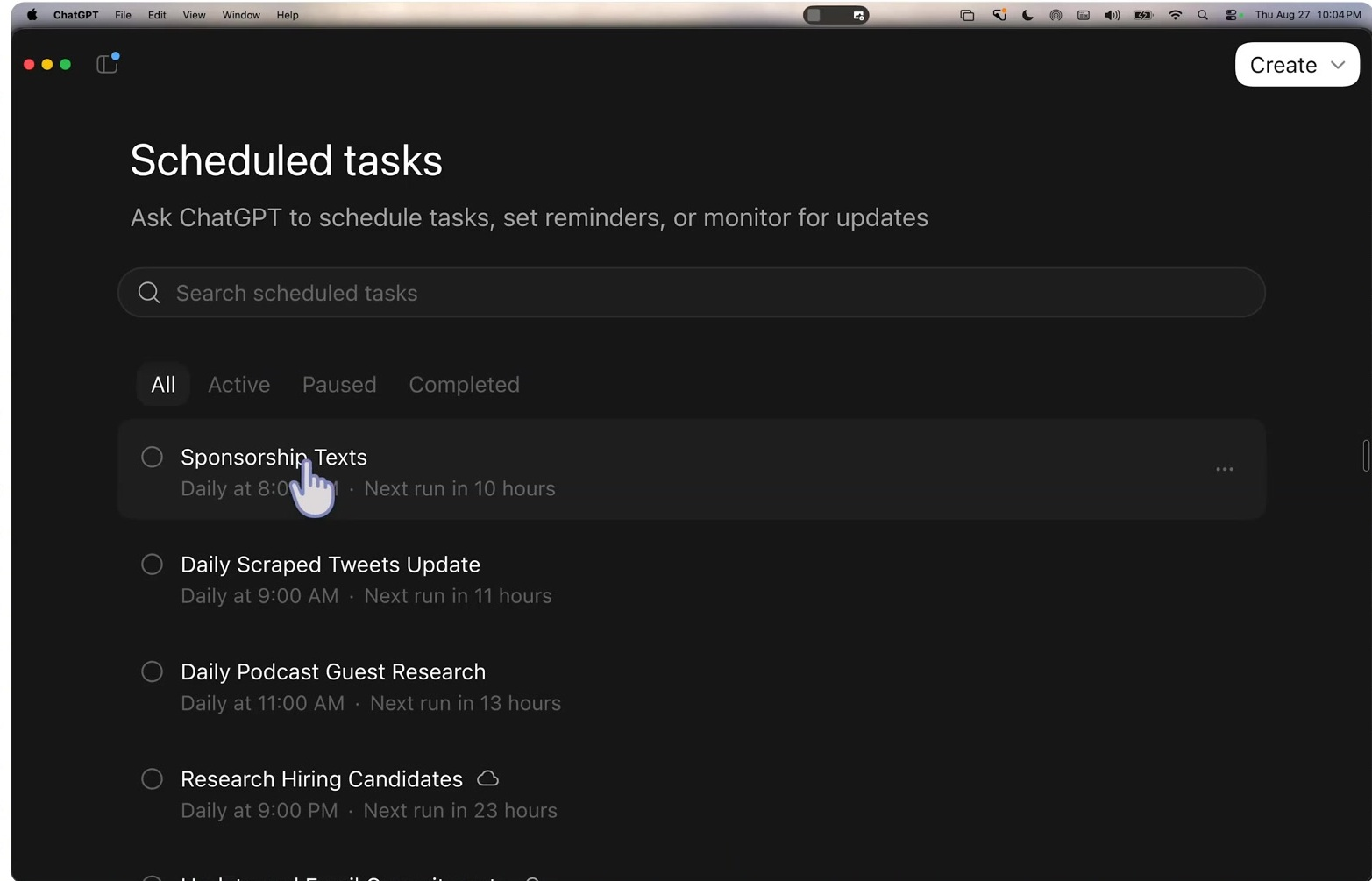
5. Keep humans at the final approval points that matter
The social-post workflow is the clearest example: AI gathers information and produces drafts, but the creator does not let it publish automatically. Other workflows use humans for accountability, review, or routing.
That is a useful default for any action with brand, financial, contractual, privacy, or reputational consequences. Automate the repetitive preparation first. Expand autonomous actions only after the workflow has earned trust and the permission model is appropriate.
What is officially supported now, and what is specific to the video
As of October 2026, OpenAI's official documentation supports the core platform assumptions behind the video:
- ChatGPT Work is designed for longer tasks that can research, analyze, work across connected apps and files, and produce finished outputs.
- Plugins can combine skills or reusable instructions with connected apps and other workflow capabilities. App access still depends on authentication, permissions, plan, region, and workspace policy.
- Scheduled Tasks can run one-time or recurring jobs and, where supported, respond to app events or monitor for changes. Limits and exact scheduling options vary by plan.
- GPT-5.6 Sol Extra High is a current high-reasoning option on eligible paid plans. Model availability still depends on the user's plan and workspace settings.
The following pieces should be understood as the creator's implementation rather than universal ChatGPT requirements: the exact Notion schemas, the Scrape Creators setup, the Typefully API workflow, the YouTube researcher skill, WhisperFlow meeting-note source, the particular schedules and recipients, and the local Messages integration shown in Codex.
That distinction is useful when recreating the system. Start from the job you want done, then check which plugins and connected apps are actually available in your account. Do not assume that a tool shown in someone else's workspace is automatically installed or authorized in yours.
A practical way to build your first agent workflow
The easiest way to copy the video's approach is to start with one recurring job that already has a clear input and output.
For example, choose a weekly customer-risk report. Define the sources the agent is allowed to read, such as a specific Slack channel and a customer database. Define the destination, such as a Notion table or Google Doc. Tell the agent what evidence must accompany every claim and what it should do when the evidence is missing. Run the workflow manually and review the result.
Only after the output is consistently useful should you schedule it. Then review the first several runs just as you would review work from a new employee. Look for duplicate records, missing sources, permission failures, overly broad matches, and conclusions that are not backed by evidence.
A strong recurring-agent instruction usually answers six questions:
- What sources may the agent use?
- What exact outcome should it produce?
- Where should the result be stored or sent?
- How should it handle uncertainty, duplicates, and missing data?
- Which actions require a human review or approval?
- When should the job run, and when should it stay silent?
Once one workflow is stable, add a second workflow that consumes its output. That is how the system in the video becomes more powerful over time: smaller agents create structured context that larger agents can later analyze.
Final takeaway
The eight workflows in the video are useful because they treat AI automation as an information system, not a collection of clever prompts. Data is pulled from the tools where work happens, normalized into persistent stores, transformed by purpose-specific agents, scheduled, and then surfaced to humans at the points where judgment matters.
The best place to begin is not the monthly mega-review. Start with a narrow task whose success is easy to inspect, such as commitments, candidate intake, lead routing, or recurring research. Prove the workflow once, keep the evidence attached to the output, and only then let it run in the background.
That is the real transition from “using ChatGPT” to operating with agents: the work becomes repeatable, inspectable, and connected to the rest of the business.
Current product sources
Current OpenAI product details in this article were checked against official documentation on October 7, 2026:
- ChatGPT Work and Codex: https://help.openai.com/en/articles/20001275/
- Scheduled tasks in ChatGPT: https://help.openai.com/en/articles/10291617-scheduled-tasks-in-chatgpt
- Plugins in ChatGPT and Codex: https://help.openai.com/en/articles/20001256
- Connected apps in ChatGPT: https://help.openai.com/en/articles/11487775-connected-apps-in-chatgpt
- GPT-5.6 and GPT-6 Pro in ChatGPT: https://help.openai.com/en/articles/20001354-gpt-5-6