

AI TOOL REVIEW | UPDATED OCTOBER 9, 2026
| Cursor has grown from an AI-enhanced code editor into a broader agentic development platform. This review explains how its local Agent, Tab autocomplete, codebase intelligence, cloud agents, automations, model selection, and pricing work in 2026 – and where the product still demands developer judgment. |
|---|
Cursor is no longer just an editor with autocomplete
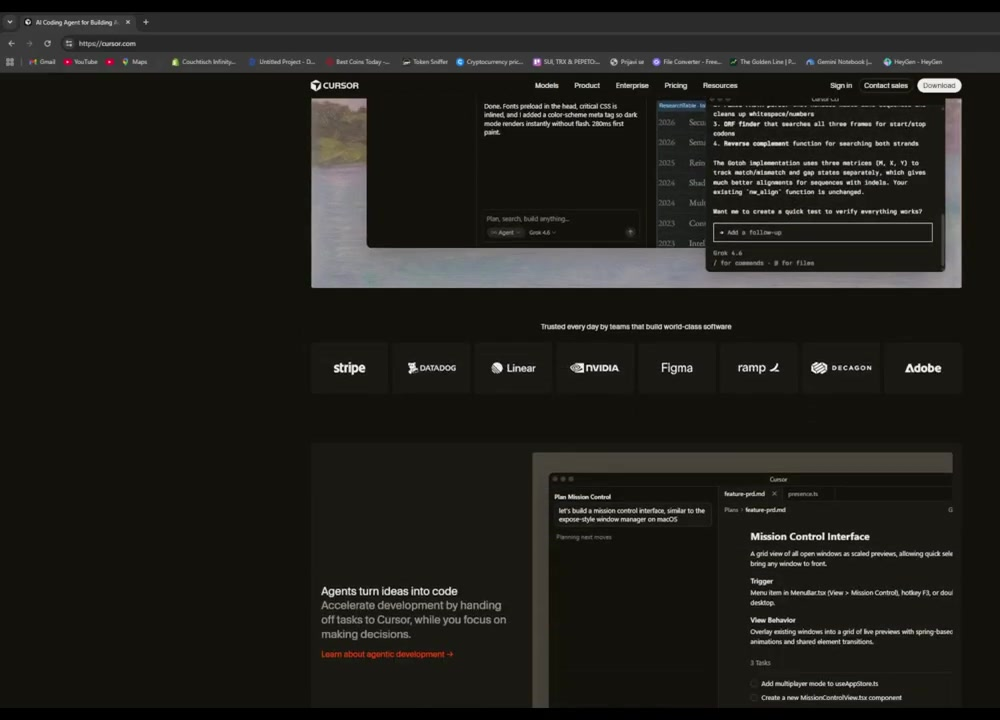
Cursor is easiest to understand if you stop thinking of it as a normal code editor with a chatbot bolted onto the side. Its central idea is that AI should be able to work inside the development environment itself: inspect a repository, search relevant files, edit more than one file, run terminal commands, test the result, and continue when something fails.
That distinction is the core of the video review. The presenter contrasts the old workflow – ask an AI for a code snippet, copy it into an editor, then manually connect the pieces – with Cursor’s agentic workflow, where the assistant can operate against the project directly.
In 2026, that framing is even more accurate than it was when AI editors were mostly competing on inline completion. Cursor now spans local coding assistance, browser-based agents, cloud development environments, scheduled automations, mobile supervision, multi-repository work, plugins, MCP integrations, and model routing. The result is a product that sits somewhere between an editor, an autonomous coding agent, and a development orchestration layer.
That does not automatically make Cursor the best AI coding tool for every developer. It does make it one of the clearest examples of where AI-assisted software development is heading: from suggestions to delegated work.
For a concise product overview, visit the Cursor tool profile.
What Cursor actually does
At the basic level, Cursor remains a code editor. You open a folder or repository, browse files, edit code, use a terminal, and work with source control much as you would in a conventional development environment.
The difference is how deeply the AI participates in those activities. Cursor’s Agent can search the codebase, read files, make edits, run commands, and use tools. A prompt such as “add email-and-password login” is not merely interpreted as a request for a sample function. The agent can identify the relevant application structure, modify the files involved, install or use dependencies, and attempt to verify the change.
Cursor’s current documentation describes Agent as an assistant that can complete complex coding tasks independently. For larger bodies of work, Cursor also has Projects, where a coordinator agent can plan a feature or migration and delegate pieces of the work to other agents.
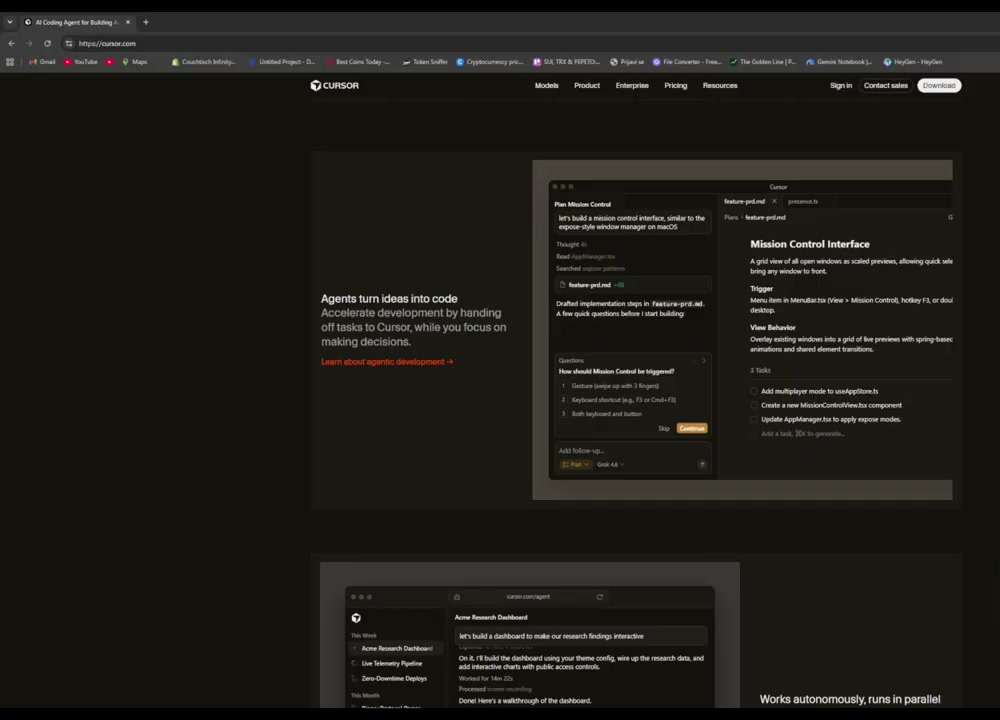
This is the first reason Cursor still feels different from a plain chat interface. The useful unit of work is increasingly a task, not a single prompt-and-response exchange.
Agent mode is the main attraction
The strongest part of the workflow shown in the video is Agent mode. You describe what you want in normal language, and Cursor can use project context to decide which files and commands matter.
For small tasks, that might mean fixing a bug or adding a component. For larger ones, it can mean a multi-file refactor, writing tests, updating related code paths, running the application, inspecting errors, and iterating until the task is in better shape.
That loop matters. A coding assistant that can write code but cannot run or inspect the program often stops at the most fragile point: it produces a plausible patch and leaves verification to you. Cursor’s tool access gives it a chance to close more of the loop.
A typical agentic workflow looks like this:
- Describe the feature, bug, or refactor.
- Let Cursor inspect the repository and choose relevant files.
- Review the plan or initial edits when appropriate.
- Allow the agent to run terminal commands, tests, linters, or the development server.
- Inspect failures and have the agent continue.
- Review the final diff before accepting or shipping the change.
The last step is important. Cursor can remove a great deal of repetitive work, but it does not remove the need for code review. An autonomous agent can misunderstand product intent, alter more files than necessary, or produce a change that passes a narrow test while violating a broader architectural constraint.
Cursor Tab is much more than old-school autocomplete
The video also highlights Tab, Cursor’s AI-powered autocomplete. One transcript line accidentally calls it “Tabnine,” but the feature being demonstrated is Cursor Tab, Cursor’s own completion system.
Tab watches what you are editing and proposes changes in context. Current Cursor documentation says it can use recent edits, surrounding code, and linter errors; it can suggest multi-line changes, add imports, predict cross-file edits, and jump to the next likely edit location.
That makes Tab useful in a different way from Agent. Agent is for delegated tasks. Tab is for staying in flow while you are actively coding.
If you are renaming a field, modifying a type, finishing a repetitive block, or making the second of several related edits, Tab can often predict where the change is heading. For experienced developers, this may be the feature used most frequently during normal hands-on coding because it reduces small interruptions without handing the entire task to an agent.
The distinction is worth keeping clear:
- Tab predicts and accelerates edits while you remain in control of the code.
- Agent takes a larger instruction and can work across files and tools.
- Cloud Agents move that agentic work to isolated remote development environments.
- Automations trigger Cloud Agents on schedules or external events.
That layered approach is one reason Cursor works for both “AI pair programming” and more autonomous workflows.
Codebase understanding is a major advantage
One of the most practical examples in the video is asking questions such as “Where is authentication handled?” or “Which files control the checkout flow?”
These questions sound simple, but they illustrate a major benefit of putting AI inside the development environment. The assistant can search the repository directly instead of forcing you to identify and paste every relevant file into a separate chatbot.
Cursor builds a searchable index of a project to support semantic code search. In January 2026, Cursor described secure codebase indexing as a major contributor to agent performance, particularly in large repositories where finding the right context is often harder than writing the final code change.
This matters most when:
- you are new to a repository;
- the codebase is large enough that ownership is not obvious;
- functionality spans frontend, backend, infrastructure, or shared packages;
- a bug is caused by interactions across several modules;
- you need to understand an unfamiliar area before changing it.
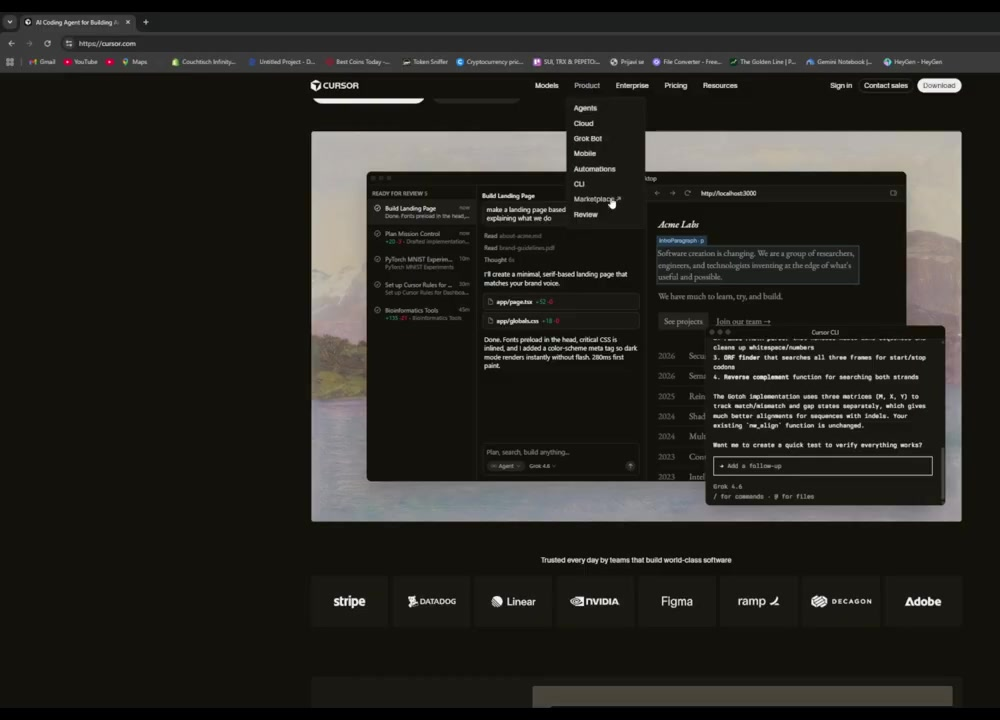
The video correctly identifies this as one of Cursor’s strongest advantages over a detached AI chatbot. Less time is spent packaging context manually.
Terminal access turns answers into workflows
Cursor can run terminal commands as part of an agent task. That includes installing dependencies, running tests, starting development servers, executing linters, and using command-line tools available in the environment.
The video describes a useful sequence: ask Cursor to build a feature, let it edit the files, run the project, see an error, then continue fixing the problem. This is a much more valuable pattern than judging an AI coding assistant by whether its first code block “looks right.”
The ability to observe failures gives an agent feedback. A failed test, type error, build error, or runtime log can become new context for the next step.
There is also a risk: terminal access increases the agent’s power. Developers should pay attention to permission prompts, project rules, secrets, network access, and commands with destructive side effects. More capable agents make review discipline more important, not less.
Cloud Agents are where Cursor becomes a platform
The source video shows Cursor’s web Agents interface and notes that cloud functionality requires a paid account. That remains broadly correct, but the current product is more capable than a simple web version of the editor.
Cloud Agents run in isolated virtual machines with configured repositories, dependencies, secrets, startup commands, and network access. They can work while your local computer is offline, run in parallel, test their changes, and produce pull requests with artifacts such as screenshots, videos, and logs.
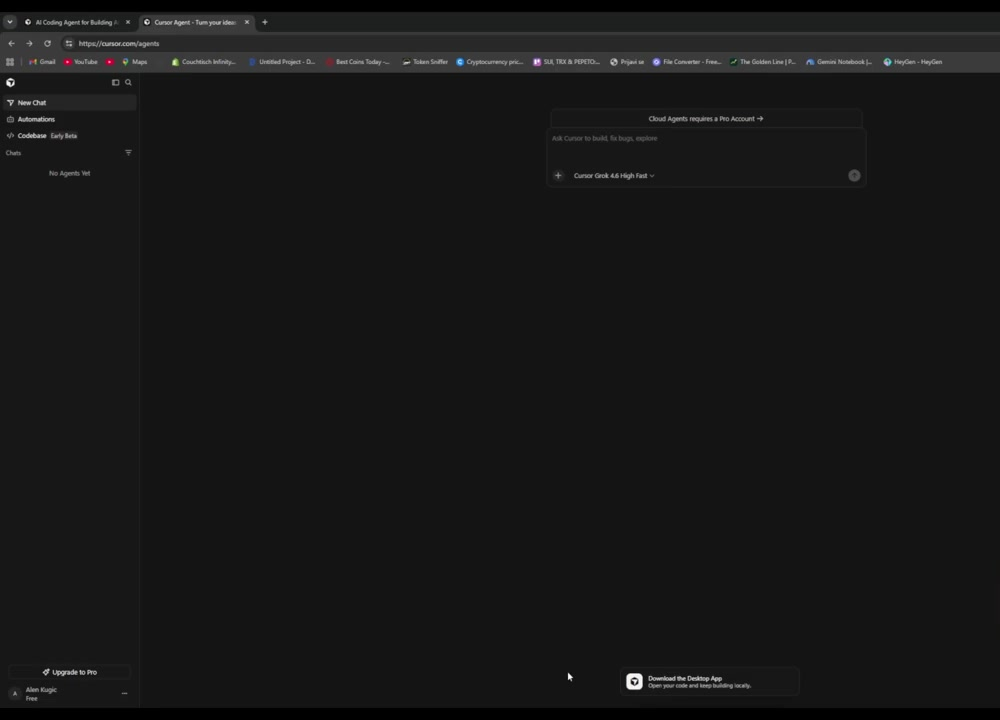
Cursor currently supports starting or managing Cloud Agents from desktop, the web, iOS, Slack, source-control integrations, Linear, and an API. The native mobile app is for iPhone and iPad; Cursor’s documentation says Android is planned, while Android users can currently use the agents web experience as a PWA.
That is an important update to the video’s more general reference to mobile downloads. Cursor does have a real mobile story in 2026, but it is primarily about launching, supervising, reviewing, and merging agent work rather than recreating a full desktop editor on a phone.
Cloud Agent billing also deserves a clearer explanation than “included with Pro.” Paid plans provide access, but Cursor’s documentation says Cloud Agents are charged at API pricing for the selected model, and users set a spend limit. Heavy remote-agent use therefore can cost more than the base subscription.
Automations let agents run without a manual prompt
The video opens the Automations area and treats it as an advanced paid feature. Today, Automations are a substantial part of Cursor’s always-on agent story.
An automation can run a Cloud Agent on a schedule or in response to events from systems such as GitHub, GitLab, Slack, Linear, PagerDuty, or webhooks. Examples in Cursor’s own documentation include reviewing pull requests, triaging bugs, scanning for vulnerabilities, summarizing code changes, and reacting to failed CI.
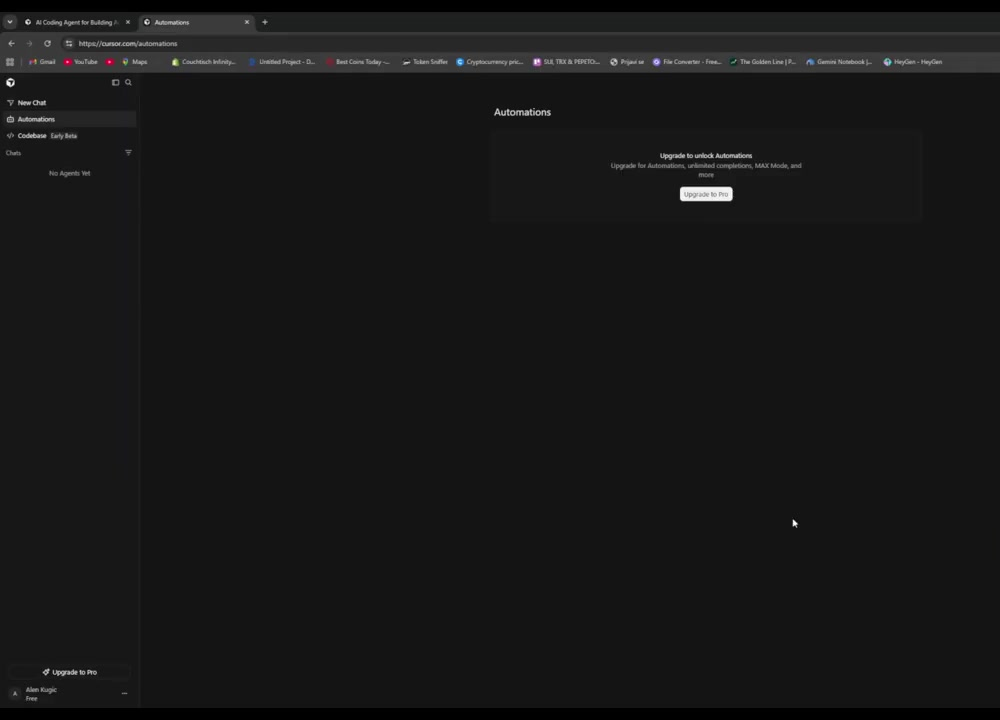
Cursor has also added tools around automation memory, MCP integrations, computer use, multiple repositories, and no-repository workflows. In other words, Automations are not just a cron wrapper around code generation. They are a way to make agents part of an engineering process.
As with Cloud Agents, billing is usage-based. Each automation run creates a Cloud Agent run and is billed according to the selected model. A team should therefore treat “always on” as an operational capability with a budget, not as a free background feature.
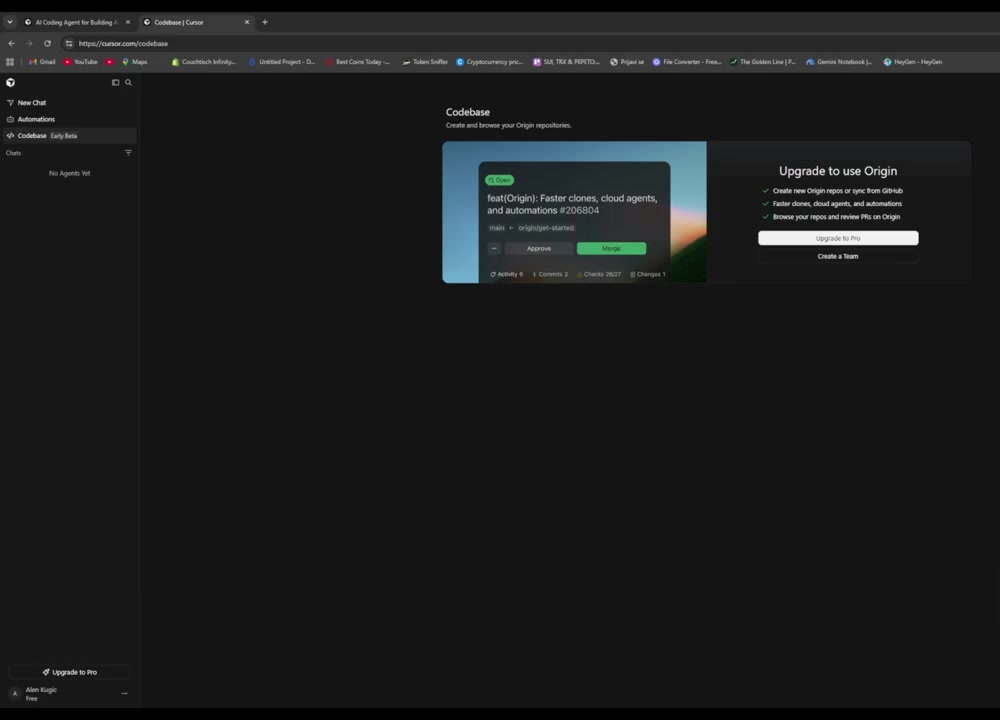
The Codebase screen shown in the video has evolved into Origin
The video shows a web “Codebase” area marked as an early beta. Cursor’s current documentation refers to this broader repository surface as Origin, which is still described as early beta.
Origin can create repositories, mirror repositories from GitHub, browse and search code, inspect branches and commits, and open or merge pull requests from the web. This is another sign that Cursor’s scope has moved beyond a single desktop application.
For developers evaluating Cursor only as a VS Code-style editor replacement, this expansion is easy to miss. The company’s direction is clearly toward a connected development system where local editing, remote agents, repository browsing, reviews, automations, and mobile supervision share the same account and context.
Model choice is a strength, but the exact list changes quickly
The review demonstrates Cursor’s model picker and emphasizes that users are not locked to one AI provider. That remains a meaningful strength.
Cursor currently supports frontier models from OpenAI, Anthropic, Google, xAI, and Cursor’s own models. The exact model list and prices change frequently, so screenshots from any video can become outdated faster than the workflow itself.
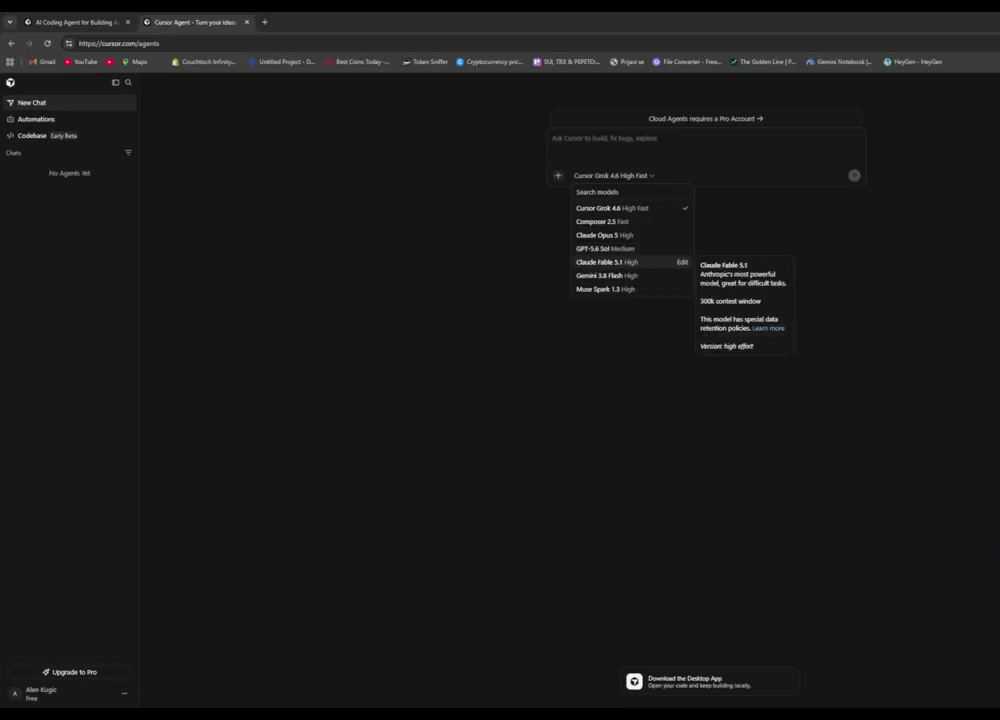
Current Cursor documentation also separates usage into Cursor Models and Other Models pools on individual paid plans. Cursor’s first-party pool includes its own Composer models and supported Grok variants, while third-party models use a separate pool based on model pricing.
Cursor is also rolling out Cursor Router, with different optimization modes for balancing intelligence, cost, and reliability. This means “Auto” is becoming a more explicit routing system rather than a single static model choice.
For users, the practical takeaway is simple: do not choose Cursor because one specific model happens to be available today. Choose it if you value the harness around the models – repository context, tools, agent orchestration, review flow, cloud environments, and the ability to change models as the market moves.
Cursor pricing in 2026
The video shows the familiar $20 Pro checkout and a free Hobby plan. Those two entry points still exist, but Cursor’s pricing ladder is now broader.
As of October 2026, Cursor lists these self-serve plans:
| Plan | Current price | Best fit |
|---|---|---|
| Hobby | Free | Trying Agent, Chat, and Tab with limited usage |
| Pro | $20/month | Individual developers who want paid agent features |
| Pro+ | $60/month | Daily agent users who need more included usage |
| Ultra | $200/month | Heavy individual agent users |
| Teams Standard | $40/user/month | Collaborative teams needing centralized controls |
| Teams Premium | $120/user/month | Teams needing substantially more included usage |
| Enterprise | Custom | Larger organizations needing advanced governance and procurement |
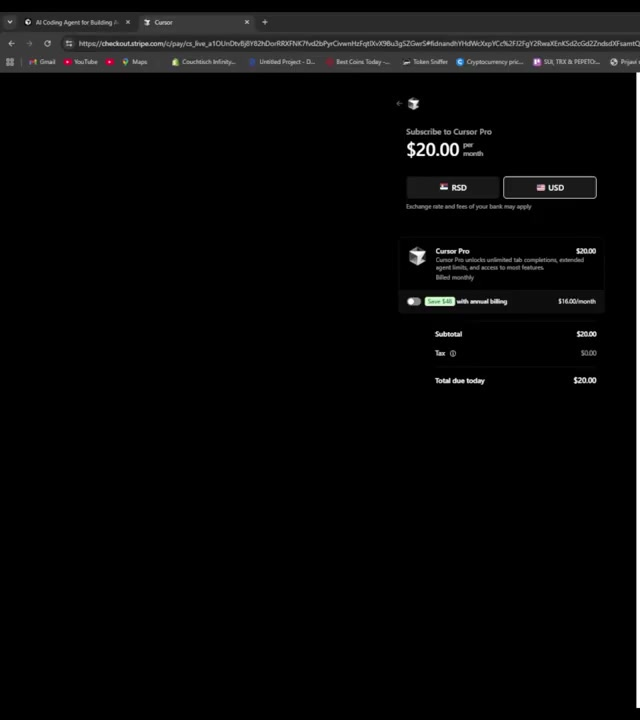
The base subscription price is only part of the cost picture. Cursor plans include model usage allowances, and on-demand usage can continue after included amounts are consumed. Cloud Agents and Automations can also create usage-based charges.
That makes Cursor’s 2026 pricing more flexible but less simple than “pay $20 and everything is unlimited.” Developers who use local Tab and Agent lightly may stay close to the base subscription. Teams running many cloud agents, expensive frontier models, or recurring automations should track usage and set spending controls.
Who benefits most from Cursor?
The source video divides the audience into beginners and experienced developers, and that is a useful starting point.
Beginners
Beginners can use Cursor to explain unfamiliar code, answer repository questions, scaffold small features, and show how pieces fit together. The value is not only faster code generation; it is having contextual explanations near the project.
The danger is using autonomy before developing enough judgment to review the output. A beginner who accepts large generated diffs without understanding them can accumulate fragile code very quickly. Cursor works best as a tutor and accelerator when the developer still pauses to read what changed.
Experienced developers
For experienced developers, the bigger payoff is usually delegation. Repetitive refactors, test generation, bug investigation, migrations, cross-file edits, CI fixes, and parallel agent work can save meaningful time when the agent has a well-configured environment and a clear definition of done.
Experienced users also tend to benefit more from knowing when not to use the agent: a five-character edit does not need a five-minute autonomous workflow.
Teams
Teams get the most leverage when they treat Cursor as part of an engineering system rather than a personal productivity toy. Shared rules, plugins, MCP tools, cloud environments, Automations, usage controls, privacy settings, and review policies matter more as agent autonomy increases.
The platform becomes especially interesting when one agent can operate across multiple repositories or respond automatically to events in the development workflow.
What Cursor gets right
Cursor’s strongest quality is integration. Each individual capability has competitors, but the product combines several useful modes in one environment:
- fast predictive editing through Tab;
- conversational repository understanding;
- a tool-using local Agent;
- terminal execution and verification;
- cloud agents that continue without your laptop;
- multiple models rather than a single provider;
- automations tied to real engineering events;
- web and mobile surfaces for supervising work;
- integrations through MCP, plugins, source control, Slack, Linear, and other systems.
That combination makes it possible to move gradually from manual coding to agent delegation instead of forcing one working style.
Another advantage is that Cursor increasingly focuses on the agent harness rather than treating model intelligence as the whole product. Models will keep changing. The durable value is how effectively the editor supplies context, tools, environments, verification, permissions, and review surfaces around them.
Where Cursor still has tradeoffs
The first tradeoff is cost predictability. A simple $20 subscription is easy to understand; model pools, on-demand usage, Cloud Agent API pricing, and recurring automations are more complex. Power users gain flexibility, but they also need to monitor consumption.
The second is review burden. The more autonomy an agent has, the larger the blast radius of a misunderstanding. Multi-file edits and terminal commands are powerful precisely because they can change a lot quickly.
Third, some of Cursor’s newer surfaces are still evolving. Origin is early beta, model availability changes, routing is being rolled out across plans, and cloud-agent capabilities have been moving rapidly throughout 2026. A workflow captured in a video can be partially outdated within months even when the core concepts remain valid.
Finally, developers who prefer a highly customized existing IDE setup may not want to move their primary editor just to gain AI features. Cursor’s value proposition is strongest when you are comfortable letting the AI become part of the editing environment itself.
Is Cursor still the best AI code editor in 2026?
“Best” is too broad to be an objective product feature, but Cursor remains one of the strongest all-around choices for developers who want both hands-on AI assistance and increasingly autonomous agents in the same ecosystem.
If your priority is fast completion while you type, Cursor Tab is mature enough to be useful all day. If your priority is delegated work, Agent and Cloud Agents can take on substantially larger tasks. If your team wants agents to react to engineering events without being manually started, Automations extend the same system into background operations.
The more important 2026 question is not whether Cursor writes the smartest isolated code snippet. It is whether its combination of context, tools, models, remote environments, orchestration, and review fits the way you build software.
For many developers, the answer will still be yes. Cursor’s biggest advantage is that it supports a spectrum of interaction: you can accept one Tab suggestion, ask one repository question, delegate a multi-file task, launch parallel cloud agents, or automate recurring engineering work without leaving the same product family.
That breadth also explains the main caution. Cursor is becoming more powerful than a traditional editor, so it should be operated with the same engineering discipline applied to any system that can modify code, run commands, access secrets, and open pull requests. Use the autonomy where it saves work, keep review gates where mistakes matter, and choose models and spending limits deliberately.
For a hands-on comparison point, see our Claude Code website-building workflow.
Current-product notes
Several details visible or stated in the source video have changed or need qualification for a current 2026 article:
- The feature described as “Tabnine” in one caption is Cursor Tab, Cursor’s own AI autocomplete.
- Cursor Pro still starts at $20/month, but there are now Pro+ ($60) and Ultra ($200) individual plans as well as multiple Teams tiers.
- The free Hobby plan still exists and provides limited access to Agent, Chat, and Tab.
- Cloud Agents require a paid Cursor plan and are billed at API pricing for the model used, so the subscription alone does not make unlimited cloud-agent work free.
- Automations create Cloud Agent runs and are billed based on those runs.
- Cursor now has a native iOS/iPadOS app for supervising and launching agents; Android is planned, with the web/PWA experience available in the meantime.
- The web Codebase surface shown as an early beta has evolved into Origin, which Cursor still describes as early beta.
- Exact model names in the model picker should be treated as time-sensitive. Cursor supports models from multiple providers, and the list changes frequently.
Bugbot handles pull-request review
The video references automatic code review on every pull request during the GitHub setup flow. Cursor’s current product for that job is Bugbot.
Bugbot analyzes pull-request diffs and can leave comments about bugs, security issues, and code-quality problems. It can run automatically on updates or be triggered manually. Cursor’s current docs also support repository-specific review rules and an Autofix workflow that can spawn a Cloud Agent to fix reported issues when the necessary billing and storage settings are enabled.
That does not make human code review obsolete. Automated review is especially useful for catching repeated categories of mistakes, noticing suspicious diff patterns, or adding another pass before merge. It is weaker at product intent, nuanced tradeoffs, and organizational context that was never encoded in the repository or rules.
For teams considering Cursor, Bugbot is one of the more important differences between “AI that writes code” and “AI integrated into the software delivery process.”
The data-sharing screen deserves more attention than most onboarding steps
A useful moment in the video is the data-sharing choice. The presenter decides not to share data because he is only demonstrating the product.
Data-sharing choice during setup
Cursor’s current privacy documentation makes this decision more concrete. With Privacy Mode enabled, Cursor says customer code data is not used for training by Cursor or its model providers. Cursor also states that it maintains zero-data-retention agreements with providers for eligible models, while noting limited exceptions such as safety investigations or models that explicitly require retention.
If Privacy Mode is turned off, Cursor says it may use and store codebase data, prompts, editor actions, code snippets, and related data to improve AI features and train its models. That is materially different from a generic “help us improve the product” checkbox. Developers working on proprietary or sensitive repositories should understand the setting before connecting a codebase.
Privacy Mode is available to individual users, including free users, and teams can enforce privacy settings centrally. Enterprises have additional governance and compliance controls.
Desktop Cursor versus Cursor Web
The video shows a final onboarding page that points the user toward the desktop application while still offering a way to continue into Cursor Web.
Desktop download recommendation in onboarding
For day-to-day editing, the desktop environment is where Cursor feels most like a replacement or extension of a traditional IDE. You have the local codebase, terminal, editor state, and immediate interaction loop in one place.
Cursor Web is better understood as an agent-control surface. It is useful when you want to launch or monitor cloud work without being tied to the machine that normally holds your development environment. Cursor also documents mobile access for cloud-agent management.
The two experiences are therefore complementary rather than interchangeable. Local agent work is ideal when you want tight supervision and fast iteration. Cloud work is attractive when the task is self-contained, takes longer, or can run independently while you do something else.
A practical way to evaluate Cursor yourself
If you are deciding whether Cursor is worth paying for, start with a controlled project rather than a mission-critical repository.
Choose a small but realistic task: add a settings page, fix a reproducible bug, write missing tests, migrate a component, or document an API. Give the agent acceptance criteria and ask it to verify the result. Review every changed file. Then repeat the same kind of task with a stronger model or a Cloud Agent and compare the amount of human intervention required.
Track three things: time saved, correction burden, and cost. A coding agent is valuable when it reduces the total effort to reach a trustworthy result. A flashy first draft that creates an hour of cleanup is less useful than a quieter workflow that consistently produces reviewable changes.
If your team is considering Cloud Agents or Automations, also test permissions and failure modes. What can the agent access? What happens if tests fail? How are secrets handled? Can an unwanted network call occur? What artifacts do reviewers receive? These operational questions matter as much as generation quality.
Official sources
Current-product facts in this article were checked against Cursor’s official documentation and product pages on October 9, 2026:
- Cursor pricing: https://cursor.com/pricing
- Pricing and plans: https://cursor.com/help/account-and-billing/pricing
- Agent overview: https://cursor.com/docs/agent/overview
- Cursor Tab: https://cursor.com/help/ai-features/tab
- Cloud Agents: https://cursor.com/docs/cloud-agent
- Automations: https://cursor.com/docs/cloud-agent/automations
- Models and pricing: https://cursor.com/docs/models-and-pricing
- Cursor for iOS: https://cursor.com/docs/cloud-agent/mobile
- Origin browse and search: https://cursor.com/docs/origin/browse
- Codebase indexing research: https://cursor.com/blog/secure-codebase-indexing