
AI Tool Video Article | Publication-ready website package
Cursor can help a developer move quickly inside a codebase, but enterprise software projects often demand a different operating model: deeper repository understanding, longer autonomous runs, broad testing, documentation, and production safeguards. This walkthrough follows a side-by-side Grafana experiment to show where an interactive coding agent shines, where an enterprise agent such as Blitzy adds value, and why both approaches can belong in the same engineering workflow.
ARTICLE
The most useful part of the “Cursor costs $20, this AI agent costs millions” comparison is not the price shock. It is the fact that the two tools are designed around different units of work.
A product such as Cursor is built for a developer who is actively steering. You open a repository, point the agent toward the relevant files, ask for a change, inspect the result, run the code, and keep iterating. The human stays close to the loop. That can be extraordinarily effective, especially when the developer already understands the architecture and knows where the important code lives.
The enterprise system demonstrated in the video, Blitzy, starts from a different assumption. Instead of asking a developer to supply most of the missing context manually, it first spends time reverse-engineering the codebase, constructing a broader system representation, generating a detailed technical specification, and planning the requested work before large-scale code generation begins. The result is slower to start but designed to cover more of the work needed to produce a pull request that can survive review in a large production repository.
That distinction is what the video tests on Grafana, a large open-source observability platform. The experiment asks Cursor and Blitzy to address the same long-standing playlist feature request and then compares not only whether the visible behavior works, but how much surrounding engineering each system completes. Blitzy sponsored the video, so the demonstration is best read as a detailed product walkthrough and engineering comparison rather than an independent benchmark.
The Core Mental Model: Different Units of Work
The video frames tools such as Cursor, Claude Code, and GitHub Copilot as interactive coding agents. They are strongest when the job can be decomposed into files, functions, a bug fix, or a reasonably bounded feature and when a developer is there to guide the process.
The enterprise approach shown with Blitzy is more asynchronous. A team describes the target state, reviews a specification and execution plan, then allows the platform to work for a much longer period. The human is still responsible for requirements and approval, but does not need to watch every file edit.
That is a meaningful difference in software development behavior. An interactive agent is usually optimized around fast feedback. An enterprise-scale agent is optimized around preparing enough structured context to execute a larger scope with less continuous human guidance.
The current product pages reinforce that split. Cursor still offers its Pro plan at $20 per month and positions Agent as a developer-facing tool with access to frontier models, MCPs, skills, hooks, and cloud agents. Blitzy describes itself as an autonomous software-development platform for work that does not fit comfortably inside an editor, including large refactors, migrations, legacy systems, and multi-repository projects.
See the Cursor tool profile for the product overview behind the developer-led workflow.
Context Is the Real Bottleneck
The video’s explanation of context is more important than its exact token or line-count estimates.
A coding model cannot simultaneously reason over an unlimited amount of source code, conversation history, tool output, instructions, and tests. The effective working set has to be selected. In a normal Cursor workflow, the developer often performs that selection implicitly: “this bug is probably in these three files,” “this service owns that behavior,” or “the existing pattern is over here.”
That makes the developer part of the context system.
If the developer already understands the repository, this is not a weakness. It is efficient. The human supplies architecture knowledge and directs the model toward the small area where the change belongs.
The problem changes when nobody in the loop knows the codebase. If you hand an unfamiliar, very large repository to an agent and ask for a cross-cutting feature, both the human and the model have to discover which parts matter. Search can help, but now the agent is spending much of its effort trying to reconstruct system context before it can make confident changes.
Current Cursor documentation illustrates why the precise numbers in videos age quickly. GPT-5.6 Sol is currently documented with a 272K default context window and up to 1M tokens in long-context mode. Other models have different limits. The durable lesson is not “an agent can only see exactly N lines”; it is that repository scale and architectural complexity can exceed the practical context available to any single reasoning pass.
Blitzy’s Alternative: Reverse-Engineer Before You Generate
The workflow shown in the video spends substantial effort before code generation begins.
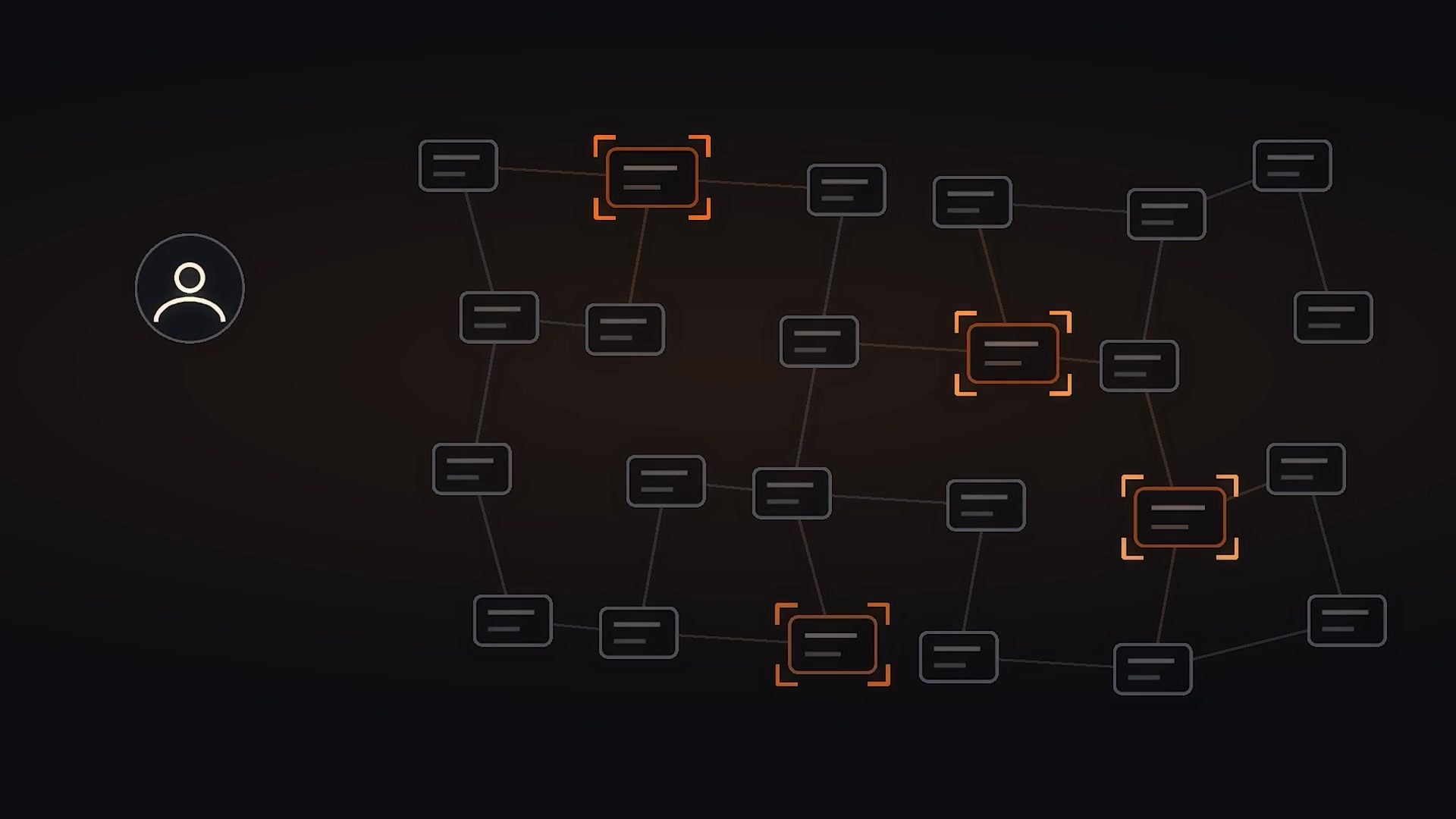
Blitzy first analyzes the repository and builds a codebase representation covering architecture, dependencies, data flows, conventions, and system relationships. The platform then produces a technical specification that acts as a structured map of the application. When a team asks for a feature or refactor, that work is grounded against the broader representation rather than only the files currently loaded into one conversational context.
Blitzy’s current public materials describe this as a dynamic knowledge graph mapped back to the source code. The company says thousands of specialized agents can then plan, build, validate, and test work against that system understanding.
This is where the pricing starts to make more sense. The product is not sold as an editor subscription. It is priced around large deployments, dedicated infrastructure, onboarding huge codebases, generated code volume, and enterprise support. Blitzy’s current public overview lists a typical Commercial deployment at $500,000 per year, Enterprise at $5 million per year, and a much larger Transformation tier. That makes the video’s “millions” framing directionally accurate, even though the exact package names and prices can change.
There is also an important current update to the free trial mentioned in the video. The video says Blitzy offers free reverse engineering for 100,000 lines. Blitzy’s general pricing page still references a free 100K-line reverse-engineering option, while a September 2026 Sandbox announcement advertises up to 1 million lines of reverse engineering and up to 100,000 lines of E2E-tested generated code for eligible organizations. Anyone evaluating the product should check the latest offer rather than rely on an older video number.
The Test Case: A Long-Standing Grafana Playlist Request
To make the comparison concrete, the video uses Grafana.
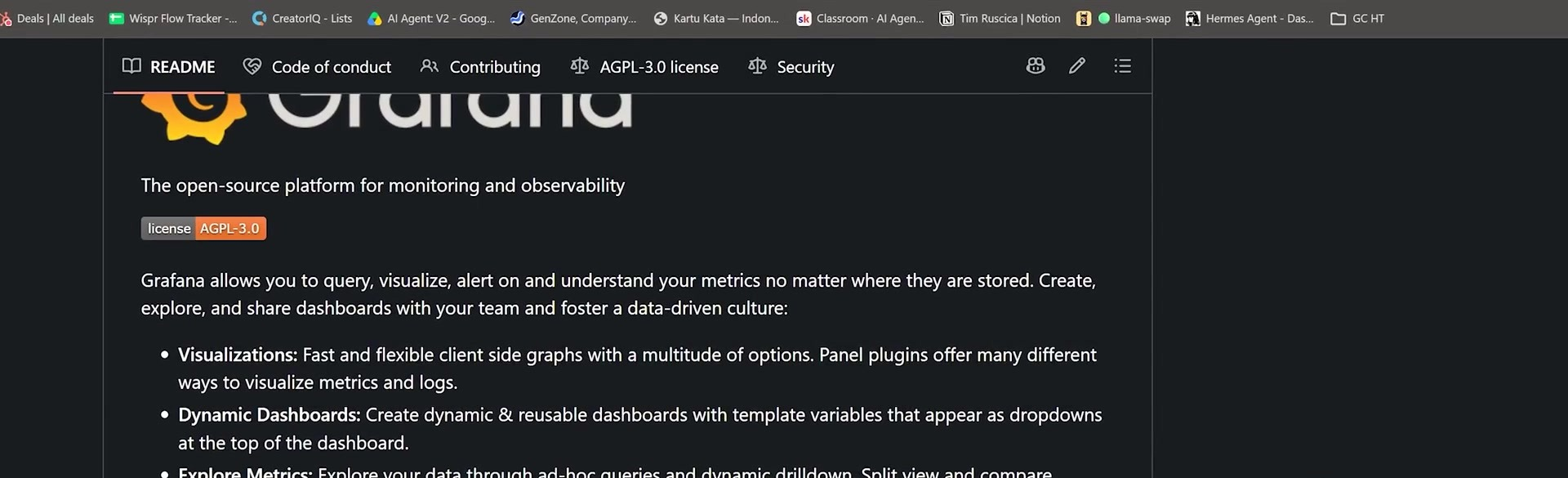
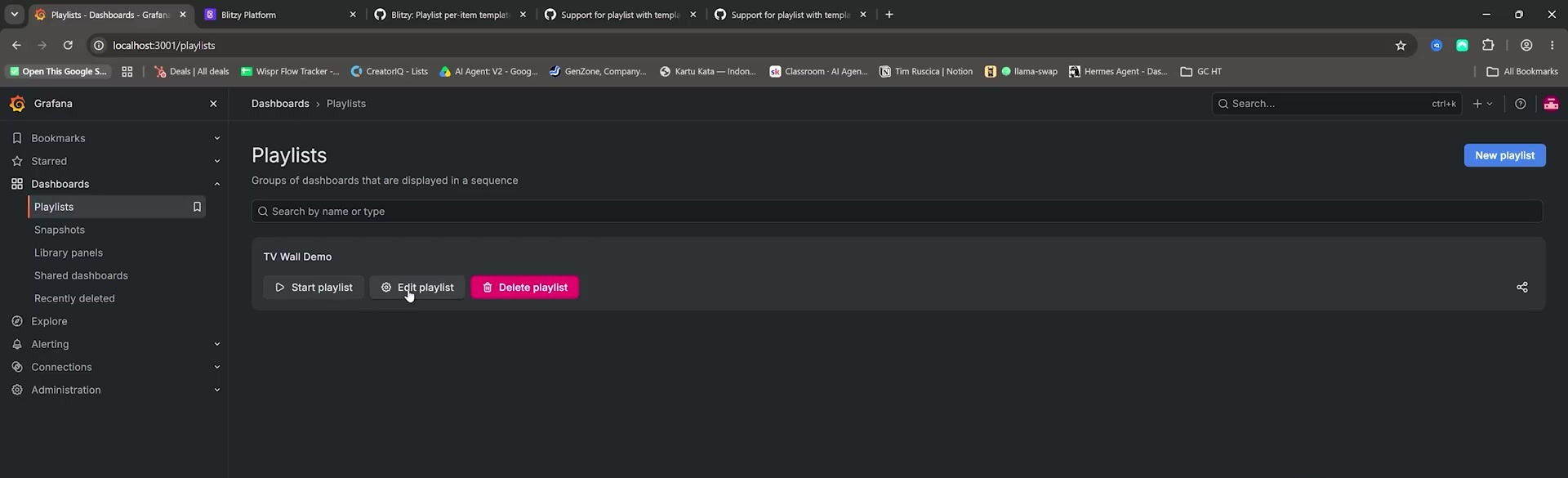
Grafana is an open-source monitoring and observability platform built around dashboards, metrics, logs, alerts, and reusable variables. The experiment focuses on playlists: sequences of dashboards that can run continuously, for example on a wall-mounted monitoring display.
The requested feature is easy to understand from a user’s perspective. Suppose a dashboard has a variable named host with values such as server A, server B, and server C. A playlist can already rotate between dashboards, but users also wanted it to rotate through selected template-variable values so the wall display could automatically show each server instead of repeatedly displaying only one variable selection.
The GitHub history is worth stating precisely. The issue visible in the research trail is Grafana issue #4799, opened in April 2016. That issue explicitly references an older attempt that had been left behind, which explains why the video describes the request as having roots earlier than 2016. The important point is that it was not a trivial “change one line” request; it touched playlists, variables, serialization, UI behavior, compatibility, and tests.
The demonstration reproduces the problem by creating a playlist that should rotate server dashboards. Without the requested behavior, the playlist changes views but does not reliably cycle through all host values in the intended order.
Handing the Same Job to Cursor
The Cursor side of the test is intentionally aggressive. The creator admits that the comparison is not “fair” because he is asking a local interactive coding agent to solve a large unfamiliar-repository task with minimal human intervention.
He opens the Grafana repository in Cursor, pastes a detailed prompt describing the feature, selects GPT-5.6 Sol, increases reasoning effort, and lets the agent explore the codebase.
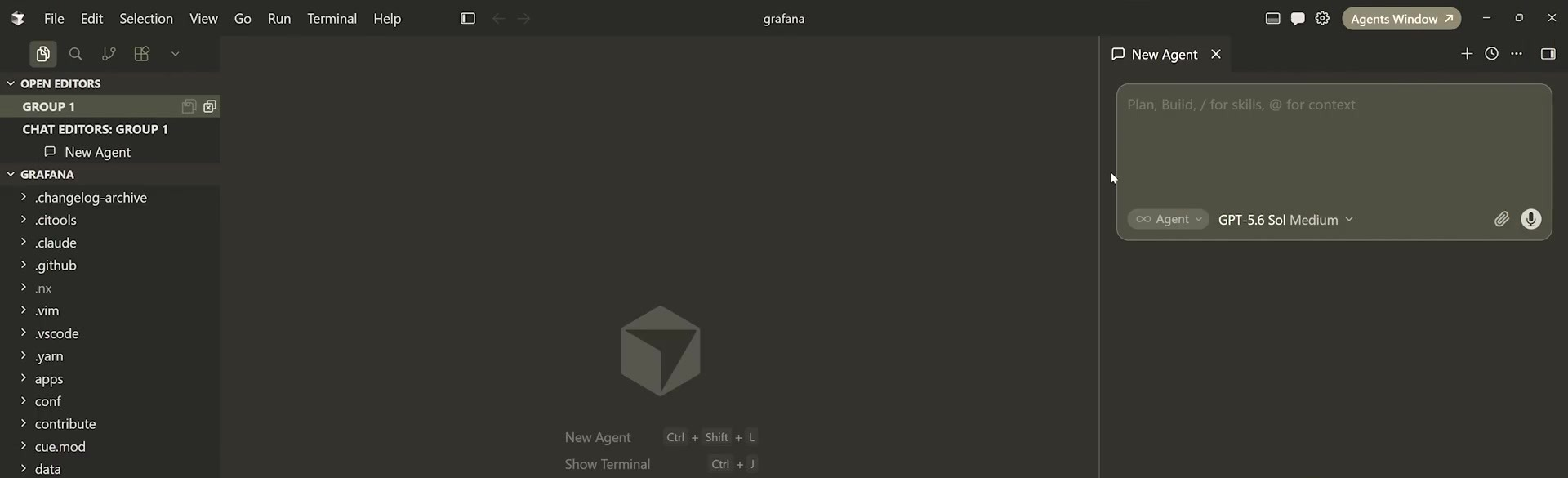
This is still a realistic demonstration of how many developers use coding agents: explain the desired behavior, let the tool search, watch it identify relevant files, then inspect and test what it changed.
The key visual difference is the granularity. Cursor searches and works through files incrementally. It does not begin by creating a hundreds-of-pages architecture document or a complete repository model. Instead, it builds enough local understanding to attempt the requested feature.
That approach turns out to work better than the video initially expects.
Blitzy’s Six-Stage Project Workflow
The Blitzy project shown in the video exposes a more formal sequence. The interface separates the work into codebase context, technical specification, build prompt, agent action plan, code, and pull-request review.
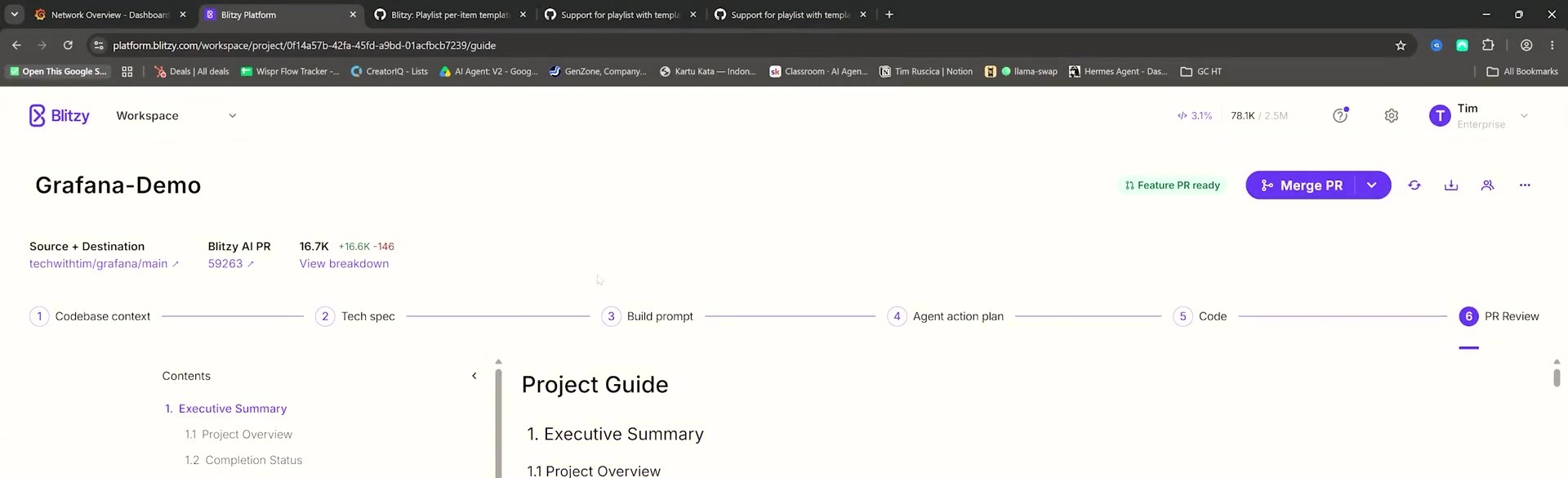
That structure is important because it forces more effort into requirements and planning before generation begins.
The first artifact is the codebase context. The platform studies the application before it attempts the target change. The next major artifact is a technical specification describing system architecture, component relationships, dependencies, flows, and implementation details. The video describes the generated document as hundreds of pages long for this repository.
The creator then writes a detailed build prompt using Blitzy’s recommended structure. From that, the system produces an agent action plan. The human can review or revise the plan before approving execution.
Only after that approval does the large code-generation job run. In this example, the creator says the generation phase took roughly two to three days. The resulting project guide estimated about 250 hours of work completed and roughly 44 hours remaining for human follow-up, while also acknowledging that those time-saved estimates are inherently approximate.
The workflow therefore shifts the human effort from constant file-by-file steering to up-front specification and later validation. This resembles how large engineering programs are often managed even without AI: invest in scope, architecture, acceptance criteria, and review before committing a large amount of implementation effort.
The Technical Specification Is Part of the Product
One of the strongest parts of the demonstration is that the generated documentation is not treated as a disposable prompt artifact.
The project guide shown in the video includes completion status, work breakdowns, tests, remaining tasks, and detailed implementation notes. The technical specification describes the repository and is updated as the code changes.
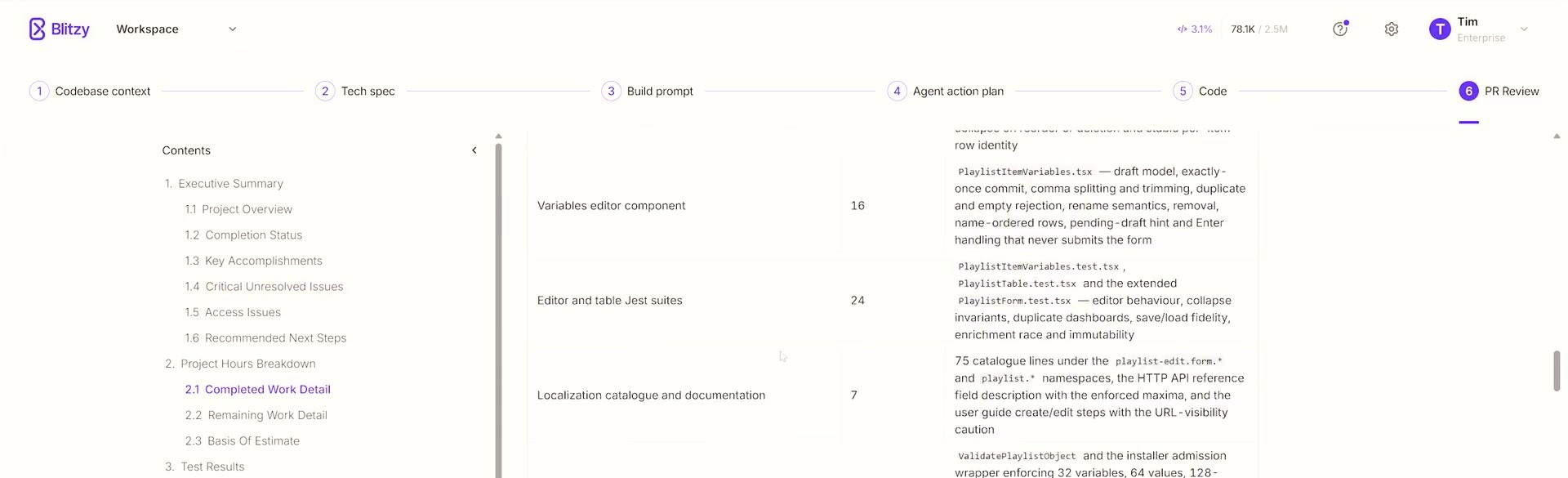
This matters in large systems because generated code is only one part of maintainability. Teams also need to know what changed, how it fits into the system, what assumptions were made, and what work remains for humans.
Blitzy’s current documentation emphasizes the same pattern. The company says teams provide requirements, review and approve the technical specification, and remain responsible for final validation in the production environment.
That last point is critical. “Autonomous” does not mean “merge without review.” The official product language explicitly keeps final QA, security testing, and production approval with the engineering team.
From Tech Spec to Agent Action Plan
The technical specification gives the agent system a broad source of context; the action plan translates that context into a concrete execution strategy.
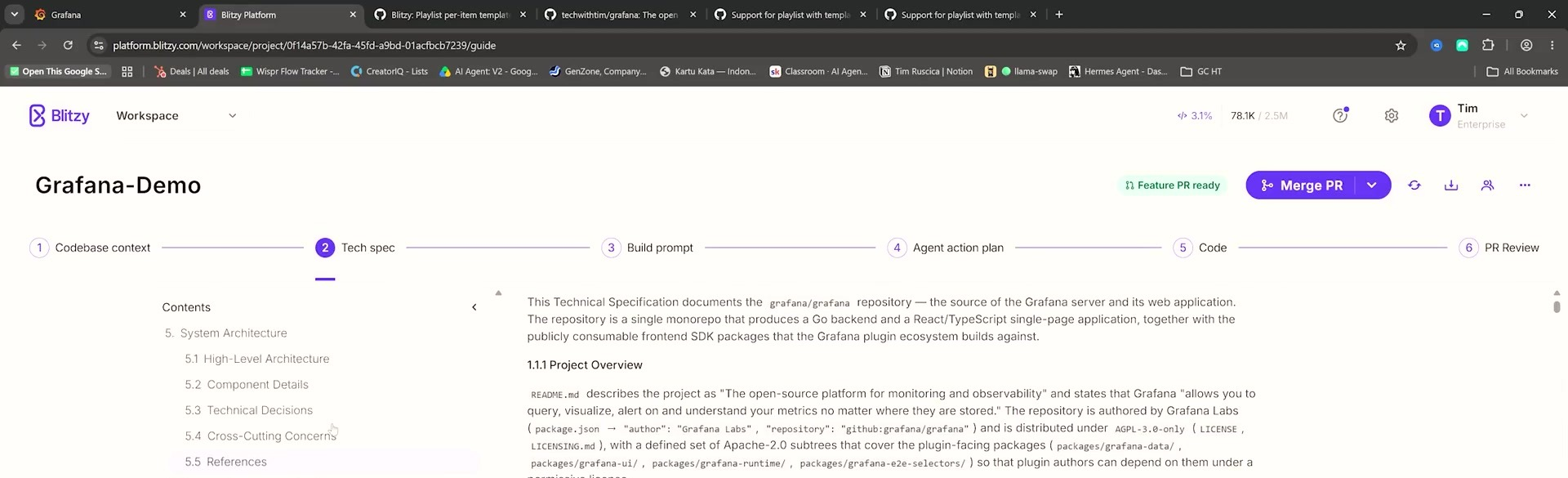
In the workflow shown, the team can inspect the plan before launch. This creates a useful approval boundary: if the system misunderstood the target, the correction can happen before thousands of automated actions are spent implementing the wrong thing.
That is one of the biggest conceptual differences from an interactive editor agent. With Cursor, the feedback cycle is frequent and small. With Blitzy, the feedback cycle is less frequent but each approved unit of work is much larger.
Neither pattern is inherently better. They optimize different risks.
A developer working on a known feature may prefer fast iteration because the scope is easy to correct. A team delegating days of autonomous work needs stronger specification because a misunderstanding can become expensive before the next human checkpoint.
What Blitzy Returned
The video’s Blitzy run produces a large pull request. The creator reports 83 changed files, roughly 19,000 additions, and several hundred deletions, although some additions are generated documentation rather than executable source code.
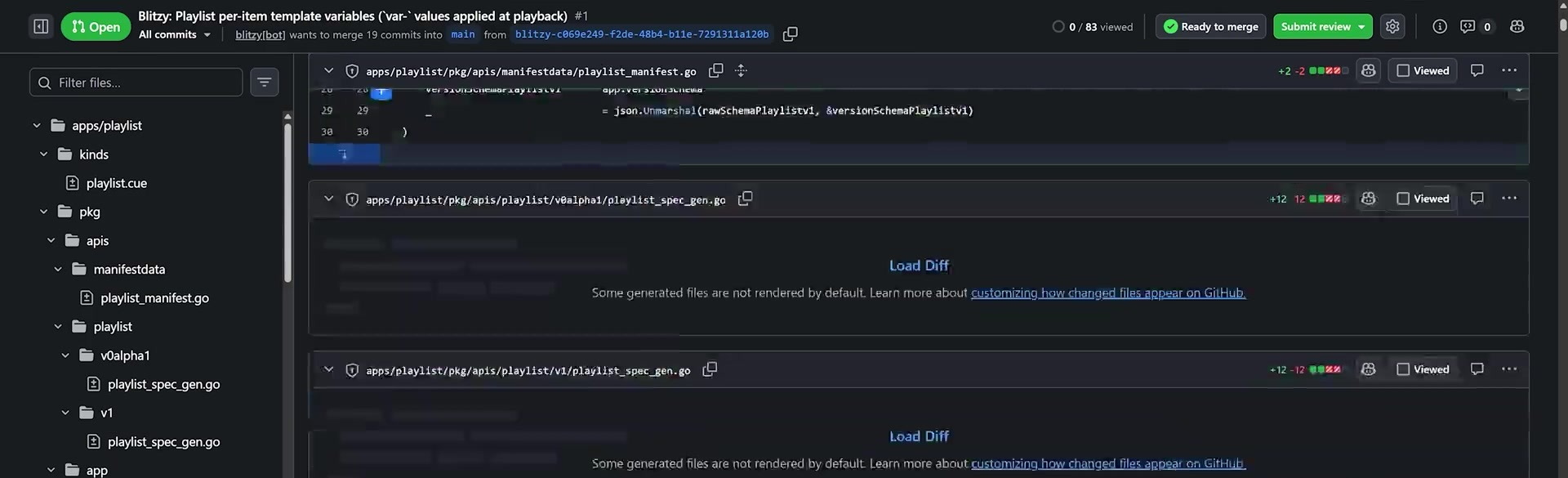
The raw line count is not proof that the result is better. Large diffs can be worse than small diffs. What matters is the scope of surrounding production work contained in the change.
The video highlights several categories that go beyond the visible playlist behavior: integration tests, compatibility tests for existing serialized playlists, API/OpenAPI changes, localization strings, user documentation, validation rules, and explicit limits for variables and values.
This is a better way to interpret “enterprise-grade” than simply saying the system wrote more code. The value is in anticipating the non-demo work that a mature project requires before maintainers can safely merge a feature.
Cursor Also Solved the Visible Feature
The most interesting moment in the comparison is that Cursor succeeds.
After the agent finishes, the creator launches Grafana and tests the playlist. The dashboard correctly cycles from server A to server B and then server C. The visible user-facing behavior works.
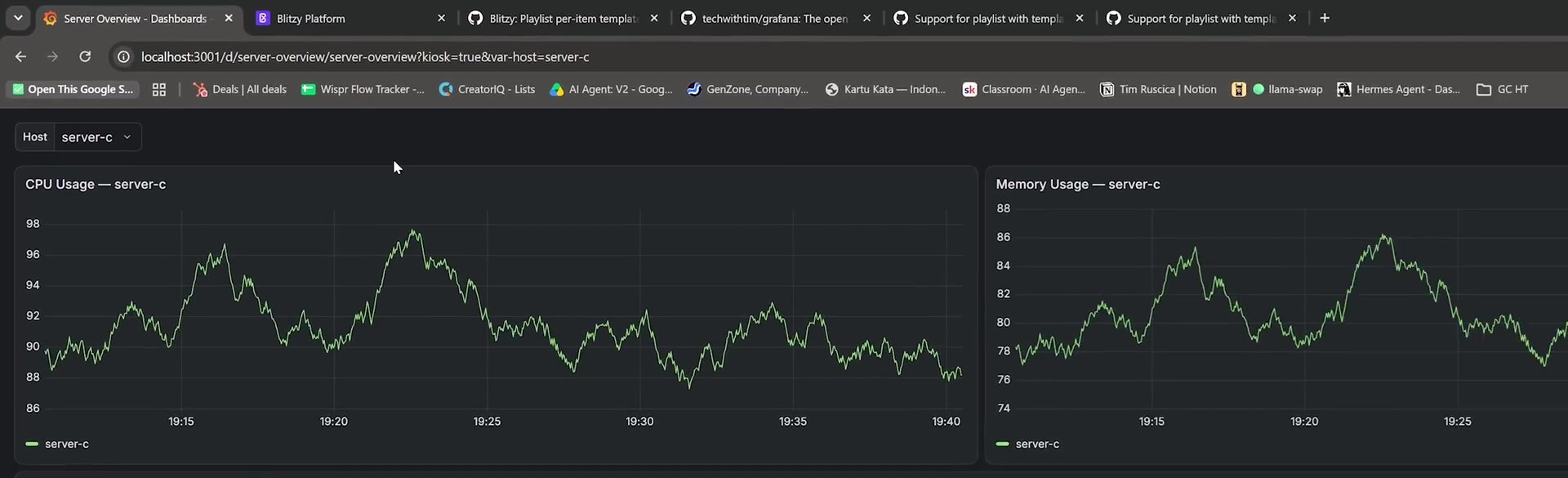
That result prevents the video from becoming a simplistic “cheap tool bad, expensive tool good” story.
Cursor found the relevant code and built a functioning version of the feature despite the creator starting with little familiarity with the Grafana codebase. The run reportedly changed around two dozen files and a few hundred lines, covering the schema, editor behavior, storage bridge, playback logic, and some tests.
For a developer trying to prototype the behavior or understand how the feature might be implemented, that is an excellent outcome.
The difference only becomes clear when the creator asks a second question: what would it take to merge this into a production repository with confidence?
The Production Gap Appears in the Boring Details
The video compares the two implementations beyond the happy-path demo.
Blitzy’s pull request includes broader integration coverage and backward-compatibility checks. It updates user-facing documentation and translation resources. In the video, the implementation explicitly caps a playlist item at 32 variables and 64 values per variable, rejects writes past those limits with field-specific errors, and includes an 11-case test group around the validation behavior. It also adds related schema/API work and a larger test matrix around those constraints.
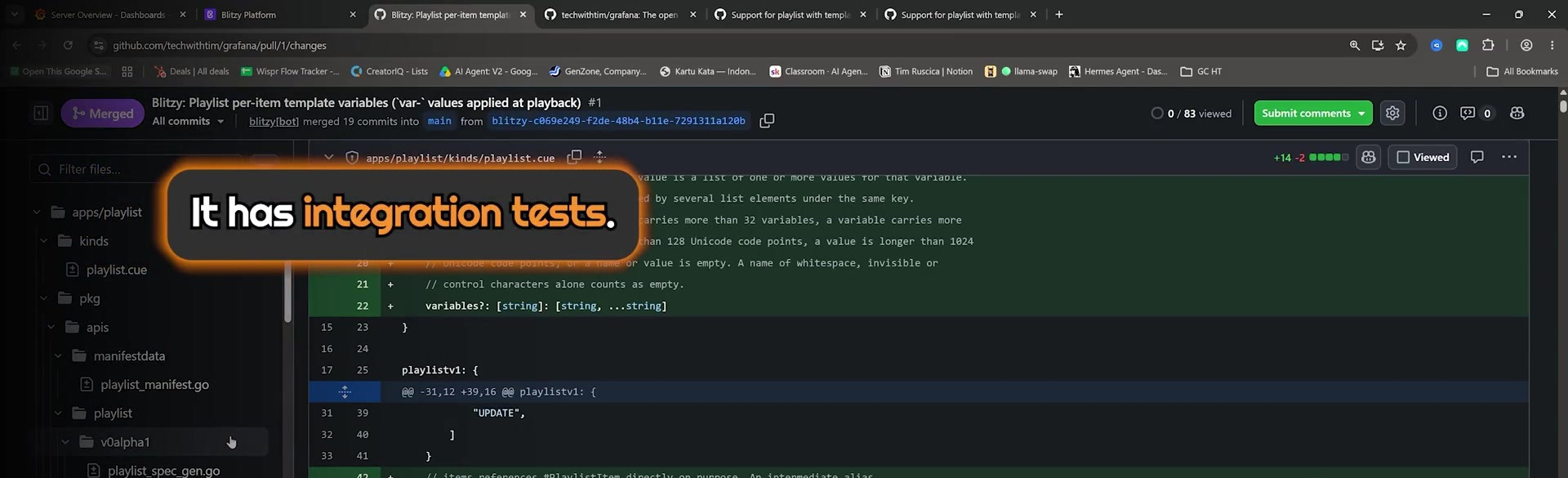
The creator then stress-tests the Cursor version against similar edge cases. In the video, Cursor’s implementation allows cases such as blank variable names and very large numbers of values because those constraints were not part of the first implementation.
Again, that does not make Cursor’s code “wrong.” It means the agent optimized for the requested visible behavior and the context it discovered, while the enterprise workflow expanded the task into the surrounding requirements needed for shipping.
This is a familiar engineering pattern. A prototype answers, “Can we make it work?” A production change has to answer additional questions: Will old data still load? Are invalid inputs rejected? Are APIs and schemas synchronized? Are translations updated? Does documentation explain the new behavior? What are the resource limits? Are there regression tests that protect existing users?
Those questions often consume more engineering time than the core feature itself.
Why the Two Products Can Belong in the Same Workflow
One of the most revealing comments in the video is that Blitzy’s own engineers use local coding tools such as Cursor and Claude Code.
That makes sense. Enterprise orchestration does not eliminate the need for an interactive coding environment. It changes where each tool is most useful.
Blitzy can spend days generating a broad, repository-aware change and return a pull request plus specifications, tests, and remaining-work guidance. A human developer can then pull that branch locally and use Cursor to inspect it, run tests, make targeted fixes, trace failures, simplify code, and finish the last mile.
Conversely, a team might use Cursor first to explore a problem and understand the code, then use a larger autonomous workflow once the requirements become clear enough for delegation.
The strongest engineering workflow is therefore not necessarily “choose one agent.” It is often a stack of tools matched to different scopes of work.
Our Cursor Projects for non-developers guide shows a more structured way to steer a multi-step task.
What the Price Difference Is Actually Buying
A $20 developer subscription and a multi-million-dollar enterprise platform look absurd when reduced to “both write code.” They make more sense when you compare the full operating model.
Cursor is inexpensive because the developer supplies a large portion of orchestration: selecting the repository, identifying the relevant area, iterating on prompts, judging results, running the application, and deciding what to do next. The product makes that human dramatically faster.
Blitzy charges enterprise-scale prices because its value proposition is to automate more of that orchestration across very large codebases and long-running projects. Its current public pricing also bundles things that have little to do with model inference alone: onboarding tens of millions of lines, dedicated infrastructure, enterprise identity and security features, support, forward-deployed engineers, and large organizational deployments.
The video makes another useful point: raw model intelligence is only part of the system. Blitzy says it combines multiple foundation models behind a larger orchestration layer. The competitive advantage therefore depends on repository representation, planning, delegation, testing, validation, and coordination as much as on which individual LLM is currently strongest.
That principle generalizes beyond Blitzy. As coding models get better, the differentiator increasingly becomes the system around the model: what context it retrieves, how it decomposes work, how it verifies results, how it remembers the codebase, and where humans approve decisions.
Practical Takeaways for Developers and Engineering Leaders
The experiment supports a more nuanced conclusion than the headline suggests.
For everyday development, a strong interactive agent can be enough to solve surprisingly difficult problems in unfamiliar repositories. Cursor’s successful Grafana implementation is evidence of that. If the developer can stay close to the loop, inspect changes, run the program, and progressively harden the result, a local coding agent can offer enormous leverage at very low cost.
For larger autonomous jobs, the missing work is often not “write more code.” It is “construct enough durable context and verification around the code that a team can trust the result.” Enterprise systems attempt to automate that layer by investing in repository understanding, specifications, plans, distributed agents, integration tests, documentation, compatibility checks, and handoff artifacts.
The choice therefore depends less on feature checklists than on the shape of the job. If the unit of work is a function, a file, or a bounded feature under active developer supervision, an editor agent is a natural fit. If the unit of work is a multi-day project across a huge unfamiliar system, with production-readiness requirements and limited continuous human steering, the economics and architecture change.
The most realistic future is hybrid. Engineers will keep using fast interactive agents for local reasoning and last-mile work, while larger asynchronous systems absorb more of the planning, repository understanding, and bulk execution that currently requires teams of people.
Our Cursor AI Review 2026 covers its broader agent features, pricing, and tradeoffs.
For a deeper look at developer-steered engineering work, see our Cursor senior engineer workflows guide.
What Has Changed Since the Video Was Recorded?
Several details are time-sensitive.
Cursor’s current Pro plan remains $20 per month, with higher Pro+ and Ultra tiers also available. Cursor’s model documentation now lists GPT-5.6 Sol with a 272K default context and a maximum 1M-token context in long-context mode, so exact context-window comparisons should be treated as moving targets rather than fixed product limitations.
Blitzy’s public pricing now clearly spells out a $500K typical Commercial deployment, a $5M typical Enterprise deployment, and a $50M Transformation tier. The company’s September 2026 Sandbox announcement also advertises a larger free evaluation than the one mentioned in the video for eligible organizations: up to 1 million lines reverse-engineered and up to 100,000 lines of E2E-tested code generated.
The broader product positioning, however, has stayed consistent with the video. Blitzy continues to describe a knowledge-graph-based understanding of large codebases, thousands of specialized agents, long-running asynchronous execution, pull-request delivery, and required human review before production deployment.
Final Takeaway
The most important result in the Grafana experiment is that both systems work.
Cursor produces a functioning implementation of the requested playlist-variable behavior. That demonstrates how capable modern interactive coding agents have become, even when dropped into a large unfamiliar repository.
Blitzy’s result is broader. It attempts to deliver not only the behavior, but the surrounding production work that maintainers need to review and merge with less follow-up: specification, tests, compatibility, validation, documentation, API changes, localization, and explicit limits.
That is the real difference between a coding assistant and an enterprise autonomous-development platform. One helps a developer reason and build faster. The other tries to automate a much larger slice of the engineering project itself.
The price gap is enormous because the unit of work is enormous.
Official Source Notes
- Cursor pricing: https://cursor.com/pricing
- Cursor GPT-5.6 Sol documentation: https://prod.cursor.com/docs/models/gpt-5-6-sol
- Cursor model documentation: https://cursor.com/docs
- Blitzy product and pricing overview: https://blitzy.com/overview
- Blitzy Sandbox announcement (September 14, 2026): https://blitzy.com/blog/the-blitzy-sandbox-is-open-autonomous-software-development-at-no-cost
- Blitzy homepage: https://blitzy.com/
- Grafana playlist-variable feature request #4799: https://github.com/grafana/grafana/issues/4799